Mod Menu Optional for Audio Engine Tweaks audio_engine_tweaks-1.2.3 build 8.jar
optionalMatching file found Matched file: Mod Menu v3.0.1 for 1.18 and 1.18.1

CurseForge · Minecraft mod
this mod changes how Minecraft schedules sounds in order to prevent the sound pool to fill up
Quick answer
Audio Engine Tweaks audio_engine_tweaks-1.2.3 build 8.jar targets 1.17.1, 1.18.1, 1.18.2 with Fabric. The project page does not say whether this file belongs on the client, dedicated server, or both. No extra mods listed for this file.
Where it goes
The project page does not say whether this file belongs on the client, dedicated server, or both.
The source does not explicitly classify this release as client-only or server-only.
audio_engine_tweaks-1.2.3 build 8.jar on 1.18. Every mod below is checked against that same setup.
This file does not list any required mods. Do not add a library just because a different file uses it.
We only count dependency files that match this setup. A file for another loader does not fill the gap.
Before you install it
Built for Audio Engine Tweaks audio_engine_tweaks-1.2.3 build 8.jar on 1.18. Pick another file and the loader, install side or required mods may change.
Use audio_engine_tweaks-1.2.3 build 8.jar. It targets 1.17.1, 1.18.1, 1.18.2 with Fabric; another release may have different loader, side or dependency requirements.
This file does not list any required mods. Do not add a library just because a different file uses it.
The project page does not say whether this file belongs on the client, dedicated server, or both.
Use the “Get this file” button beside audio_engine_tweaks-1.2.3 build 8.jar. It opens that exact file at the source.
About this project
Since v1.2.7, you can now adjust the volume of each sound independently of the vanilla sliders.
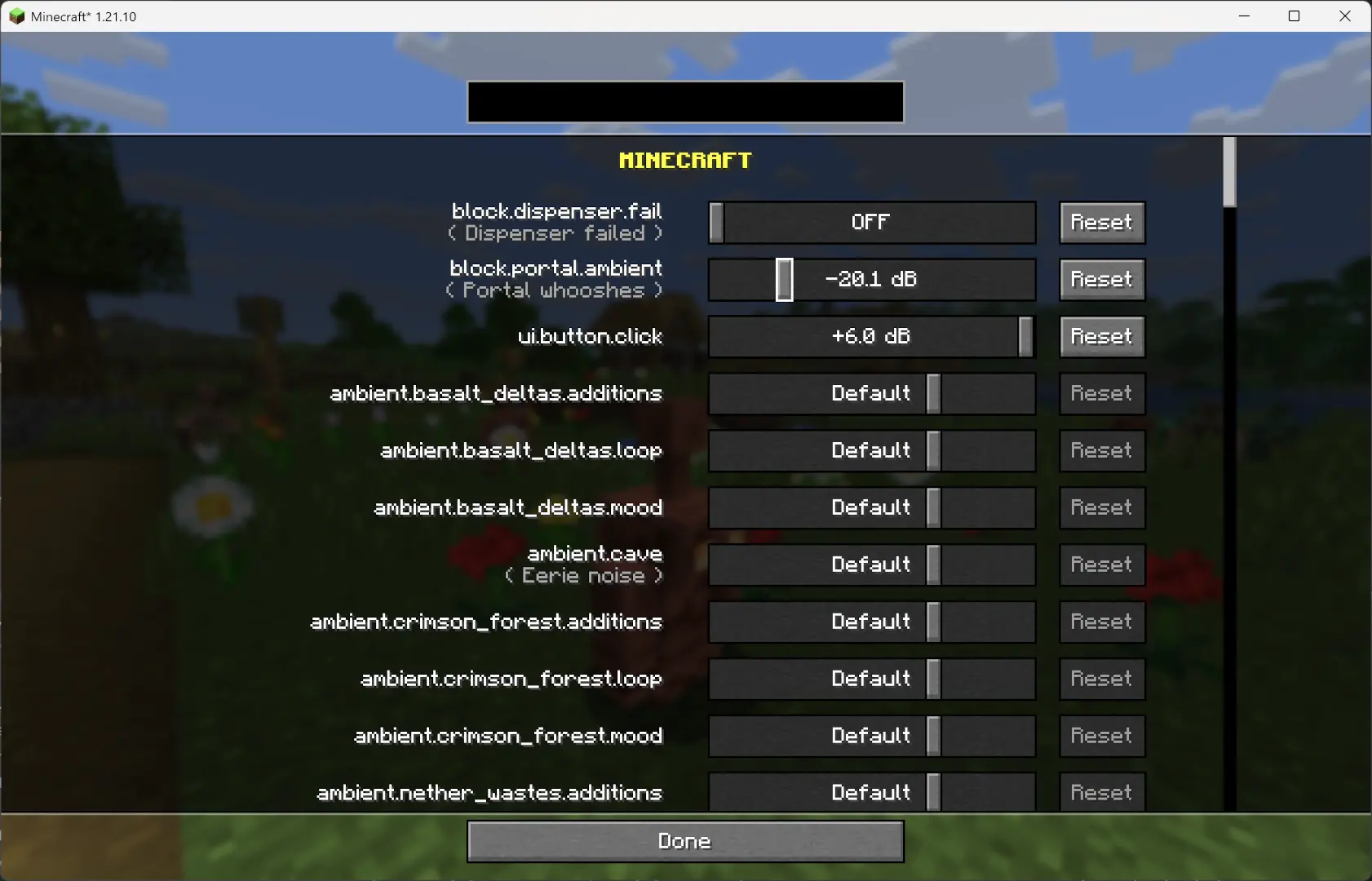
This mod changes how Minecraft schedules sounds to prevent the sound pool from filling up, or at least reduce the effects of a full sound pool.
It fixes these common errors (and the related log spam):
[Render thread/WARN]: Failed to create new sound handle
[Sound engine/WARN]: Maximum sound pool size 247 reached
Without this mod, a full sound pool causes all in-game audio to stop until slots free up.
Each tick, sounds are collected and categorized by type.
Depending on the sound pool fill level, only certain sound types are allowed to play. Others are skipped.
Duplication check:
MASTER and MUSIC sounds bypass the queue and duplication check (important for main menu or GUI events when the server is frozen).
All values are configurable through ModMenu or by editing the config file directly.
maxDuplicatedSounds: 5
Project description from CurseForge.
Pick your setup
Choose the version and loader you play, then open the matching release.
Showing the newest 12 of 31 game versions. Older files are in the list below.
Check the dependencies, then try the file in a copied instance before changing a world you care about.
Recent files
14 Jul 2022
4 Jul 2022
3 Jul 2022
29 Jun 2022
29 Jun 2022
27 Jun 2022
Looking for an older file? The official CurseForge project page is in Resources.
 mod
🤑 Influence trades - 🧱sand/dirt/glass Slabs - 🎁linked chest inventory- 🛠️place random block
 mod
Adds bonuses for armor sets, and is fully customizable
 mod
Backpack mod on all versions