Minecraft version
Back to mods 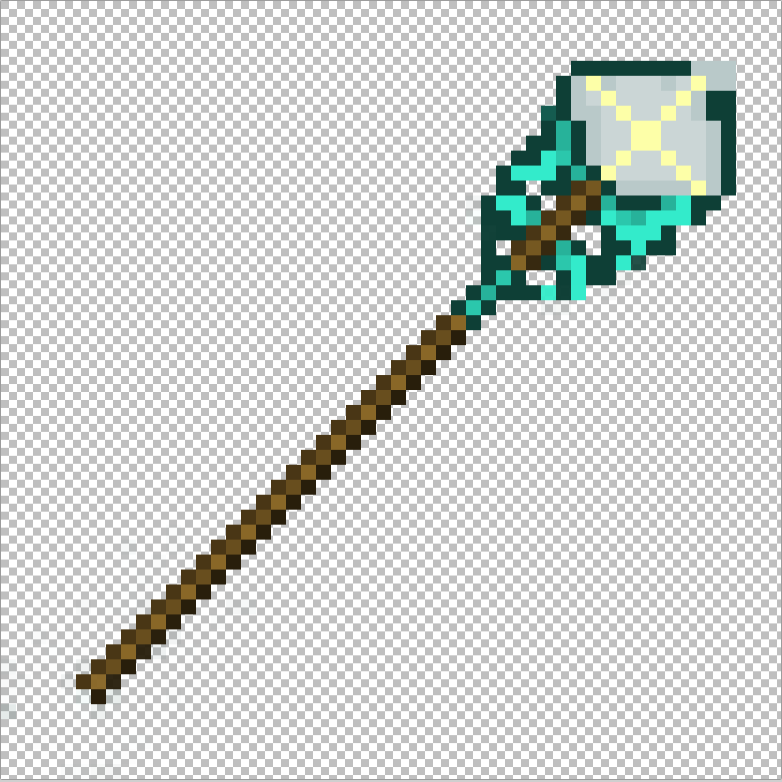
CurseForge · Minecraft mod
Advanced lightning staff
Advanced lightning staff
Choose a version Pick your version below, then grab the matching file.
Quick answer
Which Advanced lightning staff release should I use?
Latest stable file lightningstaff.jar
Game version 1.18
Loader Forge
Advanced lightning staff lightningstaff.jar targets 1.18 with Forge. The project page does not say whether this file belongs on the client, dedicated server, or both. No extra mods listed for this file.
Where it goes
Is Advanced lightning staff required on the client, server, or both?
The project page does not say whether this file belongs on the client, dedicated server, or both.
Client Source doesn’t say
Dedicated server Source doesn’t say
Loader for this release Forge
Required install it here Optional supported, not mandatory Not supported do not install here Source doesn’t say do not assume
The source does not explicitly classify this release as client-only or server-only.
What else does Advanced lightning staff lightningstaff.jar need?
lightningstaff.jar. Change the file and its required mods may change too.
This file does not list any required mods. Do not add a library just because a different file uses it.
This file does not list any required or optional mods.
Before you install it
Add Advanced lightning staff without breaking your instance.
Built for Advanced lightning staff lightningstaff.jar. Pick another file and the loader, install side or required mods may change.
- 01
Stick to this file
Use lightningstaff.jar. It targets 1.18 with Forge; another release may have different loader, side or dependency requirements.
- 02
Bring the mods it needs
This file does not list any required mods. Do not add a library just because a different file uses it.
- 03
Put it on the correct side
The project page does not say whether this file belongs on the client, dedicated server, or both.
- 04
Pick the file you checked
Use the “Get this file” button beside lightningstaff.jar. It opens that exact file at the source.
About this project
What does Advanced lightning staff add?
ПРОЕКТ БОЛЬШЕ НЕ ПОДДЕРЖИВАЕТСЯ
Мод добавляет в игру посох молний. Этот посох можно получить исключительно путём крафта, с помощью звезды Незера, двух алмазов и двух палок.
Свойства посоха:
1)При нажатии ПКМ посох "выстреливает" специальным шаром, который по приземлению на поверхность вызывает молнию в точку приземления.
2)При удержании кнопки r и нажатии ПКМ всё происходит по аналогии с пунктом 1) только при этом молнии будут вызываться постоянно, вдоль траектории движения шара. При этом игрок получает следующие эффекты 5 степени на 19 секунд: огнестойкость, сопротивление.
3)При удержании кнопки t и нажатии ПКМ всё происходит по аналогии с пунктом 1) только в этот раз при приземлении шара вызывается несколько молний, которые бьют в квадрат 5 х 5 блоков (центр квадрата - точка приземления шара, на каждый блок по одной молнии).При необходимости поменяйте в настройках управления кнопку вызова консоли.
4)При удержании кнопки y (игрек) и нажатии ПКМ посох создаёт линии из молний, распространяющихся по восьми направлениям (все линии выходят из точки-местоположения игрока, угол между соседними линиями равен 45 градусам).При этом игрок получает эффекты, описанные в пункте 2).
ВАЖНЫЕ ЗАМЕЧАНИЯ:
1.Вне зависимости от того какое из вышеперечисленных свойств (1 - 4) использует игрок каждое из них "потребляет" одну единицу опыта игрока, если он не находится в творческом режиме. Если у игрока недостаточно опыта, то свойства работать не будут.
2.Посох не ломается при использовании.
ENGLISH DESCRIPTION:
THE PROJECT IS NO LONGER SUPPORTED
The mod adds a lightning rod to the game. This staff can be obtained exclusively by crafting, with the help of a Nezer star, two diamonds and two sticks.
Properties of the staff:
When the right mouse button is pressed, the staff "shoots" a special ball, which, upon landing on the surface, causes lightning to land at the landing point.
When holding the r button and pressing the right mouse button, everything happens by analogy with paragraph 1) only in this case, lightning will be called constantly, along the trajectory of the ball. At the same time, the player receives the following 5 degree effects for 19 seconds: fire resistance, damage resistance.
When holding the t button and pressing the right mouse button, everything happens by analogy with point 1) only this time, when the ball lands, several lightning bolts are triggered that strike a 5 x 5 block square (the center of the square is the point of landing of the ball, one lightning bolt for each block).If necessary, change the console call button in the management settings.
When holding the y button and pressing the right mouse button, the staff creates lines of lightning spreading in eight directions (all lines come from the player's location point, the angle between adjacent lines is 45 degrees).At the same time, the player receives the effects described in paragraph 2).
IMPORTANT NOTES:
- Regardless of which of the above properties (1-4) the player uses, each of them "consumes" one unit of the player's experience if he is not in creative mode. If the player does not have enough experience, then the properties will not work.
2.The staff does not break when player uses it.
Project description from CurseForge.
Pick your setup
Advanced lightning staff by Minecraft version and loader
Choose the version and loader you play, then open the matching release.
Minecraft version
1.18
1 loader buildMinecraft version
1.17.1
1 loader buildCheck the dependencies, then try the file in a copied instance before changing a world you care about.
Recent files
Advanced lightning staff versions and loaders
lightningstaff.jar
2 Aug 2022
Client Source doesn’t say Server Source doesn’t say Dependencies No extras listed Listed on Release listing
Check the 1.18 · Forge setup Forge1.18 release
lightningstaff.jar
31 Jul 2022
Client Source doesn’t say Server Source doesn’t say Dependencies No extras listed Listed on Release listing
Check the 1.19 · Forge setup Forge1.19 release
lightningstaff.jar
12 Jul 2022
Client Source doesn’t say Server Source doesn’t say Dependencies No extras listed Listed on Release listing
Check the 1.17.1 · Forge setup 1.17.1Forge release
Looking for an older file? The official CurseForge project page is in Resources.
 mod
CurseForge · Minecraft
Tensura: Power Limits
Limit how many skills players can have in Tensura: Reincarnated. Sets or points, growing as you evolve.
 mod
CurseForge · Minecraft
TownKit
TownKit is a library mod to allow people to more easily make addons for the mod "TownTopia"
 mod
Modrinth · Minecraft
Vanilla Expanded: Gadgets
Adds new QoL items like magnets to make survival better. Vanilla friendly!