Minecraft version
Back to mods 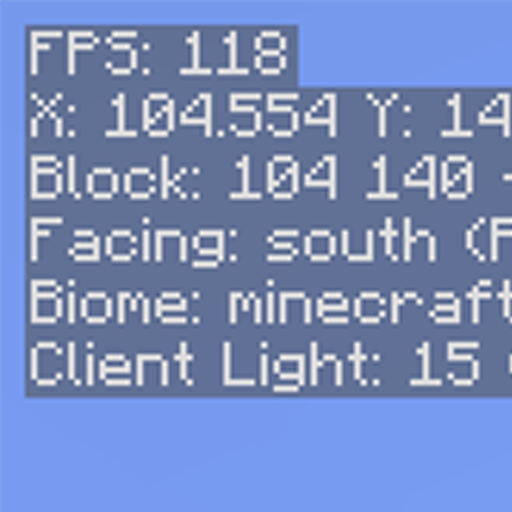
CurseForge · Minecraft mod
InfoHUD
Information at a glance
Choose a version Pick your version below, then grab the matching file.
Quick answer
Which InfoHUD release matches 1.19?
Best match for your filters InfoHUD 1.4
Game version 1.19.2, 1.19.1, 1.19
Loader Fabric
InfoHUD 1.4 targets 1.19.2, 1.19.1, 1.19 with Fabric. The project page does not say whether this file belongs on the client, dedicated server, or both. No extra mods listed for this file.
Where it goes
Is InfoHUD required on the client, server, or both?
The project page does not say whether this file belongs on the client, dedicated server, or both.
Client Source doesn’t say
Dedicated server Source doesn’t say
Loader for this release Fabric
Required install it here Optional supported, not mandatory Not supported do not install here Source doesn’t say do not assume
The source does not explicitly classify this release as client-only or server-only.
What else does InfoHUD 1.4 need?
InfoHUD 1.4 on 1.19. Every mod below is checked against that same setup.
This file does not list any required mods. Do not add a library just because a different file uses it.
This file does not list any required or optional mods.
Before you install it
Add InfoHUD without breaking your instance.
Built for InfoHUD 1.4 on 1.19. Pick another file and the loader, install side or required mods may change.
- 01
Stick to this file
Use InfoHUD 1.4. It targets 1.19.2, 1.19.1, 1.19 with Fabric; another release may have different loader, side or dependency requirements.
- 02
Bring the mods it needs
This file does not list any required mods. Do not add a library just because a different file uses it.
- 03
Put it on the correct side
The project page does not say whether this file belongs on the client, dedicated server, or both.
- 04
Pick the file you checked
Use the “Get this file” button beside InfoHUD 1.4. It opens that exact file at the source.
About this project
What does InfoHUD add?
InfoHUD
This mod displays information you would only normally see on your F3 screen at all times in the upper left/right corner.

You can see the following information at present:
- FPS
- Position
- Heading/Direction
- Biome
- Lighting (client and server)
- Server tick performance
- Targeted block/fluid/entity information
- Local difficulty
- Mood (when this reaches 100%, an ambient sound plays)
- Elytra status (if this is all you care about)
- Armor status (if you care about all armor)
- Speed, in m/s
- Game clock - simulated in-world time when in the Overworld, hidden otherwise
- Moon phase - useful to know how efficient your mushroom-based slime farm can be :-)
You can hide and show the HUD by pressing H. This is changeable in the normal Control settings under Miscellaneous.
You can access the HUD settings by holding control and pressing the hotkey (again, H by default). The settings will allow you to choose: - HUD scale - HUD position - Which lines are visible and in what order they appear
Dependencies
- Fabric Language Kotlin, as this is mostly written in Kotlin
- Fabric API
Notes
- Armor and Elytra lines display the percentages in the same colors as the bars that show remaining durability in the UI
- Targeted block information lines will hide if nothing is currently in range to target
- Elytra information hides if you are not wearing an Elytra
- Game clock hides if you are not in the Overworld
Optional Server-based Info
There are 2 server-based info lines that can be shown: Server light and Server tick performance. For these to be functional, you must have InfoHUD installed on the server as well. If you don't, you'll simply get no information from these. Single player (integrated server) works fine.
The tick performance shows ticks per second (TPS) and milliseconds per tick (MSPT). These are computed on the server. If you have the carpet mod installed, these will still work correctly. You may notice a bit of drift (sometime you will see 21 TPS, etc.), but it is fairly accurate.
While you can see some info on the "server light" line even without the mod being installed on the server, the key piece of info (darkness) needs to come from the server as it is not replicated to the client. With this info, you will get accurate light levels when it gets dark, etc. You can use this to find out the real effective light level for trying to ensure that mobs will spawn in a farm, etc.
Remember that showing this info does tax the server, even if only a little, so you may want to use this sparingly. When they are not being used by any client, the server cost is pretty much zero.
Project description from CurseForge.
Pick your setup
InfoHUD by Minecraft version and loader
Choose the version and loader you play, then open the matching release.
Minecraft version
1.20.2
1 loader buildMinecraft version
1.20.1
1 loader buildMinecraft version
1.20
1 loader buildMinecraft version
1.19.4
1 loader buildMinecraft version
1.19.3
1 loader buildMinecraft version
1.19.2
1 loader buildMinecraft version
1.19.1
1 loader buildMinecraft version
1.19
1 loader buildCheck the dependencies, then try the file in a copied instance before changing a world you care about.
Recent files
InfoHUD versions and loaders
InfoHUD 1.4
infohud-1.4.jar
9 Oct 2022
Client Source doesn’t say Server Source doesn’t say Dependencies No extras listed Listed on Release listing
Check the 1.19 · Fabric setup Fabric1.19.21.19.11.19 release
InfoHUD 1.3.1
infohud-1.3.1.jar
12 Aug 2022
Client Source doesn’t say Server Source doesn’t say Dependencies No extras listed Listed on Release listing
Check the 1.19 · Fabric setup Fabric1.19.21.19.11.19 release
InfoHUD 1.3
infohud-1.3.jar
11 Aug 2022
Client Source doesn’t say Server Source doesn’t say Dependencies No extras listed Listed on Release listing
Check the 1.19 · Fabric setup Fabric1.19.21.19.11.19 release
InfoHUD 1.2
infohud-1.2.jar
1 Aug 2022
Client Source doesn’t say Server Source doesn’t say Dependencies No extras listed Listed on Release listing
Check the 1.19 · Fabric setup Fabric1.19.11.19 release
InfoHUD 1.1
infohud-1.1.jar
19 Jul 2022
Client Source doesn’t say Server Source doesn’t say Dependencies No extras listed Listed on Release listing
Check the 1.19 · Fabric setup Fabric1.19 release
Looking for an older file? The official CurseForge project page is in Resources.