Minecraft version
Back to mods 
CurseForge · Minecraft mod
Aquila
Furniture mod for Creative Mode
Choose a version Pick your version below, then grab the matching file.
Quick answer
Which Aquila release should I use?
Latest stable file aquila-1.18.2-1.8.3.jar
Game version 1.18.2
Loader Forge
aquila-1.18.2-1.8.3.jar targets 1.18.2 with Forge. The project page does not say whether this file belongs on the client, dedicated server, or both. No extra mods listed for this file.
Where it goes
Is Aquila required on the client, server, or both?
The project page does not say whether this file belongs on the client, dedicated server, or both.
Client Source doesn’t say
Dedicated server Source doesn’t say
Loader for this release Forge
Required install it here Optional supported, not mandatory Not supported do not install here Source doesn’t say do not assume
The source does not explicitly classify this release as client-only or server-only.
What else does aquila-1.18.2-1.8.3.jar need?
aquila-1.18.2-1.8.3.jar. Change the file and its required mods may change too.
This file does not list any required mods. Do not add a library just because a different file uses it.
This file does not list any required or optional mods.
Before you install it
Add Aquila without breaking your instance.
Built for aquila-1.18.2-1.8.3.jar. Pick another file and the loader, install side or required mods may change.
- 01
Stick to this file
Use aquila-1.18.2-1.8.3.jar. It targets 1.18.2 with Forge; another release may have different loader, side or dependency requirements.
- 02
Bring the mods it needs
This file does not list any required mods. Do not add a library just because a different file uses it.
- 03
Put it on the correct side
The project page does not say whether this file belongs on the client, dedicated server, or both.
- 04
Pick the file you checked
Use the “Get this file” button beside aquila-1.18.2-1.8.3.jar. It opens that exact file at the source.
About this project
What does Aquila add?
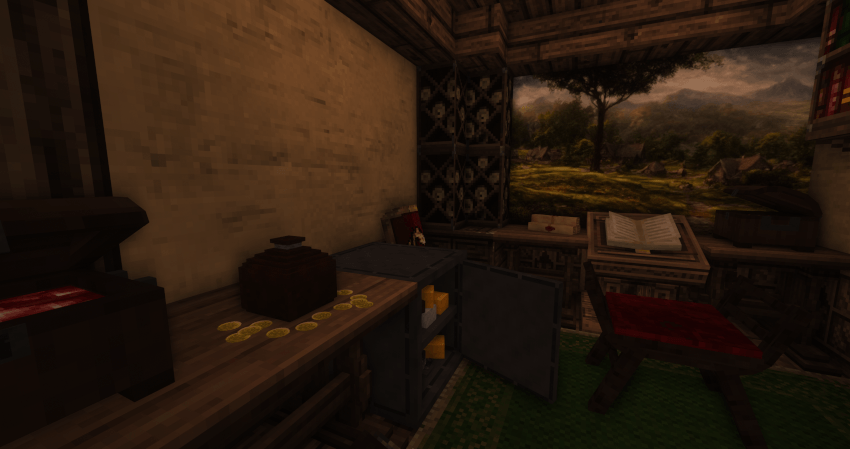
Aquila Mod
Now also available on Modrinth:
The Aquila mod adds a great variety of building blocks and furniture.
Currently those versions are supported:
- 1.18.2 (Forge) - check out the FAQs for better performance without Optifine.
- 1.20.1 (Fabric).
Version 1.1.0 for 1.20.1 no longer requires to download the ressourcepack.
Download the ressourcepack for the 1.18.2 version here and for the 1.20.1 version here .
Content:
Furniture:
- Many different furniture objects.
- Some of them inherit the "Cycle" blockstate. If you click with the same item in hand on it you can cycle through the different Cycle states or use the magic wand instead.
- Starting of version 1.7.2 a "shelf" feature was introduced. Some decoration blocks now have a "Type" blockstate. If you try placing them in the upper quarter they will be placed one more block away and are therefore compatible with the newly added medium sized shelves.
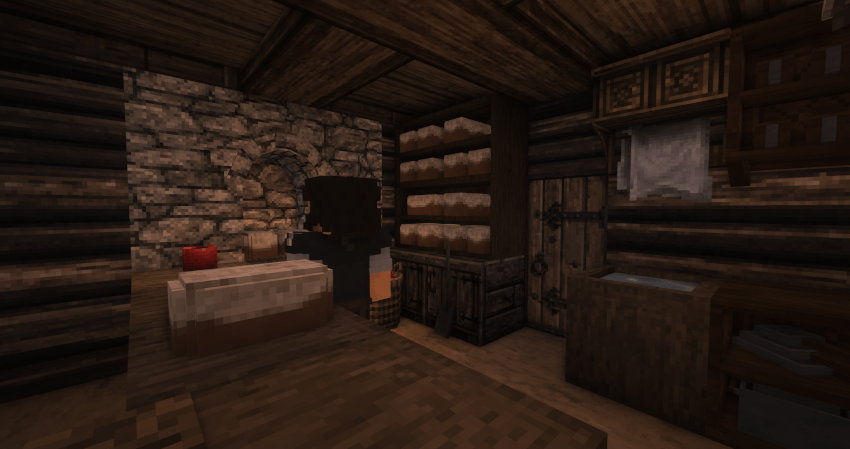
Building Blocks:
- New building blocks in different variants. It´s highly recommended to use (JEI) with it´s search function together with this mod.
- To work correctly some of the blocks require a mod supporting connected textures + the aquila ressourcepack.
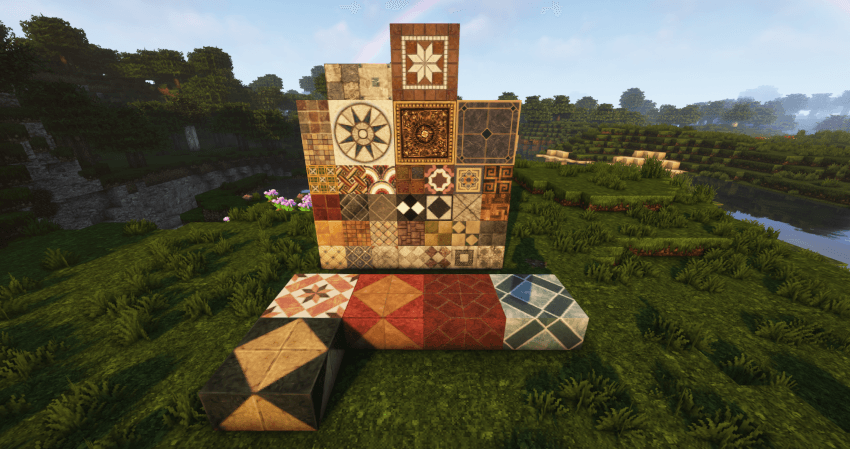
More to come in the future!
FAQ:
- What other mods are required?
The Forge version no longer requires optifine but connectedness or continuity would be suggested.
Forge Version: Forge 40.2.10 is required +Aquila Ressourcepack.
Fabric: Ressourcepack and Continuity to work properly. Download the ressourcepack here: Click
- I want to use Forge 1.18.2 and Conquest and Aquila without Optifine?
First please download this modified Ressourcepack for Conquest then download Rubidium, Reforgium and Connectedness (ctm). Additionally Oculus (shaders), ETF Entity Texture Features, Connectivity, Embeddium (Rubidium) Extra, Embeddium /Rubidium Extras, Enhanced Block Entities Reforged, Entity Culling, FerriteCore, Lazy DataFixer (loading times), Lightspeed (loading times), Starlight, TexTrue's Rubidium Options are highly suggest in order to achieve comparable performance on Forge.
Socials:


Credits:
This mod wouldn't have been possible without the amazing tutorials from TurtyWurty and Kaupenjoe .
- Also great thanks to Triliton and Monsterfish for providing assistance.
Project description from CurseForge.
Pick your setup
Aquila by Minecraft version and loader
Choose the version and loader you play, then open the matching release.
Minecraft version
1.19.2
1 loader buildMinecraft version
1.18.2
1 loader buildCheck the dependencies, then try the file in a copied instance before changing a world you care about.
Recent files
Aquila versions and loaders
aquila-1.18.2-1.8.3.jar
16 Nov 2026
Client Source doesn’t say Server Source doesn’t say Dependencies No extras listed Listed on Release listing
Check the 1.18.2 · Forge setup Forge1.18.2 release
aquila-1.2.5-1.20.1-complete.jar
8 Jun 2026
Client Source doesn’t say Server Source doesn’t say Dependencies No extras listed Listed on Release listing
Check the 1.20.1 · Fabric setup Fabric1.20.1 release
aquila-1.2.4-1.20.1-complete.jar
6 Apr 2026
Client Source doesn’t say Server Source doesn’t say Dependencies No extras listed Listed on Release listing
Check the 1.20.1 · Fabric setup Fabric1.20.1 release
aquila-1.2.3-1.20.1-complete.jar
4 Apr 2026
Client Source doesn’t say Server Source doesn’t say Dependencies No extras listed Listed on Release listing
Check the 1.20.1 · Fabric setup Fabric1.20.1 release
aquila-1.2.2-1.20.1-complete.jar
21 Jan 2026
Client Source doesn’t say Server Source doesn’t say Dependencies No extras listed Listed on Release listing
Check the 1.20.1 · Fabric setup Fabric1.20.1 release
aquila-1.2.1-1.20.1-complete.jar
19 Jan 2026
Client Source doesn’t say Server Source doesn’t say Dependencies No extras listed Listed on Release listing
Check the 1.20.1 · Fabric setup Fabric1.20.1 release
aquila-1.1.0-1.20.1.jar
12 Feb 2025
Client Source doesn’t say Server Source doesn’t say Dependencies 1 required · 1 unchecked Listed on Release listing
Check the 1.20.1 · Fabric setup Fabric1.20.1 release
aquila-1.0.3-1.20.1.jar
4 Dec 2024
Client Source doesn’t say Server Source doesn’t say Dependencies No extras listed Listed on Release listing
Check the 1.20.1 · Fabric setup Fabric1.20.1 release
aquila-1.0.2-1.20.1.jar
12 Nov 2024
Client Source doesn’t say Server Source doesn’t say Dependencies No extras listed Listed on Release listing
Check the 1.20.1 · Fabric setup Fabric1.20.1 release
aquila-1.0.1-1.20.1.jar
12 Nov 2024
Client Source doesn’t say Server Source doesn’t say Dependencies No extras listed Listed on Release listing
Check the 1.20.1 · Fabric setup Fabric1.20.1 release
aquila-1.0.0-1.20.1.jar
10 Nov 2024
Client Source doesn’t say Server Source doesn’t say Dependencies No extras listed Listed on Release listing
Check the 1.20.1 · Fabric setup Fabric1.20.1 release
aquila-1.18.2-1.8.2.jar
1 Jun 2024
Client Source doesn’t say Server Source doesn’t say Dependencies No extras listed Listed on Release listing
Check the 1.18.2 · Forge setup 1.18.2Forge release
Looking for an older file? The official CurseForge project page is in Resources.
 mod
CurseForge + Modrinth · Minecraft
Currents Of Trade
A mod that adds sea trading to Minecraft, a new dock structure for vanilla villages, periodic trader ships, new villager profession. In short, a mod that expands trading system.
 mod
CurseForge + Modrinth · Minecraft
Every Compat (Wood Good)
Universal Wood Compat: Quark, Twilight Forest, Twigs, Another Furniture, Farmers Delight, Macaw's, Valhelsia, Architects Palette, Deco Blocks, Crayfish FM
 mod
CurseForge + Modrinth · Minecraft
Countered's Smooth F5
A mod that smooths out the third person view making it more cinematic