Custom Portal API Reforged Needed by Ocean World Dimension NEOFORGE-oceanworld-2.0.0-1.21.1.jar
requiredMatching file found Matched file: customportalapi-reforged 1.2.2
CurseForge · Minecraft mod
Explore an endless ocean in the Deep Sea dimension!
Quick answer
Ocean World Dimension NEOFORGE-oceanworld-2.0.0-1.21.1.jar targets 1.21.1 with NeoForge. The project page does not say whether this file belongs on the client, dedicated server, or both. All 1 required mods have matching files.
Where it goes
The project page does not say whether this file belongs on the client, dedicated server, or both.
The source does not explicitly classify this release as client-only or server-only.
NEOFORGE-oceanworld-2.0.0-1.21.1.jar. Change the file and its required mods may change too.
Install Custom Portal API Reforged first. We found matching files for this game-version and loader setup.
We only count dependency files that match this setup. A file for another loader does not fill the gap.
Before you install it
Built for Ocean World Dimension NEOFORGE-oceanworld-2.0.0-1.21.1.jar. Pick another file and the loader, install side or required mods may change.
Use NEOFORGE-oceanworld-2.0.0-1.21.1.jar. It targets 1.21.1 with NeoForge; another release may have different loader, side or dependency requirements.
Install Custom Portal API Reforged first. We found matching files for this game-version and loader setup.
The project page does not say whether this file belongs on the client, dedicated server, or both.
Use the “Get this file” button beside NEOFORGE-oceanworld-2.0.0-1.21.1.jar. It opens that exact file at the source.
About this project
A simple mod I made that adds a new Dimension - the Deep Ocean!
It's literally the vanilla deep sea biome but it goes on forever and the water goes up to block 200. I needed an ocean dimension for a modpack I'm working on but couldn't find one so I just made this myself. Might come back to add some more content to the dimension eventually, but for now it's exactly what it says on the tin - a deep, endless ocean.
HOW TO USE
Build a portal out of prismarine blocks. Just like a nether portal.
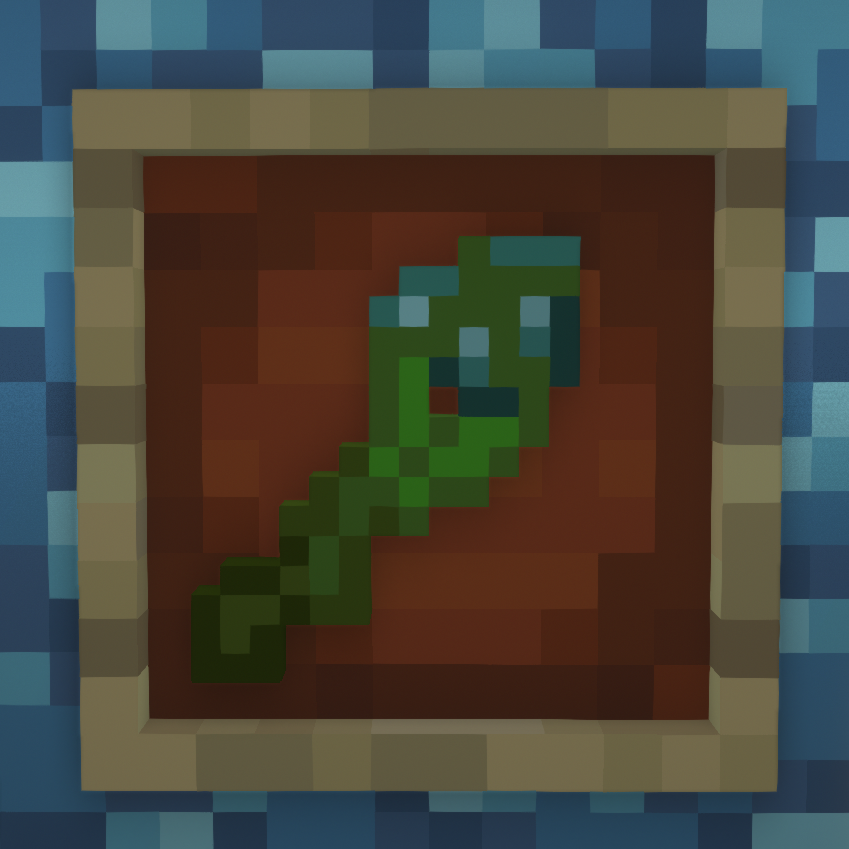
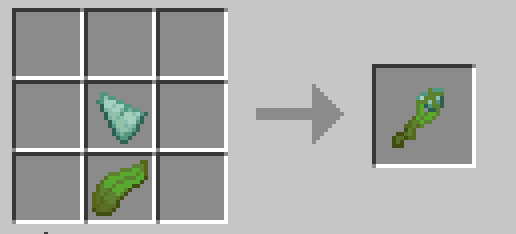
Craft a Sea Key using a piece of kelp and a prismarine shard as shown in the image.
I will probably port to fabric when I have time because I also want to make a Fabric version of the modpack I made it for, but for now this is Forge only.
Feel free to use in modpacks and such, I bet it would go really well with any mods that add content to the ocean.
Like my mods? Consider donating to my Ko-fi!
Project description from CurseForge.
Pick your setup
Choose the version and loader you play, then open the matching release.
Check the dependencies, then try the file in a copied instance before changing a world you care about.
Recent files
oceanworld-2.0.0.jar
28 Nov 2025
8 Jul 2023
8 Jul 2023
oceanworld-0.1-1.18.2.jar
30 Jul 2022
Looking for an older file? The official CurseForge project page is in Resources.
 mod
modOne Kick - Kick anything flying, anytime, anywhere.
 mod
modForge your destiny through collectible classes, powerful evolutions, dangerous mobs, and endless RPG progression.
 mod
modAdds new shields with a parry mechanic based on ULTRAKILL!