Overweight Farming Optional for Create Slice & Dice Neoforge 4.3.3
optionalMatching file found Matched file: Overweight Farming 1.21.1 - 2.2.0 - FORGE

CurseForge · Minecraft mod
Making automation for Farmers Delight more sensible
Quick answer
Create Slice & Dice Neoforge 4.3.3 targets 1.21.1 with NeoForge. The project page does not say whether this file belongs on the client, dedicated server, or both. All 2 required mods have matching files.
Where it goes
The project page does not say whether this file belongs on the client, dedicated server, or both.
The source does not explicitly classify this release as client-only or server-only.
Neoforge 4.3.3. Change the file and its required mods may change too.
Install Kotlin for Forge, Create first. We found matching files for this game-version and loader setup. 1 comes through another mod in the chain.
1 extra mod was pulled in by another dependency. Indented rows show who needs each one. We only count dependency files that match this setup. A file for another loader does not fill the gap.
Before you install it
Built for Create Slice & Dice Neoforge 4.3.3. Pick another file and the loader, install side or required mods may change.
Use Neoforge 4.3.3. It targets 1.21.1 with NeoForge; another release may have different loader, side or dependency requirements.
Install Kotlin for Forge, Create first. We found matching files for this game-version and loader setup. 1 comes through another mod in the chain.
The project page does not say whether this file belongs on the client, dedicated server, or both.
Use the “Get this file” button beside Neoforge 4.3.3. It opens that exact file at the source.
About this project




This mod enables a variety of features to create better compatibility between mostly Farmer's Delight and Create. While it is designed to work with Farmer's Delight, it does work without it and also adds some compatibility features for other mods.
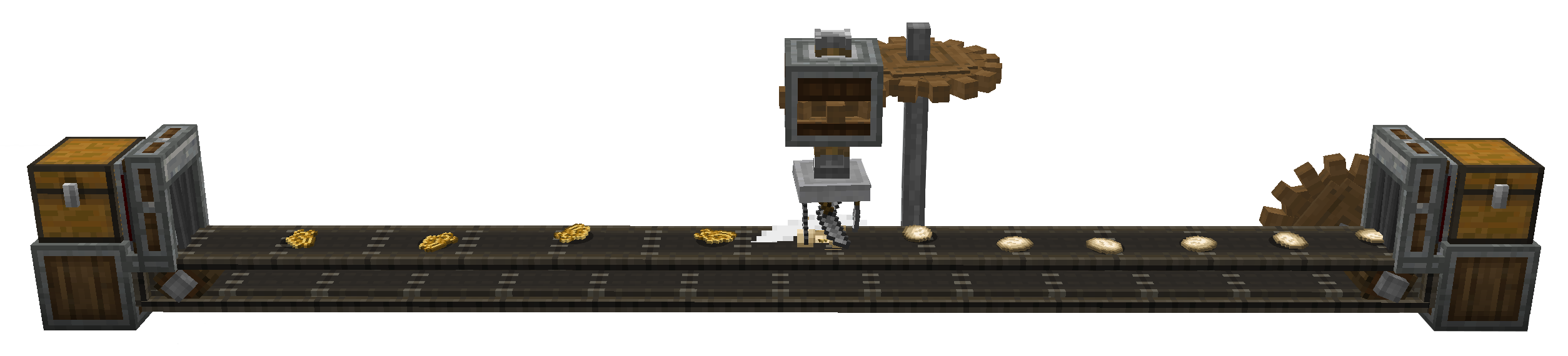
The Main feature of the mod is the Slicer, a machine similar to the Mechanical Mixer or Mechanical Press from Create. It automatically registers all cutting recipes from Farmer's Delight. In that sense, it is an automatic Cutting Board.
In order to use it, the correct tool has to be placed into the machine, using Right-Click. By default, only knives and axes are allowed, but this behaviour can be overwritten by modifying the sliceanddice:allowed_tools item tag. An example datapack which adds shears to this tag can be found here
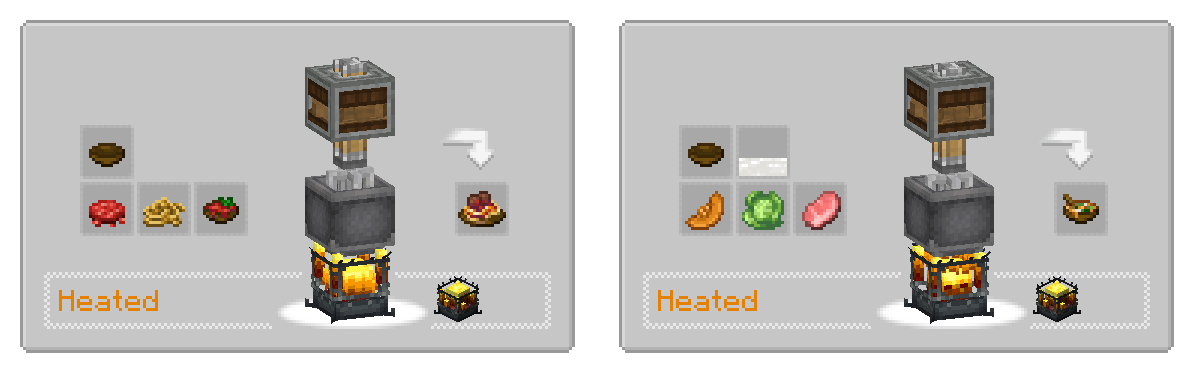
All recipes from Farmer's delight requiring the Cooking Pot are added as heated mixing recipes.
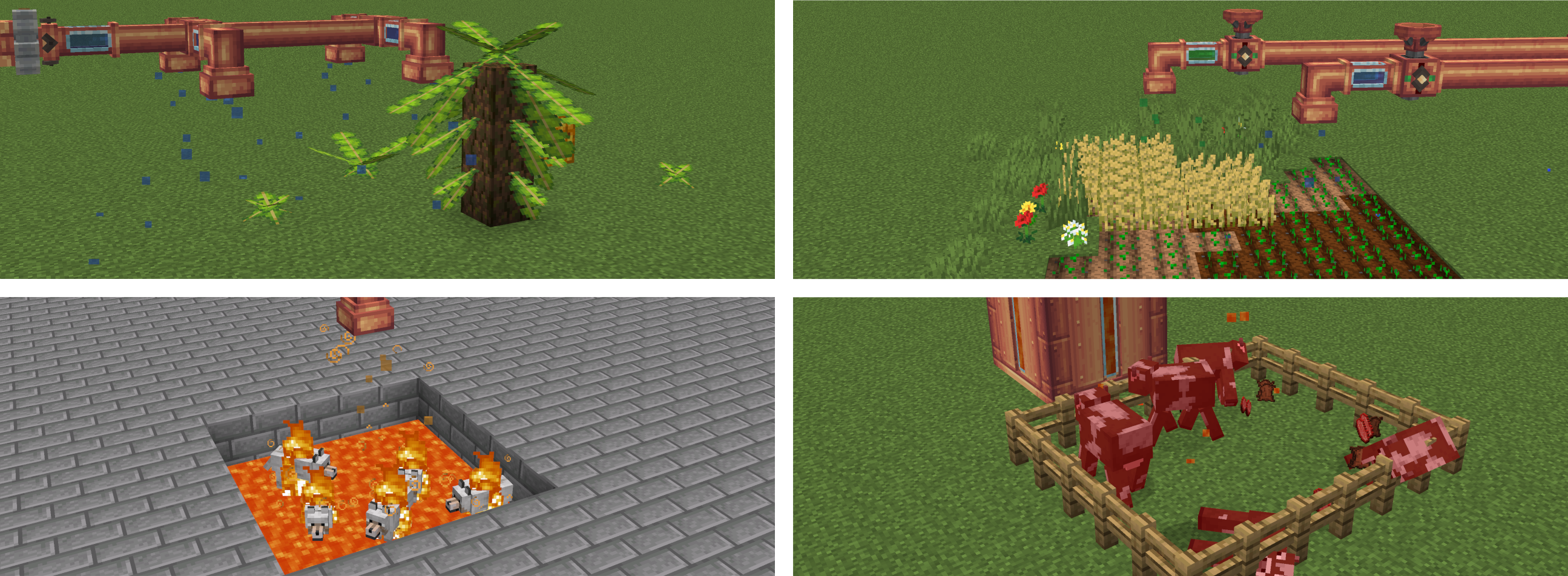
The Sprinkler is a block which, when provided with a fluid using a pipe, will distribute it in a small area below.
Different fluids can have different effects.
The latter is meant to enable growing of Banana Fonds from Neapolitan without being dependent on the weather, but it could possibly have other effects on other mods too.
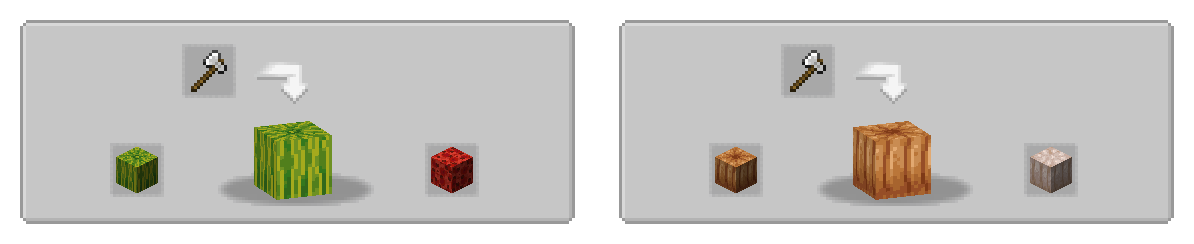
If present, some compatibility features for Overweight Farming is added.
This includes waxing recipes using the deployer, as well as showing the axe-stripping of overweight crops in JEI.

Project description from CurseForge.
Pick your setup
Choose the version and loader you play, then open the matching release.
Check the dependencies, then try the file in a copied instance before changing a world you care about.
Recent files
sliceanddice-fabric-3.6.0.jar
2 Aug 2026
sliceanddice-4.3.3-neoforge.jar
31 Jul 2026
sliceanddice-neoforge-4.3.2.jar
24 Jun 2026
sliceanddice-neoforge-4.3.1.jar
23 Jun 2026
sliceanddice-neoforge-4.3.0.jar
23 Jun 2026
sliceanddice-fabric-3.5.2.jar
20 Mar 2026
sliceanddice-fabric-3.5.1.jar
11 Mar 2026
sliceanddice-fabric-3.5.0.jar
10 Mar 2026
sliceanddice-forge-4.2.4.jar
10 Mar 2026
sliceanddice-forge-4.2.3.jar
10 Mar 2026
sliceanddice-fabric-3.4.1-fabric.jar
10 Mar 2026
sliceanddice-fabric-3.4.1-fabric.jar
10 Mar 2026
Looking for an older file? The official CurseForge project page is in Resources.
 mod
modA Create addon that adds a bunch of features to make Create trains more realistic.
 mod
modAutomatically maps GregTech machine recipes (Assembler, Chemical Reactor, etc.) and fluids to ProjectE EMC values
 mod
modModification of Compact Expansion which adds a configuration file to be able to choose any size of compact machines you want.