Minecraft version
Back to mods 
CurseForge · Minecraft mod
Better Datapacks
Add to the game using datapacks!
Choose a version Pick your version below, then grab the matching file.
Quick answer
Which Better Datapacks release matches 1.16.5 Forge?
beta file 1.16.5-betterdatapacks-0.0.1.jar
Game version 1.16.5
Loader Forge
Better Datapacks 1.16.5-betterdatapacks-0.0.1.jar targets 1.16.5 with Forge. The project page does not say whether this file belongs on the client, dedicated server, or both. No extra mods listed for this file.
Where it goes
Is Better Datapacks required on the client, server, or both?
The project page does not say whether this file belongs on the client, dedicated server, or both.
Client Source doesn’t say
Dedicated server Source doesn’t say
Loader for this release Forge
Required install it here Optional supported, not mandatory Not supported do not install here Source doesn’t say do not assume
The source does not explicitly classify this release as client-only or server-only.
What else does Better Datapacks 1.16.5-betterdatapacks-0.0.1.jar need?
1.16.5-betterdatapacks-0.0.1.jar on 1.16.5 Forge. Every mod below is checked against that same setup.
This file does not list any required mods. Do not add a library just because a different file uses it.
This file does not list any required or optional mods.
Before you install it
Add Better Datapacks without breaking your instance.
Built for Better Datapacks 1.16.5-betterdatapacks-0.0.1.jar on 1.16.5 Forge. Pick another file and the loader, install side or required mods may change.
- 01
Stick to this file
Use 1.16.5-betterdatapacks-0.0.1.jar. It targets 1.16.5 with Forge; another release may have different loader, side or dependency requirements.
- 02
Bring the mods it needs
This file does not list any required mods. Do not add a library just because a different file uses it.
- 03
Put it on the correct side
The project page does not say whether this file belongs on the client, dedicated server, or both.
- 04
Pick the file you checked
Use the “Get this file” button beside 1.16.5-betterdatapacks-0.0.1.jar. It opens that exact file at the source.
About this project
What does Better Datapacks add?
Have you ever wanted to add blocks/items to minecraft, but have no idea how to code? Well, this mod is for you!
This mod currently supports adding blocks and items to the game. (Biomes can also be added to the 1.16.5 version)
I have many plans for the future, including: custom tile/block entities, custom entities, custom decoration blocks, and custom dimensions! (Just to name a few)
I am also working on being able to add blocks using datapacks from other mods, so this mod could eventually be an api of some sort. Another feature I am working on is the ability to create configs, so you can change data for other mods as well.
How to add stuff in version 0.0.1 (may change with version):
In order to add stuff, you need to locate the json folder. If you already ran the game once, there should be one located at: minecraft directory/betterdatapacks/customdata/register.json. If not, just create that file there and put everything you need in it. An example:
{ "blocks": [ "block_name" ], "items": [ "item_name" ]}
The game needs to be restarted for the changes to take place
If you are playing on a server, the server plus everyone who joins needs to have the same json.
The server json goes here: server directory/world/datapacks/betterdatapacks/customdata/register.json
Project description from CurseForge.
Pick your setup
Better Datapacks by Minecraft version and loader
Choose the version and loader you play, then open the matching release.
Check the dependencies, then try the file in a copied instance before changing a world you care about.
Recent files
Better Datapacks versions and loaders
1.16.5-betterdatapacks-0.0.1.jar
22 Aug 2022
Client Source doesn’t say Server Source doesn’t say Dependencies No extras listed Listed on Release listing
Check the 1.16.5 · Forge setup 1.16.5Forge beta
Looking for an older file? The official CurseForge project page is in Resources.
 mod
CurseForge · Minecraft
OG'S Backpacks
Backpack mod on all versions
 mod
CurseForge · Minecraft
Shared Lootr
Play Lootr, but share the loot.
 mod
CurseForge · Minecraft
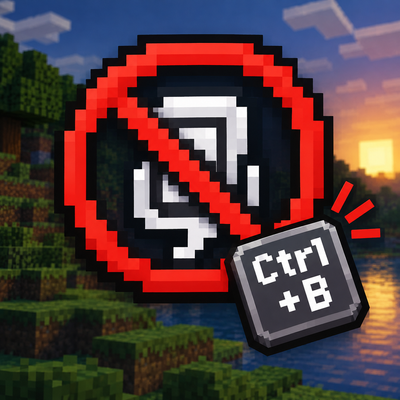
No Narrator
No Narrator 是一个轻量的客户端 模组,它可以禁用用于切换内置旁白的 Ctrl+B 快捷键,防止意外启动。No Narrator is a lightweight client-side Minecraft mod that disables the Ctrl+B Narrator toggle, preventing accidental activation. It doesn’t affect other keybinds and needs no configuration