Fabric API Needed by Utility Belt V3.0.2+1.21.10 (Fabric 1.21.10)
requiredMatching file found Matched file: [1.21.10] Fabric API 0.138.4+1.21.10

CurseForge · Minecraft mod
Adds a wearable secondary hotbar to help manage your tools and clear inventory clutter
Quick answer
Utility Belt V3.0.2+1.21.10 (Fabric 1.21.10) targets 1.21.10 with Fabric, Quilt. The project page does not say whether this file belongs on the client, dedicated server, or both. All 5 required mods have matching files.
Where it goes
The project page does not say whether this file belongs on the client, dedicated server, or both.
The source does not explicitly classify this release as client-only or server-only.
V3.0.2+1.21.10 (Fabric 1.21.10). Change the file and its required mods may change too.
Install Fabric API, Architectury API, JamLib, Accessories and 1 more first. We found matching files for this game-version and loader setup. 1 comes through another mod in the chain.
1 extra mod was pulled in by another dependency. Indented rows show who needs each one. We only count dependency files that match this setup. A file for another loader does not fill the gap.
Before you install it
Built for Utility Belt V3.0.2+1.21.10 (Fabric 1.21.10). Pick another file and the loader, install side or required mods may change.
Use V3.0.2+1.21.10 (Fabric 1.21.10). It targets 1.21.10 with Fabric, Quilt; another release may have different loader, side or dependency requirements.
Install Fabric API, Architectury API, JamLib, Accessories and 1 more first. We found matching files for this game-version and loader setup. 1 comes through another mod in the chain.
The project page does not say whether this file belongs on the client, dedicated server, or both.
Use the “Get this file” button beside V3.0.2+1.21.10 (Fabric 1.21.10). It opens that exact file at the source.
About this project
Report Issues • Chat on Discord • CurseForge • Modrinth
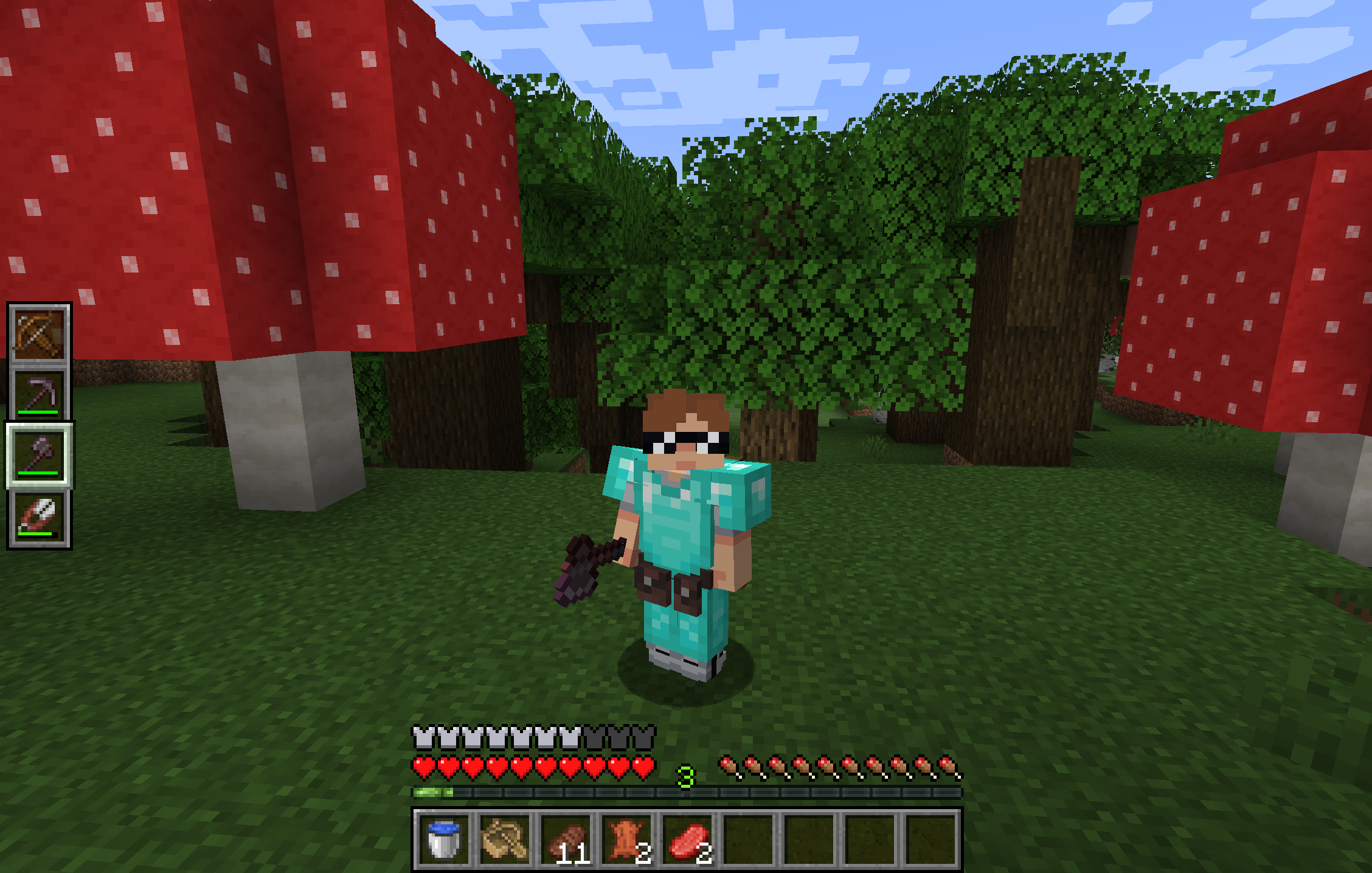
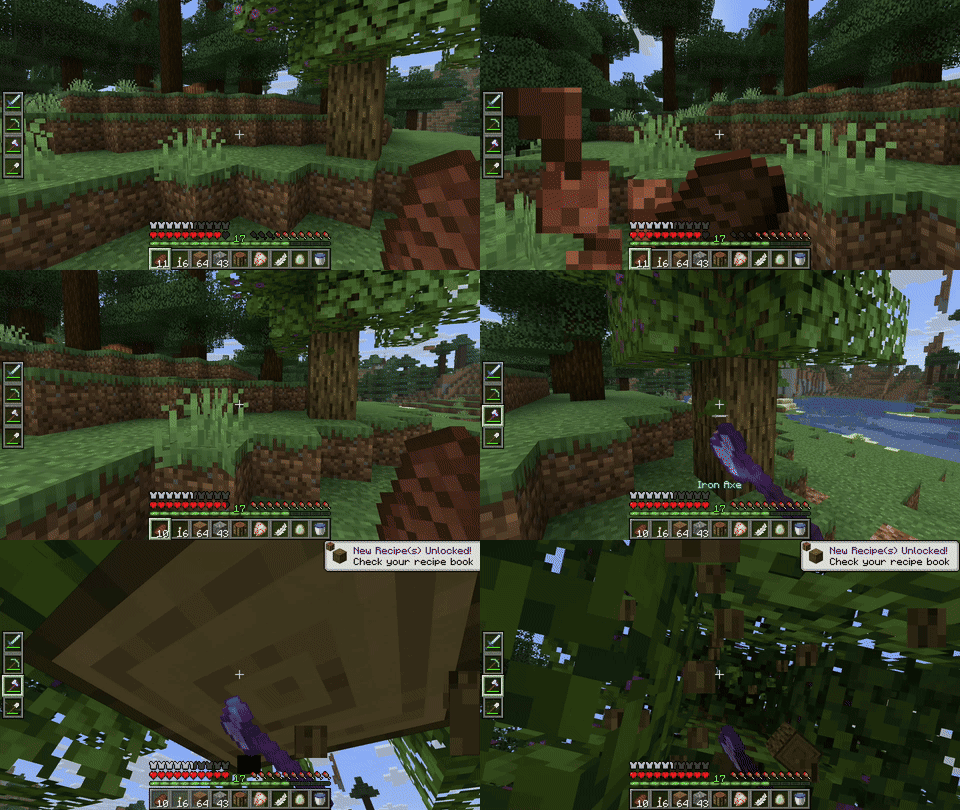
Utility Belt will solve your inventory clutter issues. 9 hotbar slots are not enough, especially when playing with mods. Wearing a Utility Belt gives you a second hotbar where only tools and weapons can be stored.
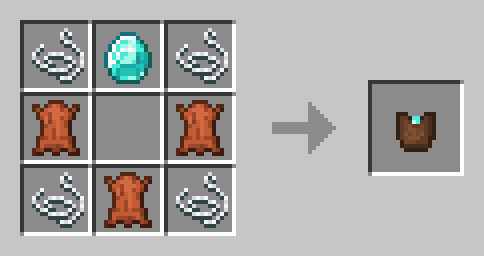
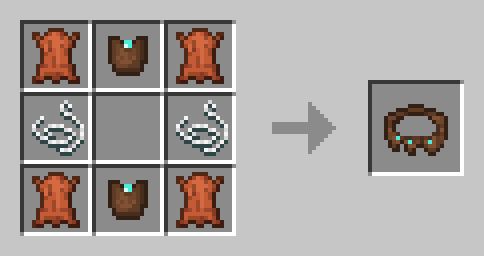
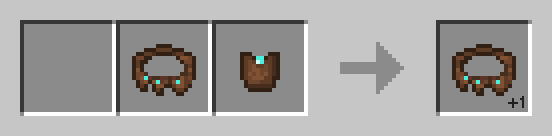
By default, the belt has 4 slots and can be upgraded to have up to 6 slots (these values can be changed in the mod configuration). You can add a slot to a belt in a Smithing Table using the recipe below.
| Action | Default Keybind | Description |
|---|---|---|
| Open Belt Screen | ' |
Opens the belt GUI to store items in the belt |
| Swap Hotbar | B (toggle), N (hold) |
Switches between your main hotbar and the belt hotbar |
| Quick Transfer | Sneak + Swap |
Swap the item in your hand between your main hotbar and the belt |
You can customize Utility Belt's options using the in-game configuration screen:
To change which items are accepted in the belt, you can make a datapack and add items to the allowed_in_utility_belt tag.
You can report any issues and suggest changes on the GitHub issue tracker. Try out the /utilitybelt fixme command to see if it resolves the issue while you wait for a fix.
Always keep backups of your world, especially when playing versions marked as beta.
Project description from CurseForge.
Pick your setup
Choose the version and loader you play, then open the matching release.
Check the dependencies, then try the file in a copied instance before changing a world you care about.
Recent files
utility-belt-fabric-3.0.2+1.21.10.jar
24 May 2026
utility-belt-neoforge-3.0.2+1.21.10.jar
24 May 2026
utility-belt-neoforge-3.0.2+1.21.1.jar
24 May 2026
utility-belt-fabric-3.0.2+1.21.1.jar
24 May 2026
utility-belt-fabric-3.0.2+1.20.1.jar
24 May 2026
utility-belt-forge-3.0.2+1.20.1.jar
24 May 2026
utility-belt-forge-3.0.1+1.20.1.jar
26 Feb 2026
utility-belt-fabric-3.0.1+1.20.1.jar
26 Feb 2026
utility-belt-fabric-3.0.1+1.21.1.jar
26 Feb 2026
utility-belt-neoforge-3.0.1+1.21.1.jar
26 Feb 2026
utility-belt-fabric-3.0.1+1.21.10.jar
26 Feb 2026
utility-belt-neoforge-3.0.1+1.21.10.jar
26 Feb 2026
Looking for an older file? The official CurseForge project page is in Resources.
 mod
Create custom crafting recipes and custom crafts in-game with a Fabric recipe editor. Manage vanilla/modded recipes, worlds, recipe books, and servers. Now supports custom items (NBTs).
 mod
A Mod That Enhances Server Experiences For The Cobblemon Championship's Modpack.
 mod
GTNH-NEI Features for JEI