Minecraft version
Back to mods 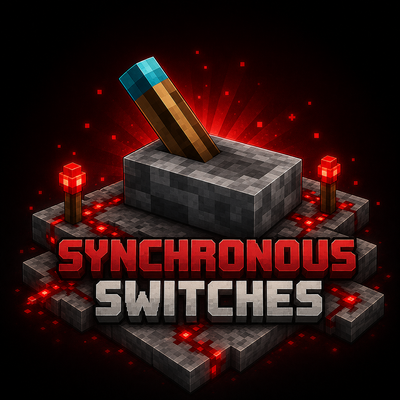
CurseForge · Minecraft mod
Synchronous Switches
Simple wireless redstone through switches that can be linked together. And more!
Choose a version Pick your version below, then grab the matching file.
Quick answer
Which Synchronous Switches release should I use?
Latest stable file syncswitch-26.1.2-2.2.1.jar
Game version 26.1.2
Loader NeoForge
Synchronous Switches syncswitch-26.1.2-2.2.1.jar targets 26.1.2 with NeoForge. The project page does not say whether this file belongs on the client, dedicated server, or both. No extra mods listed for this file.
Where it goes
Is Synchronous Switches required on the client, server, or both?
The project page does not say whether this file belongs on the client, dedicated server, or both.
Client Source doesn’t say
Dedicated server Source doesn’t say
Loader for this release NeoForge
Required install it here Optional supported, not mandatory Not supported do not install here Source doesn’t say do not assume
The source does not explicitly classify this release as client-only or server-only.
What else does Synchronous Switches syncswitch-26.1.2-2.2.1.jar need?
syncswitch-26.1.2-2.2.1.jar. Change the file and its required mods may change too.
This file does not list any required mods. Do not add a library just because a different file uses it.
This file does not list any required or optional mods.
Before you install it
Add Synchronous Switches without breaking your instance.
Built for Synchronous Switches syncswitch-26.1.2-2.2.1.jar. Pick another file and the loader, install side or required mods may change.
- 01
Stick to this file
Use syncswitch-26.1.2-2.2.1.jar. It targets 26.1.2 with NeoForge; another release may have different loader, side or dependency requirements.
- 02
Bring the mods it needs
This file does not list any required mods. Do not add a library just because a different file uses it.
- 03
Put it on the correct side
The project page does not say whether this file belongs on the client, dedicated server, or both.
- 04
Pick the file you checked
Use the “Get this file” button beside syncswitch-26.1.2-2.2.1.jar. It opens that exact file at the source.
About this project
What does Synchronous Switches add?
Synchronous Switches
This mod adds "Synchronous Switches" which can be linked together via a channel. When the state of a switch is toggled then any other switches that are on the same channel will update their output to match that state. In addition to the switches, there are channel input/output blocks and lights.
Features
Adds
- Synchronous Switch (Several Styles)
- Default
- Vanilla Style
- IO Switch
- E-Stop Button
- Big Button (Looks like pressure plate)
- Synchronous Stone Button
- Only pulses when channel goes from Low to High
- Channel Output Block
- Channel Input Block
- Channel Light Block/Panel
Use
- Set Channel by clicking a named piece of paper on the switch/block
- Copy channel by shift right clicking a channel item on an existing switch/block
- Clear channel by shift right clicking in the air
- Clear channel by setting channel to "None" with a named piece of paper
- Redact/Unredact switch by right clicking ink on the switch/block
- Mute/Unmute switch by right clicking white wool on the switch/block
- Check if the channel status by shift right clicking with an empty hand
- Right click with a switch in your main hand to toggle the channel active without having the switch placed
Credits
- Riewest14
- LogicEngineer
Project description from CurseForge.
Pick your setup
Synchronous Switches by Minecraft version and loader
Choose the version and loader you play, then open the matching release.
Minecraft version
1.21.1
1 loader buildMinecraft version
1.20.1
1 loader buildMinecraft version
1.19.2
2 loader buildsMinecraft version
1.18.2
1 loader buildCheck the dependencies, then try the file in a copied instance before changing a world you care about.
Recent files
Synchronous Switches versions and loaders
syncswitch-26.1.2-2.2.1.jar
8 May 2026
Client Source doesn’t say Server Source doesn’t say Dependencies No extras listed Listed on Release listing
Check the 26.1.2 · NeoForge setup NeoForge26.1.2 release
syncswitch-26.1.2-2.2.0.jar
7 May 2026
Client Source doesn’t say Server Source doesn’t say Dependencies No extras listed Listed on Release listing
Check the 26.1.2 · NeoForge setup NeoForge26.1.2 release
syncswitch-1.21.1-2.1.0.jar
4 May 2026
Client Source doesn’t say Server Source doesn’t say Dependencies No extras listed Listed on Release listing
Check the 1.21.1 · NeoForge setup 1.21.1NeoForge release
syncswitch-1.21.1-2.0.1.jar
26 Oct 2024
Client Source doesn’t say Server Source doesn’t say Dependencies No extras listed Listed on Release listing
Check the 1.21.1 · NeoForge setup NeoForge1.21.1 release
syncswitch-1.21.1-2.0.0.jar
7 Sept 2024
Client Source doesn’t say Server Source doesn’t say Dependencies No extras listed Listed on Release listing
Check the 1.21.1 · NeoForge setup NeoForge1.21.1 release
syncswitch-1.20.1-1.0.3.jar
6 Dec 2023
Client Source doesn’t say Server Source doesn’t say Dependencies No extras listed Listed on Release listing
Check the 1.20.1 · Forge setup 1.20.1Forge release
syncswitch-1.0.2.jar
4 Dec 2022
Client Source doesn’t say Server Source doesn’t say Dependencies No extras listed Listed on Release listing
Check the 1.19.2 setup 1.19.2 release
syncswitch-1.0.1.jar
11 Sept 2022
Client Source doesn’t say Server Source doesn’t say Dependencies No extras listed Listed on Release listing
Check the 1.18.2 · Forge setup 1.18.2Forge release
syncswitch-1.0.1.jar
11 Sept 2022
Client Source doesn’t say Server Source doesn’t say Dependencies No extras listed Listed on Release listing
Check the 1.19.2 · Forge setup 1.19.2Forge release
Synchronous Switches 1.0.0
syncswitch-1.0.0.jar
28 Aug 2022
Client Source doesn’t say Server Source doesn’t say Dependencies No extras listed Listed on Release listing
Check the 1.19.2 · Forge setup 1.19.2Forge beta
Looking for an older file? The official CurseForge project page is in Resources.
 mod
CurseForge · Minecraft
Better Armor Bar
Colors your armor bar by material, with shading and an animated enchantment glint.
 mod
CurseForge · Minecraft
Immaterial Drawers - A Functional Storage Addon
Functional Storage drawers for what isn't an item or a fluid: Energy (2 billion FE), Mekanism chemicals and Ars Nouveau Source. Same upgrades, same Storage Controller, framed variants for all.
 mod
CurseForge · Minecraft
DragonMineZ – Better Dragon Ball Cooldowns
A DragonMineZ addon that adds configurable Dragon Ball cooldowns with personal or shared timers, realtime or playtime modes, admin commands, and support for Earth, Namekian, and Super Dragon Balls.