Minecraft version
Back to mods 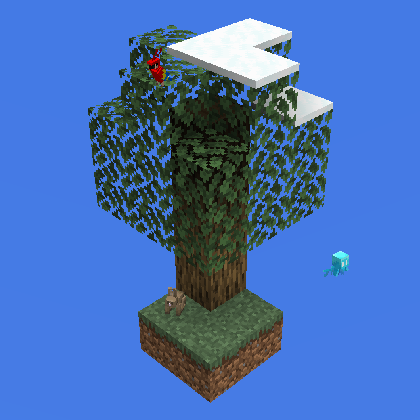
CurseForge · Minecraft mod
Biome: Emergent Biosphere
Add a new Biome
Choose a version Pick your version below, then grab the matching file.
Quick answer
Which Biome: Emergent Biosphere release should I use?
beta file Biome: Emergent Biosphere
Game version 1.19
Loader Fabric
Biome: Emergent Biosphere targets 1.19 with Fabric. The project page does not say whether this file belongs on the client, dedicated server, or both. No extra mods listed for this file.
Where it goes
Is Biome: Emergent Biosphere required on the client, server, or both?
The project page does not say whether this file belongs on the client, dedicated server, or both.
Client Source doesn’t say
Dedicated server Source doesn’t say
Loader for this release Fabric
Required install it here Optional supported, not mandatory Not supported do not install here Source doesn’t say do not assume
The source does not explicitly classify this release as client-only or server-only.
What else does Biome: Emergent Biosphere need?
Biome: Emergent Biosphere. Change the file and its required mods may change too.
This file does not list any required mods. Do not add a library just because a different file uses it.
This file does not list any required or optional mods.
Before you install it
Add Biome: Emergent Biosphere without breaking your instance.
Built for Biome: Emergent Biosphere. Pick another file and the loader, install side or required mods may change.
- 01
Stick to this file
Use Biome: Emergent Biosphere. It targets 1.19 with Fabric; another release may have different loader, side or dependency requirements.
- 02
Bring the mods it needs
This file does not list any required mods. Do not add a library just because a different file uses it.
- 03
Put it on the correct side
The project page does not say whether this file belongs on the client, dedicated server, or both.
- 04
Pick the file you checked
Use the “Get this file” button beside Biome: Emergent Biosphere. It opens that exact file at the source.
About this project
What does Biome: Emergent Biosphere add?
A new mod just spawned...
SKYBLOCK BIOME: EMERGENT BIOSPHERE
This "Mod" is fairly simple, it adds a new biome that can spawn most type of animal mobs, it also allows snow to fall under max build height (around y 180), allowing Players to build up to collect snow;
Here is a list of features:
-add a new Biome called Skyblock, can reference by "skyblockbiome:skyblock"
-snow falls at around Y 180;
-Sky is pretty;
-Skyblock Biome can spawn most type of animals;
-land creatures;
-Sheep;
-Pig;
-Chicken;
-Cow;
-Bat;
-Rabbit;
-Fox;
-Wolf;
-Horse;
-Donkey;
-Llama;
-Parrot;
-Ocelot;
-Allay;
-Polar Bear;
-Panda;
-Mooshroom, only on mycelium;
-Goat, only on some blocks;
-aquatic creatures;
-Squid;
-Cod;
-Salmon;
-Tropical Fish;
-Glow Squid;
-Dolphin
-all monster mobs spawn as usual, with the addition of husk and strays, which have a tiny chance of spawning;
Mobs that won't spawn:
-this is a list of mobs I decided to make obtainable in a DIFFERENT mod(not a biome mod);
-Axolotl;
-Turtle;
-Tadpole;
-this is a list of mobs I DIDN'T wanted to include;
-Guardian;
-Elder Guardian;
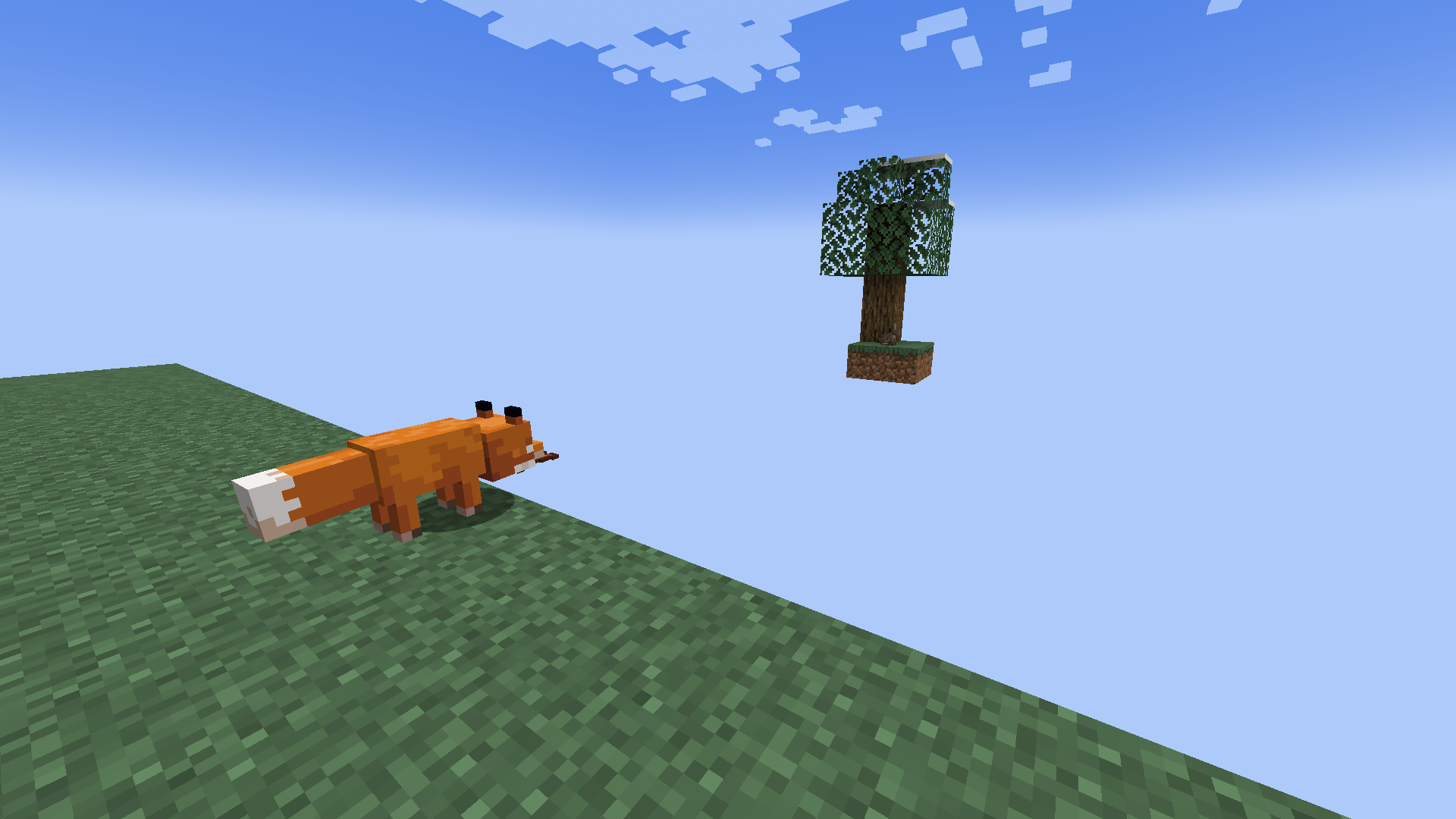
You should know that this Mod doesn't add a Map or a World Type, it simply add a Biome with the features that was previously stated, in case you are unsure how to use it, here's how (after installing the mod);
In the Main Menu, click on Single Player;
Create a New World;
Click on "More World Options..."
Turn off "Generate Structure" (just for the heck of it);
Select World Type: Superflat;
Click on "Customize" then "Presets";
Clear the textbox at the top and paste in this: 118*minecraft:air;skyblockbiome:skyblock
Click on "Use Preset" then "Done" and "Done" again;
Set Game Mode to "Creative";
Now you can put in any Gamerules you want and click "Create New World";
After you've entered the game, make sure you are Flying then enter the Command: /setblock 0 48 0 dirt
A Dirt Block should have appeared somewhere, if you can't find it, type in: /tp 0 48 0
After you have located your Dirt Block, you can start building your starter island;
Once you are done, go on top of your island and type in: /setworldspawn then /gamemode survival
Have the most fun you ever had;
Make sure you check out My Other Mods or My Skyblock Modpack;
Project description from CurseForge.
Pick your setup
Biome: Emergent Biosphere by Minecraft version and loader
Choose the version and loader you play, then open the matching release.
Check the dependencies, then try the file in a copied instance before changing a world you care about.
Recent files
Biome: Emergent Biosphere versions and loaders
Biome: Emergent Biosphere
skyblock_biome-0.0.2-1.19.jar
6 Oct 2022
Client Source doesn’t say Server Source doesn’t say Dependencies No extras listed Listed on Release listing
Check the 1.19 · Fabric setup Fabric1.19 beta
Looking for an older file? The official CurseForge project page is in Resources.
 mod
mod CurseForge · Minecraft
ExfilCraft
Extraction survival for Minecraft: carry your kit into hostile raid worlds, fight for loot, and survive the extraction channel to bring it home — or die and drop it all. Build a home base, squad up, and risk it for one more chest.
 mod
mod CurseForge · Minecraft
I Heard It Too (Neoforge) Updat
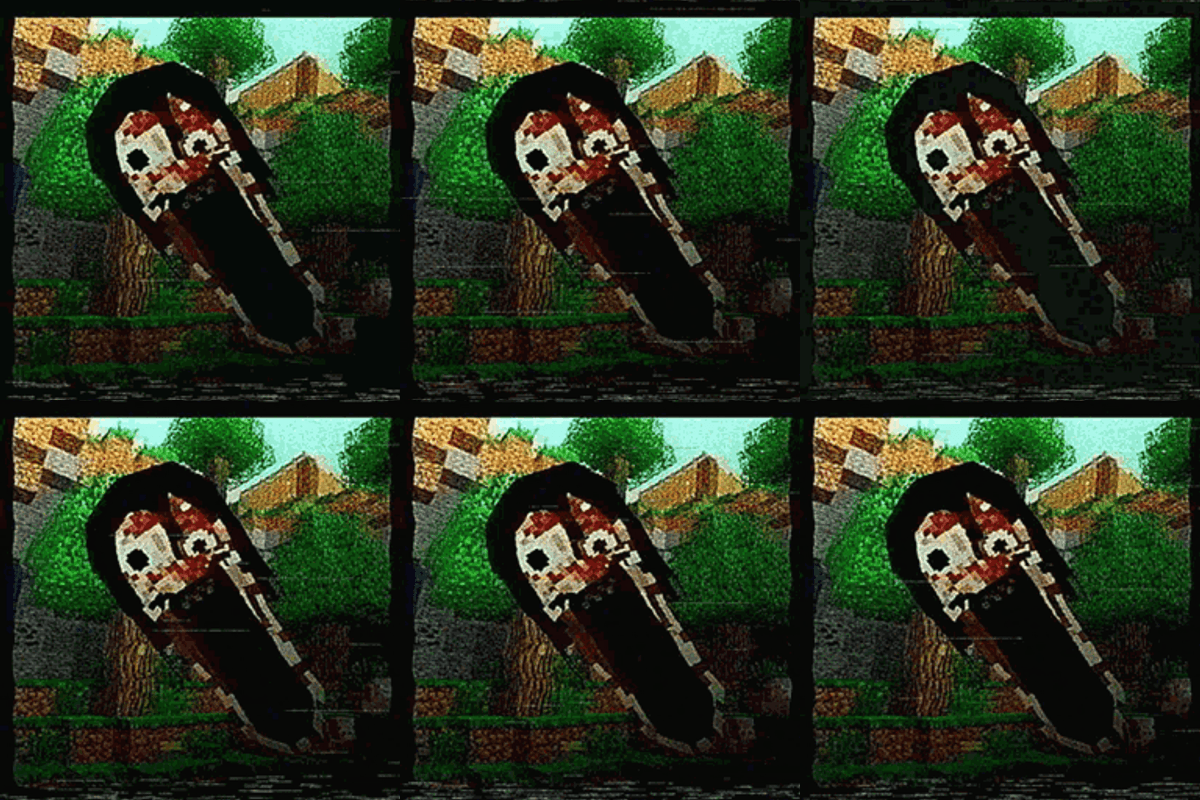
adds a maternal wraith from "I heard it too" short horror movie and from Twixxel's i heard it too entity (not latest ver, stalker is still here) i;ll remove soon
 mod
mod Modrinth · Minecraft
Ragdollified
A ragdoll mod for modern versions of Minecraft with more compatibility and features than normal