Minecraft version
Back to mods 
CurseForge · Minecraft mod
Microraptor1111's Prehistorica
Dinosaur Minecraft mod for 1.16.5 and 1.19.2
Choose a version Pick your version below, then grab the matching file.
Quick answer
Which Microraptor1111's Prehistorica release should I use?
Latest stable file Prehistorica-mc1.16.5-V1.0.2.jar
Game version 1.16.5
Loader Forge
Microraptor1111's Prehistorica Prehistorica-mc1.16.5-V1.0.2.jar targets 1.16.5 with Forge. The project page does not say whether this file belongs on the client, dedicated server, or both. No extra mods listed for this file.
Where it goes
Is Microraptor1111's Prehistorica required on the client, server, or both?
The project page does not say whether this file belongs on the client, dedicated server, or both.
Client Source doesn’t say
Dedicated server Source doesn’t say
Loader for this release Forge
Required install it here Optional supported, not mandatory Not supported do not install here Source doesn’t say do not assume
The source does not explicitly classify this release as client-only or server-only.
What else does Microraptor1111's Prehistorica Prehistorica-mc1.16.5-V1.0.2.jar need?
Prehistorica-mc1.16.5-V1.0.2.jar. Change the file and its required mods may change too.
This file does not list any required mods. Do not add a library just because a different file uses it.
This file does not list any required or optional mods.
Before you install it
Add Microraptor1111's Prehistorica without breaking your instance.
Built for Microraptor1111's Prehistorica Prehistorica-mc1.16.5-V1.0.2.jar. Pick another file and the loader, install side or required mods may change.
- 01
Stick to this file
Use Prehistorica-mc1.16.5-V1.0.2.jar. It targets 1.16.5 with Forge; another release may have different loader, side or dependency requirements.
- 02
Bring the mods it needs
This file does not list any required mods. Do not add a library just because a different file uses it.
- 03
Put it on the correct side
The project page does not say whether this file belongs on the client, dedicated server, or both.
- 04
Pick the file you checked
Use the “Get this file” button beside Prehistorica-mc1.16.5-V1.0.2.jar. It opens that exact file at the source.
About this project
What does Microraptor1111's Prehistorica add?
Microraptor1111's Prehistorica is a Minecraft mod where you can travel into the past and see dinosaurs. Mine fossils to clone your own dinosaurs and make a Prehistoric Park. All real dinosaurs currently in this mod are accurate, or will be in the future.
Many features were removed and renamed in the 1.1.0 remaster update, so put signs and renamed items where your modded ones once were. The dimensions were also remade, so any builds will be gone when updating. Your mobs and items will however be re-added in a future update
We have a Discord! Come join us at https://discord.gg/3FhXj5fN5F
[DISCLAIMER: USE JEI FOR CONVENIENCE]
Prehistoric Species:
1.0.2 and below
-Anomalocaris canadensis
-Anurognathus ammoni
-Arthropleura armata
-Archaeopteryx siemensii
-Coelacanth
-Coelurus fragilis
-Crassygirinus scoticus
-Deinonychus antirrhopus
-Enchodus marchesettii
-Gallimimus bullatus
-Herrerasaurus ischigualastensis
-Horseshoe Crab
-Meganeura brongniarti
-Microraptor gui
-Microraptor hanqingi
-Microraptor zhaoianus
-Nigersaurus taqueti
-Oviraptor philoceratops
-Pulmoniscorpius kirktonensis
-Siats meekerorium
-Simosuchus clarki
-Stegosaurus stenops
-Torvosaurus gurneyi
-Triceratops horridus
-Triceratops prorsus
-Tyrannosaurus rex
-Velociraptor mongoliensis
-Xiphactinus audax
1.1.0 and above
-Anomalocaris canadensis
-Crassigyrinus scoticus
-Coelacanthus granulatus
-Enchodus marchesettii
-Enchodus petrosus
-Gillicus arcuatus
-Rhizodus hibberti
-Xiphactinus audax
Made with MCreator
Project description from CurseForge.
Pick your setup
Microraptor1111's Prehistorica by Minecraft version and loader
Choose the version and loader you play, then open the matching release.
Minecraft version
1.16.5
1 loader buildCheck the dependencies, then try the file in a copied instance before changing a world you care about.
Recent files
Microraptor1111's Prehistorica versions and loaders
MicroraptorsPrehistorica-1.19.2-1.1.0.2.jar
4 Oct 2023
Client Source doesn’t say Server Source doesn’t say Dependencies 1 required · 1 unchecked Listed on Release listing
Check the 1.19.2 · Forge setup 1.19.2Forge beta
MicroraptorsPrehistorica-1.19.2-1.1.0.1
MicroraptorsPrehistorica-1.19.2-1.1.0.2.jar
25 Aug 2023
Client Source doesn’t say Server Source doesn’t say Dependencies 1 required · 1 unchecked Listed on Release listing
Check the 1.19.2 · Forge setup 1.19.2Forge beta
MicroraptorsPrehistorica-1.19.2-1.1.0.jar
3 Jul 2023
Client Source doesn’t say Server Source doesn’t say Dependencies 1 required · 1 unchecked Listed on Release listing
Check the 1.19.2 · Forge setup 1.19.2Forge alpha
Prehistorica-mc1.16.5-V1.0.2.jar
28 Sept 2022
Client Source doesn’t say Server Source doesn’t say Dependencies No extras listed Listed on Release listing
Check the 1.16.5 · Forge setup 1.16.5Forge release
Prehistorica-mc1.16.5-V1.0.1.jar
27 Sept 2022
Client Source doesn’t say Server Source doesn’t say Dependencies No extras listed Listed on Release listing
Check the 1.16.5 · Forge setup 1.16.5Forge release
Prehistorica-mc1.16.5-V1.0.0.jar
27 Sept 2022
Client Source doesn’t say Server Source doesn’t say Dependencies No extras listed Listed on Release listing
Check the 1.16.5 · Forge setup 1.16.5Forge release
Looking for an older file? The official CurseForge project page is in Resources.
 mod
Modrinth · Minecraft
Naraka
Defeat Naraka Tyrant: Herobrine
 mod
Modrinth · Minecraft
Spear+CombatHitboxes
See spear reach at a glance: orange for spear range, red for melee range. Customizable client-side hitboxes, standalone or with Combat Hitboxes and Combat Hitboxes+.
 mod
CurseForge · Minecraft
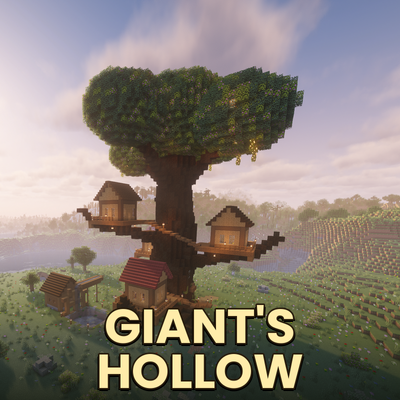
Giant’s Hollow (Tree house Structure)
A whole village growing up a gigantic tree now spawns in your world – treehouses, a secret room in the trunk, a watermill and loot.