Minecraft version
Back to mods 
CurseForge · Minecraft mod
Folders!
Organize your worlds and servers with folders in the play screens.
Choose a version Pick your version below, then grab the matching file.
Quick answer
Which Folders! release matches 1.19?
Best match for your filters Organizable Play Screens 1.0.0 for 1.19
Game version 1.19
Loader Fabric
Folders! Organizable Play Screens 1.0.0 for 1.19 targets 1.19 with Fabric. The project page does not say whether this file belongs on the client, dedicated server, or both. No extra mods listed for this file.
Where it goes
Is Folders! required on the client, server, or both?
The project page does not say whether this file belongs on the client, dedicated server, or both.
Client Source doesn’t say
Dedicated server Source doesn’t say
Loader for this release Fabric
Required install it here Optional supported, not mandatory Not supported do not install here Source doesn’t say do not assume
The source does not explicitly classify this release as client-only or server-only.
What else does Folders! Organizable Play Screens 1.0.0 for 1.19 need?
Organizable Play Screens 1.0.0 for 1.19 on 1.19. Every mod below is checked against that same setup.
This file does not list any required mods. Do not add a library just because a different file uses it.
This file does not list any required or optional mods.
Before you install it
Add Folders! without breaking your instance.
Built for Folders! Organizable Play Screens 1.0.0 for 1.19 on 1.19. Pick another file and the loader, install side or required mods may change.
- 01
Stick to this file
Use Organizable Play Screens 1.0.0 for 1.19. It targets 1.19 with Fabric; another release may have different loader, side or dependency requirements.
- 02
Bring the mods it needs
This file does not list any required mods. Do not add a library just because a different file uses it.
- 03
Put it on the correct side
The project page does not say whether this file belongs on the client, dedicated server, or both.
- 04
Pick the file you checked
Use the “Get this file” button beside Organizable Play Screens 1.0.0 for 1.19. It opens that exact file at the source.
About this project
What does Folders! add?
Folders / Organizable Play Screens
Organize your worlds and servers with folders in the play screens.
- Add folders with custom names to your singleplayer and multiplayer screens.
- Move entries in and out of folders.
- Organize your worlds and servers as you wish.
- The path to the current folder is shown at the top, except for the root folder.
- Searching for worlds still works. The path of the selected world will be shown. You will be taken to the selected world's folder after you finish searching.
This mod does not alter vanilla behavior. You can remove this mod at any time and all your worlds and servers will be
displayed normally. You can even reinstall this mod and your folders will still be there (unless you delete the organizable_worlds.dat and organizable_servers.dat files in the run directory).
Pictures


Requirements

Minecraft Version 1.19+
Project description from CurseForge.
Pick your setup
Folders! by Minecraft version and loader
Choose the version and loader you play, then open the matching release.
Minecraft version
26.2
1 loader buildMinecraft version
26.1.2
1 loader buildMinecraft version
26.1.1
1 loader buildMinecraft version
26.1
1 loader buildMinecraft version
1.21.11
1 loader buildMinecraft version
1.21.10
1 loader buildMinecraft version
1.21.9
1 loader buildMinecraft version
1.21.7
1 loader buildMinecraft version
1.21.6
1 loader buildMinecraft version
1.21.5
1 loader buildMinecraft version
1.21.4
1 loader buildShowing the newest 12 of 27 game versions. Older files are in the list below.
Check the dependencies, then try the file in a copied instance before changing a world you care about.
Recent files
Folders! versions and loaders
Organizable Play Screens 1.0.0 for 1.19
organizable-play-screens-1.0.0.jar
9 Oct 2022
Client Source doesn’t say Server Source doesn’t say Dependencies No extras listed Listed on Release listing
Check the 1.19 · Fabric setup Fabric1.19 release
Looking for an older file? The official CurseForge project page is in Resources.
 mod
CurseForge + Modrinth · Minecraft
Kinetic Minecart
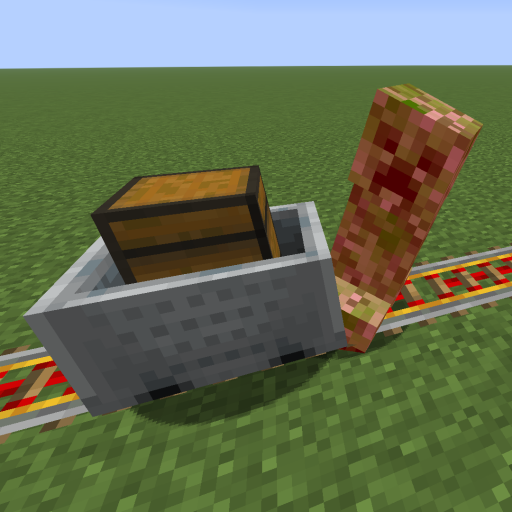
This mod increases damage to moving minecarts; the faster they move, the higher the damage, with virtually no damage limit!
 mod
CurseForge + Modrinth · Minecraft
Safra
Don’t mess with the server Play Minecraft with your friends in 2 clicks via P2P
 mod
CurseForge · Minecraft
Lanterns Belong on Walls
Allows you to place lanterns on walls