Minecraft version
Back to mods 
CurseForge · Minecraft mod
Patched
Allows data/resource packs and mods to modify parts of json files instead of completely replacing them.
Choose a version Pick your version below, then grab the matching file.
Quick answer
Which Patched release should I use?
Latest stable file 9.0.1+26.1-neoforge
Game version 26.1, 26.1.1, 26.1.2
Loader NeoForge
Patched 9.0.1+26.1-neoforge targets 26.1, 26.1.1, 26.1.2 with NeoForge. The project page does not say whether this file belongs on the client, dedicated server, or both. No extra mods listed for this file.
Where it goes
Is Patched required on the client, server, or both?
The project page does not say whether this file belongs on the client, dedicated server, or both.
Client Source doesn’t say
Dedicated server Source doesn’t say
Loader for this release NeoForge
Required install it here Optional supported, not mandatory Not supported do not install here Source doesn’t say do not assume
The source does not explicitly classify this release as client-only or server-only.
What else does Patched 9.0.1+26.1-neoforge need?
9.0.1+26.1-neoforge. Change the file and its required mods may change too.
This file does not list any required mods. Do not add a library just because a different file uses it.
This file does not list any required or optional mods.
Before you install it
Add Patched without breaking your instance.
Built for Patched 9.0.1+26.1-neoforge. Pick another file and the loader, install side or required mods may change.
- 01
Stick to this file
Use 9.0.1+26.1-neoforge. It targets 26.1, 26.1.1, 26.1.2 with NeoForge; another release may have different loader, side or dependency requirements.
- 02
Bring the mods it needs
This file does not list any required mods. Do not add a library just because a different file uses it.
- 03
Put it on the correct side
The project page does not say whether this file belongs on the client, dedicated server, or both.
- 04
Pick the file you checked
Use the “Get this file” button beside 9.0.1+26.1-neoforge. It opens that exact file at the source.
About this project
What does Patched add?
Patched is a mod that provides the ability for data/resource packs (and mods!) to modify parts of json files, allowing them to avoid outright replacing them. This mod can be used for patching biomes, loot tables, models, and most other json files in the game. Whenever Mojang finally makes entity models data-driven (something that feels more distant with each update), Patched will be able to patch those too, providing a lightweight alternative to OptiFine's CEM (Custom Entity Models).
Here's a list of a few different things one can achieve using Patched:
- Removing or adding world gen features to biomes
- Removing or adding criteria to advancements
- Removing or adding loot to loot tables
- Modifying recipes
- Modifying all files that match a pattern (e.g., modifying all biomes)
- Conditional modifications based on loaded mods or configuration options
- And much more!
Patched is intended to reduce conflicts between data/resource packs as well as between other mods. It's also intended to ease the maintenance of these files, as you don't have to worry about other parts of the file becoming out of date (such as Minecraft updates that modify a biome you're changing an unrelated part of).
Patched comes with a few commands to inspect the state of the game (/patchedc for resource packs):
- "/patched list packs" shows a list of packs that have patches
- "/patched list patches <pack>" shows a list of patches provided by a given pack
- "/patched dump patch <pack> <name>" shows the contents of the patch provided by a specified pack
- "/patched dump file <name>" shows the contents of a file, with comments indicating changes made to the file and by who
How it works
Patched allows creating these so-called "patch" files with the same name as the file being patched. These patches follow the syntax of RFC 6902, with extra features to make it better in a modding context. The mod's documentation details how to write these patches (and what other features are available). For example, to remove gravel from the plains biome:
{
  "op": "find",
  "path": "/features/6",
  "test": {
    "path": "",
    "value": "minecraft:ore_gravel"
  },
  "then": {
    "op": "remove",
    "path": ""
  }
}
This patch would then be placed in a data pack at the location "data/minecraft/worldgen/biome" with the name "plains.json.patch".
In order to avoid performance issues, Patched only looks for patches in packs that say they have any (i.e., it's on an opt-in basis). This is to avoid looking in all 200 some mods in your modpack even though only one actually has patches in it. A pack can enable patching by having this in its pack.mcmeta:
{
  "pack": {
    // ...
  },
  "patched": {
    "format_version": 1 // Indicates to Patched that this pack uses Patched, and therefore contains patches.
  }
}
Compatibility
Patched hooks into the base resource loading code, allowing any json file to be patched (excluding json patches themselves). This is compatible with the majority of mods, as they will have no need to modify this code, and any mod using Minecraft's resource loading (which is kind of a requirement) will gain the benefits of Patched.
Limitations
Unfortunately, some limitations apply to 'merged' resources. To clarify, a merged resource is any resource that Minecraft merges at runtime — most notably tags. In addition to tags, there are a handful more of these resources (all client-side): language files, sounds.json, texture atlas sources, block states, and fonts. The limitation imposed on these files is that only the pack providing them may patch them. The reason for this is that otherwise Patched doesn't know which of the 30 some files the patch should apply to.
In addition to this, on versions older than 1.19.3, vanilla biomes cannot be (directly) patched. This is because in these versions those biomes are hard-coded — that is, there is no file to patch. This can be worked around by having a data pack with lower priority that adds the biomes from say, the world gen export here, but I would just recommend updating to 1.19.3 or higher.
Project description from CurseForge.
Pick your setup
Patched by Minecraft version and loader
Choose the version and loader you play, then open the matching release.
Minecraft version
26.2
2 loader buildsMinecraft version
26.1.2
2 loader buildsMinecraft version
26.1.1
2 loader buildsMinecraft version
26.1
2 loader buildsMinecraft version
1.21.11
2 loader buildsMinecraft version
1.21.10
2 loader buildsMinecraft version
1.21.9
2 loader buildsMinecraft version
1.21.8
2 loader buildsMinecraft version
1.21.7
2 loader buildsMinecraft version
1.21.6
2 loader buildsMinecraft version
1.21.5
2 loader buildsShowing the newest 12 of 28 game versions. Older files are in the list below.
Check the dependencies, then try the file in a copied instance before changing a world you care about.
Recent files
Patched versions and loaders
9.0.1+26.1-neoforge
Patched-9.0.1-26.1-neoforge.jar
3 Nov 2026
Client Source doesn’t say Server Source doesn’t say Dependencies No extras listed Listed on Release listing
Check the 26.2 · NeoForge setup NeoForge26.126.1.126.1.2 release
9.0.1+26.1-fabric
Patched-9.0.1-26.1-fabric.jar
3 Nov 2026
Client Source doesn’t say Server Source doesn’t say Dependencies 2 required · 2 unchecked Listed on Release listing
Check the 26.2 · Fabric setup Fabric26.126.1.126.1.2 release
9.0.1+26.3-neoforge
Patched-9.0.1-26.3-neoforge.jar
3 Nov 2026
Client Source doesn’t say Server Source doesn’t say Dependencies No extras listed Listed on Release listing
Check the 26.3 · NeoForge setup NeoForge26.3 release
9.0.1+26.3-fabric
Patched-9.0.1-26.3-fabric.jar
3 Nov 2026
Client Source doesn’t say Server Source doesn’t say Dependencies 2 required · 2 unchecked Listed on Release listing
Check the 26.3 · Fabric setup Fabric26.3 release
9.0.0+26.1-neoforge
Patched-9.0.0+26.1-neoforge.jar
24 Mar 2026
Client Source doesn’t say Server Source doesn’t say Dependencies No extras listed Listed on Release listing
Check the 26.2 · NeoForge setup NeoForge26.126.1.126.1.2 release
9.0.0+26.1-fabric
Patched-9.0.0+26.1-fabric.jar
24 Mar 2026
Client Source doesn’t say Server Source doesn’t say Dependencies No extras listed Listed on Release listing
Check the 26.2 · Fabric setup Fabric26.126.1.126.1.2 release
9.0.0+1.21.11-neoforge
Patched-9.0.0+1.21.11-neoforge.jar
6 Mar 2026
Client Source doesn’t say Server Source doesn’t say Dependencies No extras listed Listed on Release listing
Check the 1.21.11 · NeoForge setup NeoForge1.21.11 release
9.0.0+1.21.11-fabric
Patched-9.0.0+1.21.11-fabric.jar
6 Mar 2026
Client Source doesn’t say Server Source doesn’t say Dependencies No extras listed Listed on Release listing
Check the 1.21.11 · Fabric setup Fabric1.21.11 release
9.0.0+1.21.1-neoforge
Patched-9.0.0+1.21.1-neoforge.jar
6 Mar 2026
Client Source doesn’t say Server Source doesn’t say Dependencies No extras listed Listed on Release listing
Check the 1.21.10 · NeoForge setup 1.211.21.81.21.51.21.4 release
9.0.0+1.21.1-fabric
Patched-9.0.0+1.21.1-fabric.jar
6 Mar 2026
Client Source doesn’t say Server Source doesn’t say Dependencies No extras listed Listed on Release listing
Check the 1.21.10 · Fabric setup 1.21Fabric1.21.81.21.5 release
9.0.0+1.20.1-forge
Patched-9.0.0+1.20.1-forge.jar
6 Mar 2026
Client Source doesn’t say Server Source doesn’t say Dependencies No extras listed Listed on Release listing
Check the 1.20.2 · Forge setup 1.20.21.20.1Forge1.20 release
9.0.0+1.20.1-fabric
Patched-9.0.0+1.20.1-fabric.jar
6 Mar 2026
Client Optional Server Optional Dependencies No extras listed Listed on Release listing
Check the 1.20.2 · Fabric setup 1.201.20.11.20.2Fabric release
Looking for an older file? The official CurseForge project page is in Resources.
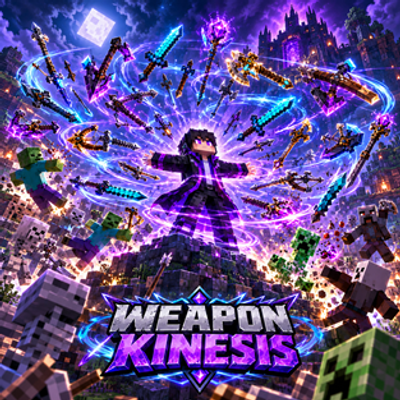 mod
CurseForge · Minecraft
Weapon Kinesis: Survival Mastery
Awaken telekinetic mastery! Orbiting hotbar weapons fight & deflect attacks while your inventory autonomously clutches falls, traps, lava & the void.
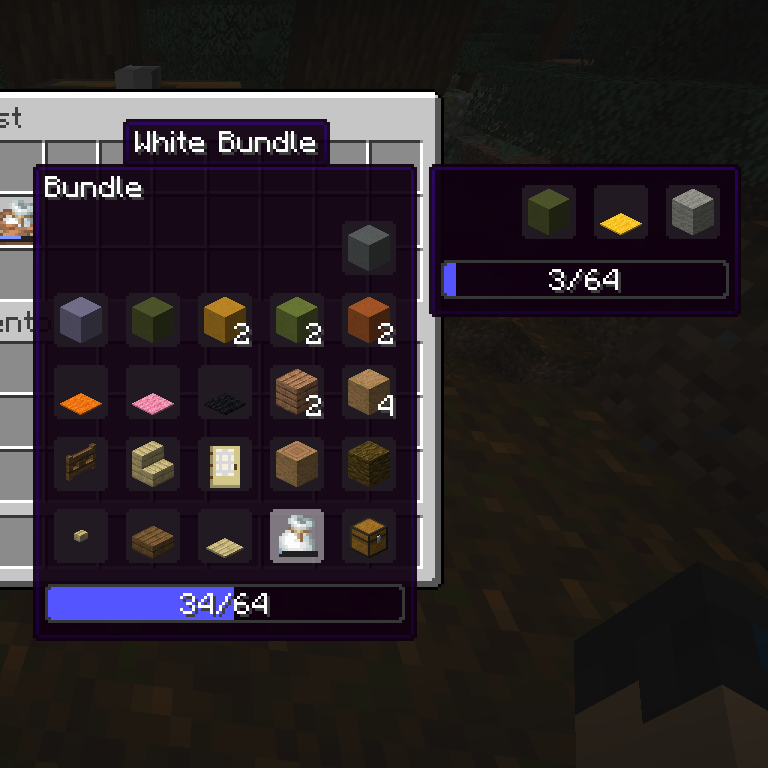 mod
CurseForge · Minecraft
Nested Bundle Viewer
Nested Bundle Viewer shows all items in Minecraft bundles, including nested ones, removing the default display limit.
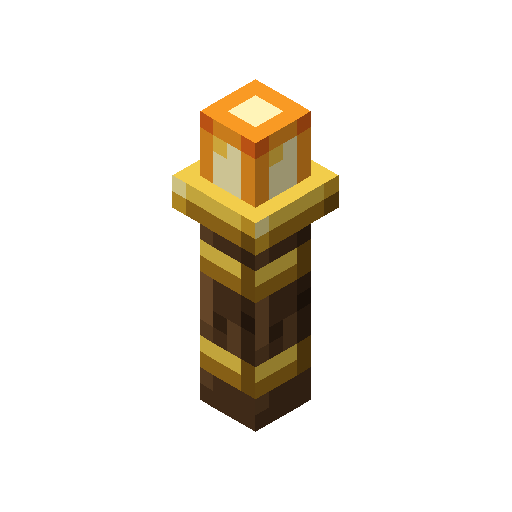 mod
CurseForge · Minecraft
Wardflame
A mega torch: no hostile mob spawns naturally within 64 blocks of a Ward Torch, even while you are away.