Time Stop Clock [NeoForge 1.21.1] v4.7.0 targets 1.21.1 with NeoForge. The project page does not say whether this file belongs on the client, dedicated server, or both. All 1 required mods have matching files.
Where it goes
Is Time Stop Clock required on the client, server, or both?
The project page does not say whether this file belongs on the client, dedicated server, or both.
ClientSource doesn’t say
Dedicated serverSource doesn’t say
Loader for this releaseNeoForge
Required install it hereOptional supported, not mandatoryNot supported do not install hereSource doesn’t say do not assume
The source does not explicitly classify this release as client-only or server-only.
What else does Time Stop Clock [NeoForge 1.21.1] v4.7.0 need?
[NeoForge 1.21.1] v4.7.0. Change the file and its required mods may change too.
All 1 required mods have matching files
Install Cloth Config API (Fabric/Forge/NeoForge) first. We found matching files for this game-version and loader setup. 6 come through another mod in the chain.
6
extra mods were pulled in by other dependencies.
Indented rows show who needs each one. We only count dependency files that match this setup. A file for another loader does not fill the gap.
Before you install it
Add Time Stop Clock without breaking your instance.
Built for Time Stop Clock [NeoForge 1.21.1] v4.7.0. Pick another file and the loader, install side or required mods may change.
01
Stick to this file
Use [NeoForge 1.21.1] v4.7.0. It targets 1.21.1 with NeoForge; another release may have different loader, side or dependency requirements.
02
Bring the mods it needs
Install Cloth Config API (Fabric/Forge/NeoForge) first. We found matching files for this game-version and loader setup. 6 come through another mod in the chain.
03
Put it on the correct side
The project page does not say whether this file belongs on the client, dedicated server, or both.
04
Pick the file you checked
Use the “Get this file” button beside [NeoForge 1.21.1] v4.7.0. It opens that exact file at the source.
About this project
What does Time Stop Clock add?
Time Stop Clock
Features:
Version 1.19.x has been removed, and this mod has been completely rewritten.
Items:
Time Clock - Ability to time stop, slow down (0.5x) and speed up (2.0x)
Arrow - Can shoot most projectiles. Hold Shift to view shootable items.
Staff - No cooldown and no casting time (requires Iron's Spells 'n Spellbooks, suitable for use during time stop).
Spells
Time Freeze - Freezes the time of the current world for x seconds. The default duration is 6 seconds. The duration of Iron's Spells 'n Spellbooks increases with the level, and Ars Nouveau allow for free configuration.
Time Box - When hitting a target, a Time Box is generated. Time inside the box is in a frozen state (this includes the ability to freeze only entities, blocks, and particles). When hitting a creature, a Time Box with a hitbox size of ×1.5 is generated; when hitting a block, a 5×5×5-sized Time Box is generated. The default duration is 6 seconds, and this is an exclusive spell of Ars Nouveau.
Time Box
Time inside the box is in a frozen state, and it can only freeze entities, blocks, liquids, and particles. Due to technical limitations, it can only be generated via commands or spells. The Time Box can be reversed through the configuration file. After reversal, time outside the Time Box will be in a frozen state, while time inside the box remains normal.
Commands:
/timeclock tickrate <value> - Set the game tickrate
/timeclock pauseTime <true/false> - Set whether to enable time stop, can be used to forcibly enable or disable time stop
/timeclock whitelist list - View the whitelist
/timeclock whitelist list <true/false> - Same as above, but choose whether to output to the log
/timeclock whitelist clear - Remove all entities in the whitelist
/timeclock whitelist remove <target> - Remove the target from the whitelist
/timeclock whitelist remove uuid <UUID> - Remove the UUID from the whitelist.
/timeclock whitelist add <target> - Add the target to the whitelist.
/timeclock config reload - Reload the config (required after making modifications to the external config file).v2.0.0+ Removed.







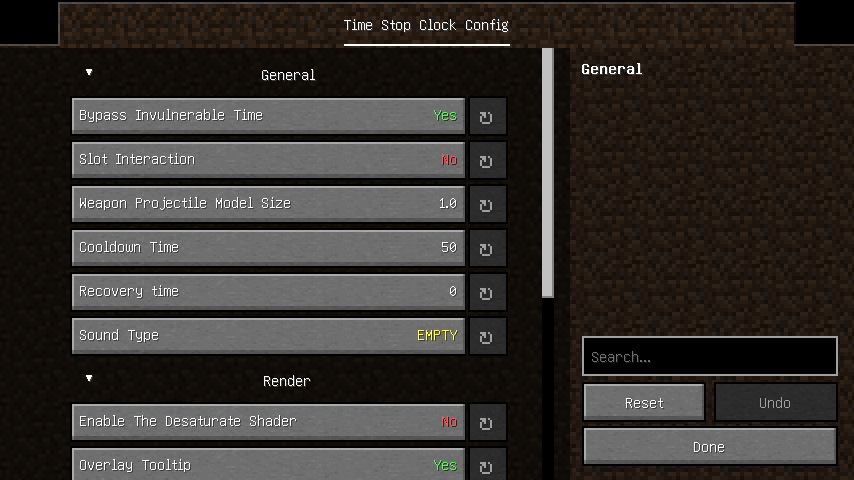
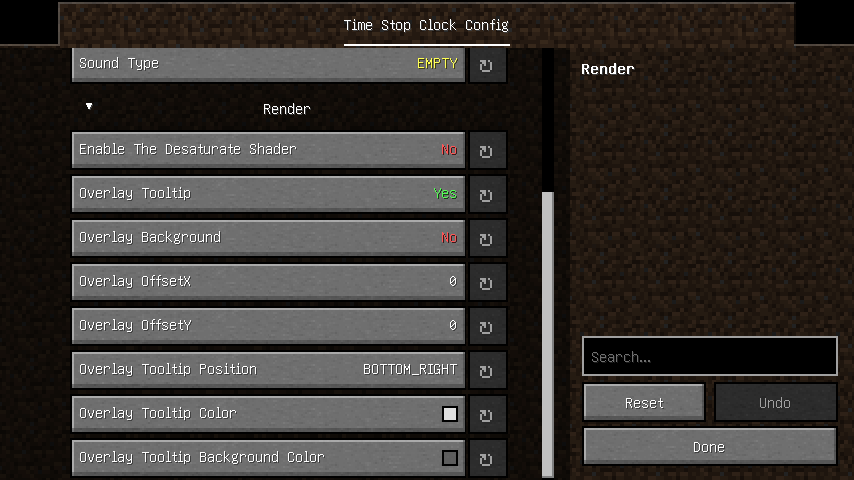
 mod
mod mod
mod mod
mod