Minecraft version
Back to mods 
CurseForge · Minecraft mod
Screenshot Viewer
View your screenshots in game!
Choose a version Pick your version below, then grab the matching file.
Quick answer
Which Screenshot Viewer release should I use?
Latest stable file [26.1x-Neoforge] Screenshot Viewer 1.3.6
Game version 26.1, 26.1.1, 26.1.2
Loader NeoForge
Screenshot Viewer [26.1x-Neoforge] Screenshot Viewer 1.3.6 targets 26.1, 26.1.1, 26.1.2 with NeoForge. The project page does not say whether it belongs on the client. The project page does not say whether it belongs on the dedicated server. No extra mods listed for this file.
Where it goes
Is Screenshot Viewer required on the client, server, or both?
The project page does not say whether it belongs on the client. The project page does not say whether it belongs on the dedicated server.
Client Source doesn’t say
Dedicated server Source doesn’t say
Loader for this release NeoForge
Required install it here Optional supported, not mandatory Not supported do not install here Source doesn’t say do not assume
The source does not explicitly classify this release as client-only or server-only.
What else does Screenshot Viewer [26.1x-Neoforge] Screenshot Viewer 1.3.6 need?
[26.1x-Neoforge] Screenshot Viewer 1.3.6. Change the file and its required mods may change too.
This file does not list any required mods. Do not add a library just because a different file uses it.
This file does not list any required or optional mods.
Before you install it
Add Screenshot Viewer without breaking your instance.
Built for Screenshot Viewer [26.1x-Neoforge] Screenshot Viewer 1.3.6. Pick another file and the loader, install side or required mods may change.
- 01
Stick to this file
Use [26.1x-Neoforge] Screenshot Viewer 1.3.6. It targets 26.1, 26.1.1, 26.1.2 with NeoForge; another release may have different loader, side or dependency requirements.
- 02
Bring the mods it needs
This file does not list any required mods. Do not add a library just because a different file uses it.
- 03
Put it on the correct side
The project page does not say whether it belongs on the client. The project page does not say whether it belongs on the dedicated server.
- 04
Pick the file you checked
Use the “Get this file” button beside [26.1x-Neoforge] Screenshot Viewer 1.3.6. It opens that exact file at the source.
About this project
What does Screenshot Viewer add?
Screenshot Viewer
Screenshot viewer is a mod that allows you to see the screenshots that you have taken while you were gaming! (including the accidental ones you took when you where trying to press F3).
It comes with a great GUI and an in-game configuration thanks to CatConfigMC, a library I myself developped.
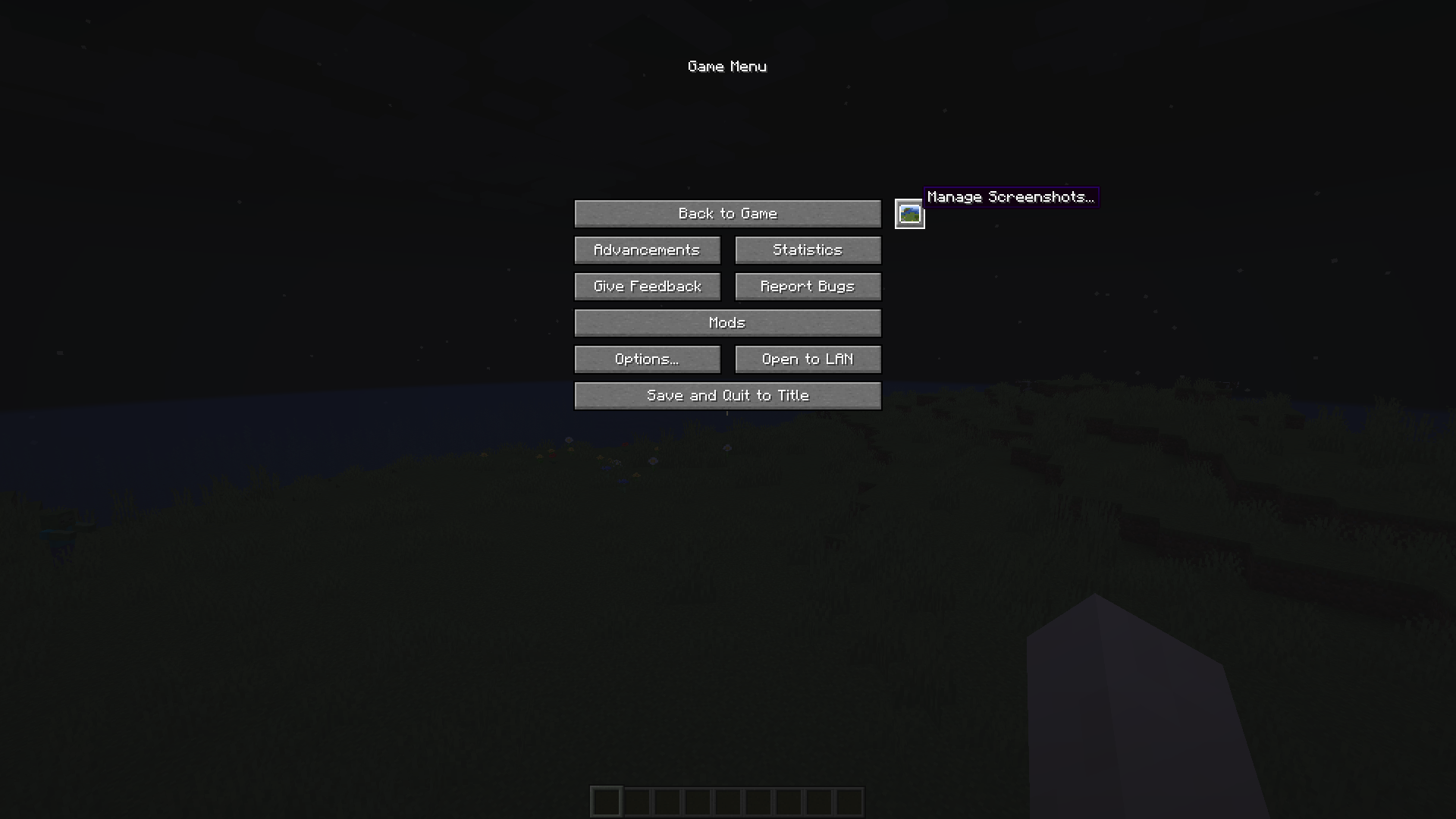
Here are two screenshots of the in-game GUI:
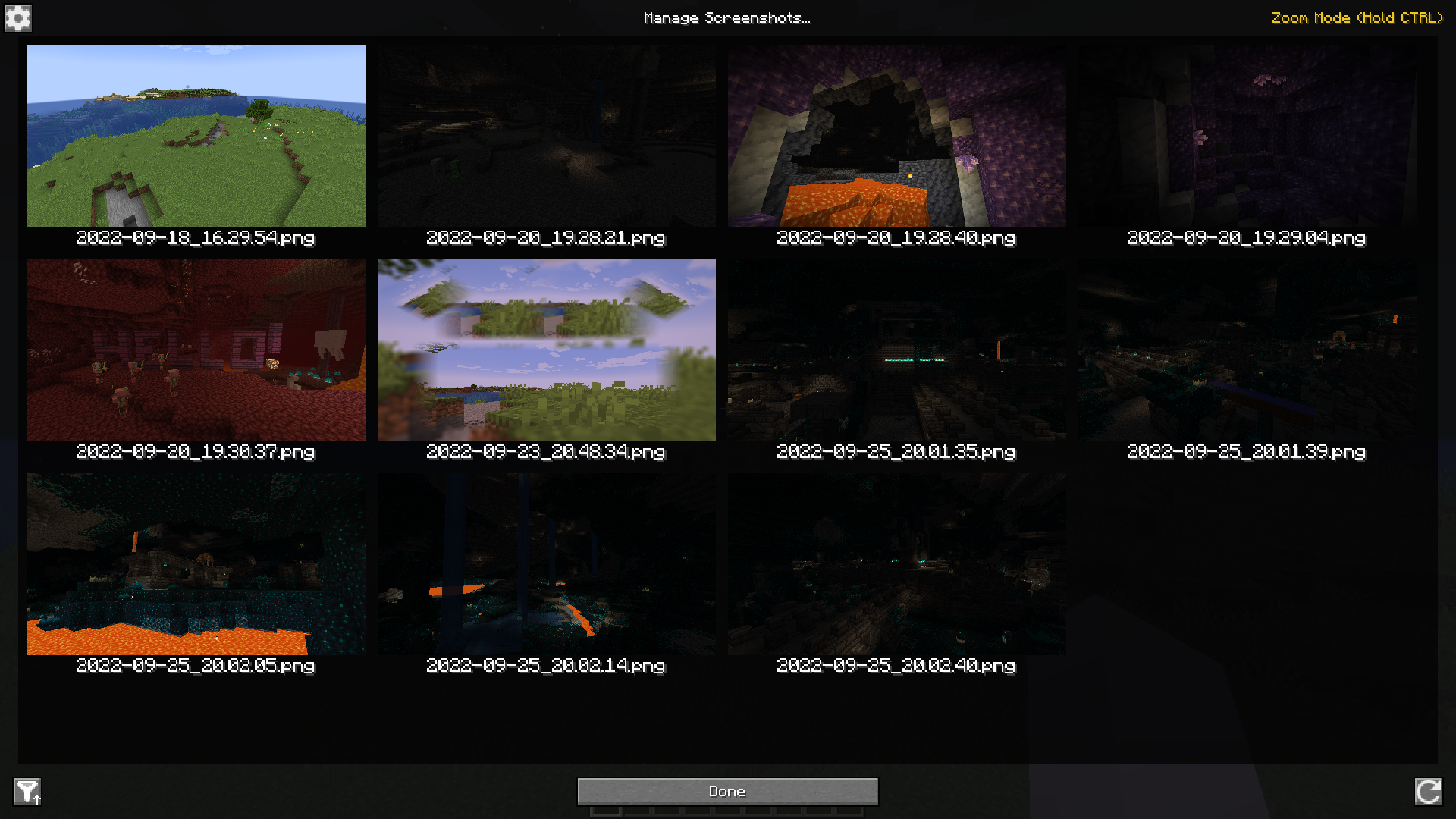
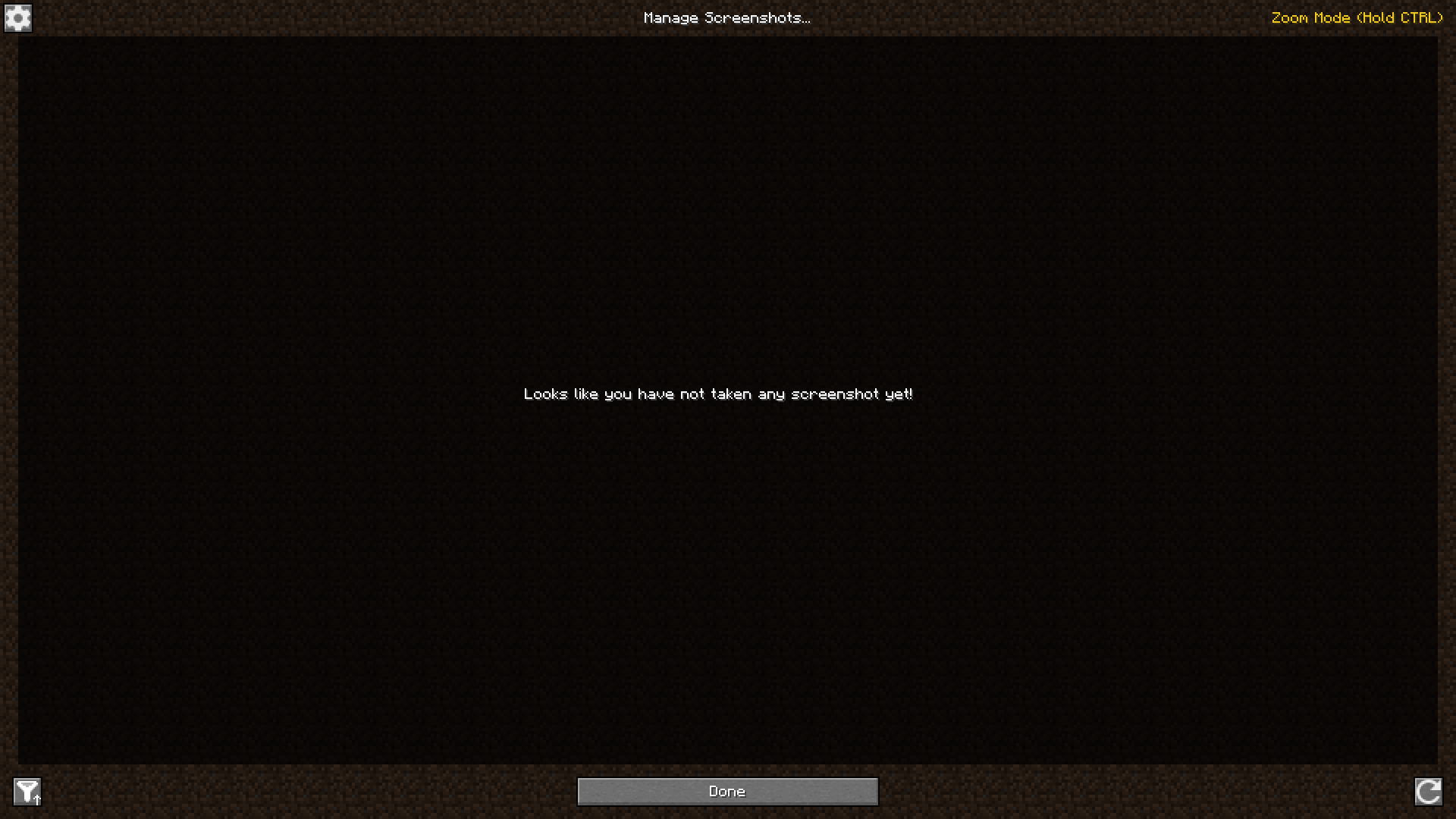
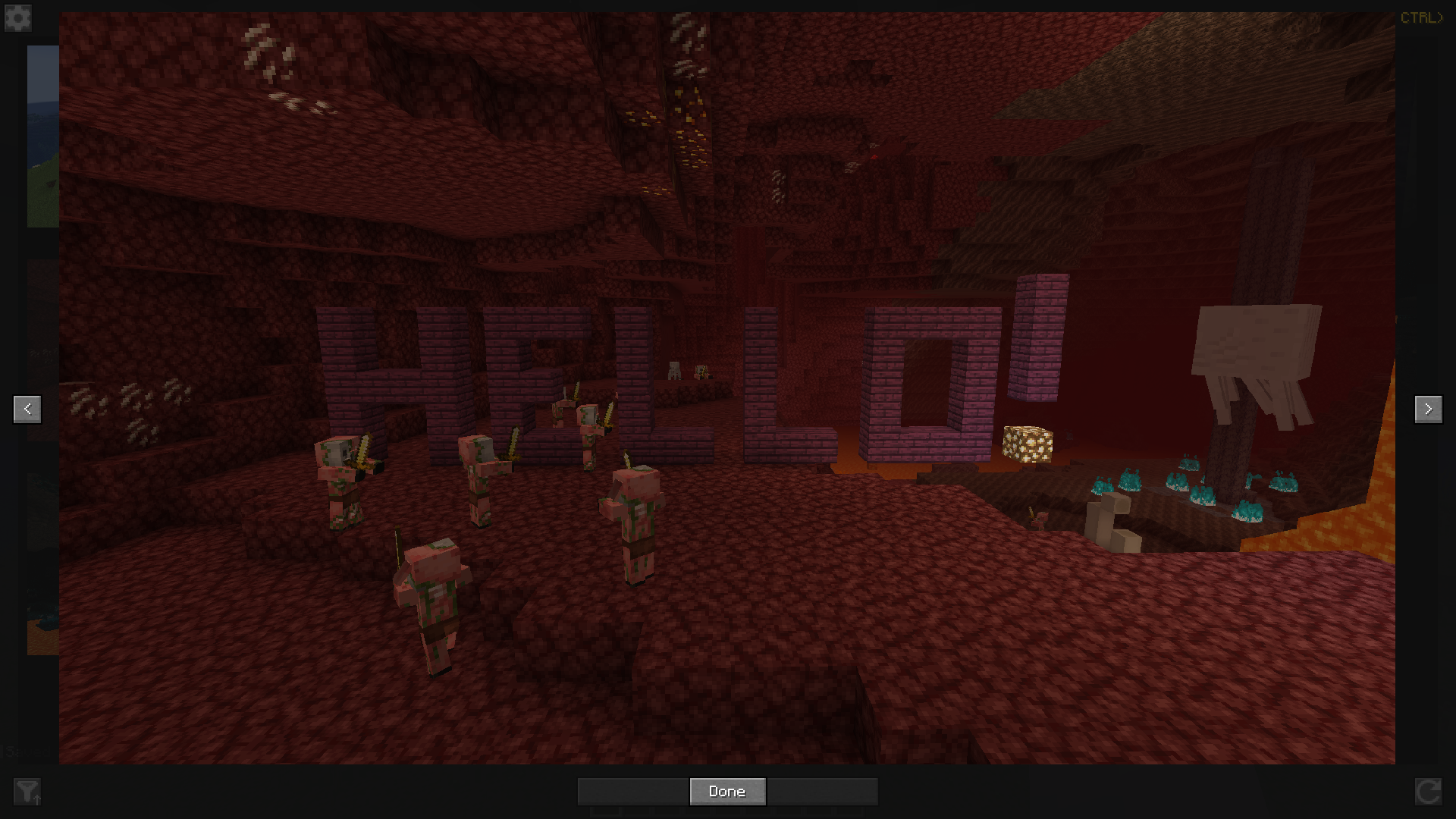
If you want to see in detail one of your screenshots, or just go through them, you can click on one to enlarge it and scroll or click on the buttons on the left and right to go to the next one or the previous one.
Finally, you can access this screenshots management screen by clicking on a button on the title screen or in the pause menu, or by configuring a key binding.
Hope you will enjoy the mod!
Project description from CurseForge.
Pick your setup
Screenshot Viewer by Minecraft version and loader
Choose the version and loader you play, then open the matching release.
Minecraft version
26.1.2
2 loader buildsMinecraft version
26.1.1
2 loader buildsMinecraft version
26.1
2 loader buildsMinecraft version
1.21.11
2 loader buildsMinecraft version
1.21.4
1 loader buildMinecraft version
1.21.3
1 loader buildMinecraft version
1.21.2
1 loader buildMinecraft version
1.21.1
2 loader buildsMinecraft version
1.21
1 loader buildMinecraft version
1.20.6
1 loader buildMinecraft version
1.20.5
1 loader buildShowing the newest 12 of 27 game versions. Older files are in the list below.
Check the dependencies, then try the file in a copied instance before changing a world you care about.
Recent files
Screenshot Viewer versions and loaders
[26.1x-Neoforge] Screenshot Viewer 1.3.6
screenshot_viewer-1.3.6-neoforge-mc26.1x.jar
30 Jun 2026
Client Source doesn’t say Server Source doesn’t say Dependencies No extras listed Listed on Release listing
Check the 26.1.2 · NeoForge setup NeoForge26.126.1.126.1.2 release
[1.21.11-Neoforge] Screenshot Viewer 1.3.6
screenshot_viewer-1.3.6-neoforge-mc1.21.11.jar
26 Jun 2026
Client Source doesn’t say Server Source doesn’t say Dependencies No extras listed Listed on Release listing
Check the 1.21.11 · NeoForge setup NeoForge1.21.11 release
[26.2-Fabric] Screenshot Viewer 1.3.6
screenshot_viewer-1.3.6-fabric-mc26.2.jar
26 Jun 2026
Client Source doesn’t say Server Source doesn’t say Dependencies No extras listed Listed on Release listing
Check the 26.2 · Fabric setup Fabric26.2 release
[26.1x-Fabric] Screenshot Viewer 1.3.5
screenshot_viewer-1.3.5-fabric-mc26.1x.jar
25 Jun 2026
Client Source doesn’t say Server Source doesn’t say Dependencies No extras listed Listed on Release listing
Check the 26.1.2 · Fabric setup Fabric26.126.1.126.1.2 release
[1.21.11-Fabric] Screenshot Viewer 1.3.5
screenshot_viewer-1.3.5-fabric-mc1.21.11.jar
24 Jun 2026
Client Source doesn’t say Server Source doesn’t say Dependencies No extras listed Listed on Release listing
Check the 1.21.11 · Fabric setup Fabric1.21.11 release
[1.21.11-Fabric] Screenshot Viewer 1.3.4
screenshot_viewer-1.3.4-fabric-mc1.21.11.jar
23 Jun 2026
Client Source doesn’t say Server Source doesn’t say Dependencies No extras listed Listed on Release listing
Check the 1.21.11 · Fabric setup Fabric1.21.11 release
[1.21.1-Neoforge] Screenshot Viewer 1.3.4
screenshot_viewer-1.3.4-neoforge-mc1.21.1.jar
8 Jul 2025
Client Source doesn’t say Server Source doesn’t say Dependencies No extras listed Listed on Release listing
Check the 1.21.1 · NeoForge setup NeoForge1.21.1 release
[1.21.4-Fabric] Screenshot Viewer 1.3.4
screenshot_viewer-1.3.4-fabric-mc1.21.4.jar
23 Feb 2025
Client Source doesn’t say Server Source doesn’t say Dependencies No extras listed Listed on Release listing
Check the 1.21.4 · Fabric setup Fabric1.21.4 release
[1.21.3-Fabric] Screenshot Viewer 1.3.4
screenshot_viewer-1.3.4-fabric-mc1.21.3.jar
23 Feb 2025
Client Source doesn’t say Server Source doesn’t say Dependencies No extras listed Listed on Release listing
Check the 1.21.3 · Fabric setup Fabric1.21.31.21.2 release
[1.21-Fabric] Screenshot Viewer 1.3.3
screenshot_viewer-1.3.3-fabric-mc1.21.jar
23 Feb 2025
Client Source doesn’t say Server Source doesn’t say Dependencies No extras listed Listed on Release listing
Check the 1.21.1 · Fabric setup 1.21Fabric1.21.1 release
1.20.4-fabric-3
screenshot_viewer-1.3.3-fabric-mc1.20.4.jar
22 Oct 2024
Client Required Server Not supported Dependencies No extras listed Listed on Release listing
Check the 1.20.6 · Fabric setup 1.20.41.20.51.20.6Fabric release
[1.20.1-Forge] Screenshot Viewer 1.3.2
screenshot_viewer-1.3.2-forge-mc1.20.1.jar
14 May 2024
Client Source doesn’t say Server Source doesn’t say Dependencies No extras listed Listed on Release listing
Check the 1.20.1 · NeoForge setup NeoForge1.20.1Forge1.20 release
Looking for an older file? The official CurseForge project page is in Resources.
 mod
mod CurseForge · Minecraft
Reliable Recipe Viewer (RRV)
A recipe viewer for the latest versions of Minecraft, rebuilt from EIV and designed to be configured.
 mod
mod CurseForge · Minecraft
MCPaintball
Welcome to MCPaintball. A fresh take on PvP action, and ready to kick off with a bang.
 mod
mod CurseForge · Minecraft
CoordsCopy
A minecraft mod which enables you to copy player and block coordinates with the press of a button.