
Minecraft version
Back to mods 
Modrinth · Minecraft mod
Phantom Deactivator
Do you hate phantoms? Just deactivate them!
Choose a version Pick your version below, then grab the matching file.
Quick answer
Which Phantom Deactivator release should I use?
Latest stable file 1.0+mod
Game version 1.21, 1.21.1, 1.21.10
Loader Fabric, Forge, NeoForge
Phantom Deactivator 1.0+mod targets 1.21, 1.21.1, 1.21.10 with Fabric, Forge, NeoForge. Installation on the client is optional. Installation on the dedicated server is optional. No extra mods listed for this file.
Where it goes
Is Phantom Deactivator required on the client, server, or both?
Installation on the client is optional. Installation on the dedicated server is optional.
Client Optional
Dedicated server Optional
Loader for this release Fabric, Forge, NeoForge
Required install it here Optional supported, not mandatory Not supported do not install here Source doesn’t say do not assume
The source marks this as usable on both the client and server.
What else does Phantom Deactivator 1.0+mod need?
1.0+mod. Change the file and its required mods may change too.
This file does not list any required mods. Do not add a library just because a different file uses it.
This file does not list any required or optional mods.
Before you install it
Add Phantom Deactivator without breaking your instance.
Built for Phantom Deactivator 1.0+mod. Pick another file and the loader, install side or required mods may change.
- 01
Stick to this file
Use 1.0+mod. It targets 1.21, 1.21.1, 1.21.10 with Fabric, Forge, NeoForge; another release may have different loader, side or dependency requirements.
- 02
Bring the mods it needs
This file does not list any required mods. Do not add a library just because a different file uses it.
- 03
Put it on the correct side
Installation on the client is optional. Installation on the dedicated server is optional.
- 04
Pick the file you checked
Use the “Get this file” button beside 1.0+mod. It opens that exact file at the source.
About this project
What does Phantom Deactivator add?
Think:
You are playing Minecraft and a phantom comes and kills you in your hardcore world.
But when you have this pack, they will disappear!
This pack is made for the people that hate phantoms.
How to install?
- Download the pack.
- Copy it to your copy board.
- Open Minecraft Launcher > Click on Installations > Click on the folder symbole.
- When you found the .minecraft folder, click on saves, select the world you want to add the datapack and paste the datapack into the datapacks folder.
How to uninstall?
- Open Minecraft Launcher > Click on Installations > Click on the folder symbole.
- When you found the .minecraft folder, click on saves, select the world you want to remove the datapack, find the datapacks folder and delete the pack.
You can get help from my Discord Server.
Have fun with my pack and this is end of the description...
I want to invite you all to ChowderFin's YouTube channel (@ChowderFin), he makes really good build hacks and simple builds for Minecraft and I'm sure you will like this contents and much of them with downloadable schematics. This is not sponsored by him and he deserves much more subscribers. Thank you!
Screenshot of his Channel
Project description from Modrinth.
Pick your setup
Phantom Deactivator by Minecraft version and loader
Choose the version and loader you play, then open the matching release.
Minecraft version
1.21.9
5 loader buildsMinecraft version
1.21.8
5 loader buildsMinecraft version
1.21.7
5 loader buildsMinecraft version
1.21.6
5 loader buildsMinecraft version
1.21.5
5 loader buildsMinecraft version
1.21.4
5 loader buildsMinecraft version
1.21.3
5 loader buildsMinecraft version
1.21.2
5 loader buildsMinecraft version
1.21.1
5 loader buildsMinecraft version
1.21
5 loader buildsCheck the dependencies, then try the file in a copied instance before changing a world you care about.
Recent files
Phantom Deactivator versions and loaders
1.0+mod
phantom-deactivator-1.0.jar
8 Nov 2025
Client Optional Server Optional Dependencies No extras listed Listed on Release listing
Check the 1.21.10 · Fabric setup 1.211.21.11.21.101.21.2 release
1.0
phantom_deactivator-1.0.zip
11 Oct 2025
Client Optional Server Optional Dependencies No extras listed Listed on Release listing
Check the 1.21.10 · datapack setup 1.211.21.11.21.101.21.2 release
Looking for an older file? The official Modrinth project page is in Resources.
 mod
CurseForge · Minecraft
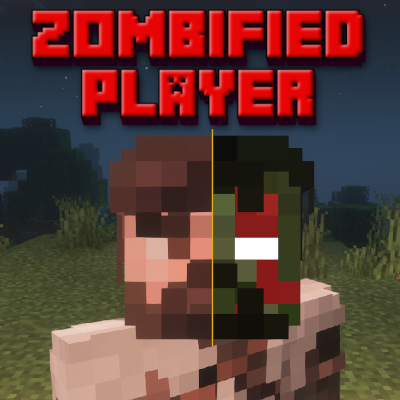
Zombified Player - Kill Your Inner Zombie
Spawns a zombified version of the player after death
 mod
CurseForge + Modrinth · Minecraft
Optimized Cushions
Optimizing cushions on client and server
 mod
CurseForge + Modrinth · Minecraft
Quick Skin
Sick of wasting time with Minecraft’s slow launcher just to change your skin? Quick Skin lets you swap skins instantly even on “offline” servers and gives you access to every official Minecraft cape.