Fabric API Needed by Universal Player Data 0.2.1
requiredMatching file found Matched file: 0.155.3+26.1.2

Modrinth · Minecraft mod
Player data is shared between all worlds
Quick answer
Universal Player Data 0.2.1 targets 26.1 with Fabric. Do not install it on the client. It must be installed on the dedicated server. All 2 required mods have matching files.
Where it goes
Do not install it on the client. It must be installed on the dedicated server.
This file is marked server-only.
0.2.1 on 26.1. Every mod below is checked against that same setup.
Install Fabric API, YetAnotherConfigLib (YACL) first. We found matching files for this game-version and loader setup.
We only count dependency files that match this setup. A file for another loader does not fill the gap.
Before you install it
Built for Universal Player Data 0.2.1 on 26.1. Pick another file and the loader, install side or required mods may change.
Use 0.2.1. It targets 26.1 with Fabric; another release may have different loader, side or dependency requirements.
Install Fabric API, YetAnotherConfigLib (YACL) first. We found matching files for this game-version and loader setup.
Do not install it on the client. It must be installed on the dedicated server.
Use the “Get this file” button beside 0.2.1. It opens that exact file at the source.
About this project
WARNING: THIS MOD CHANGES SAVE DATA FUNCTIONALITY. ALWAYS MAKE BACKUPS OF WORLDS AND SAVES AND USE AT YOUR OWN RISK.
Fabric mod that makes player data be shared between all worlds, similar to games like Terraria. This includes inventory, hunger, status effects, ender chests, etc. By default, some data is still world-specific, such as spawn point and gamemode.
By default, players will always start at their spawn point when joining a world.
When you first add the mod, it will prioritize existing save data from the first world you open the mod with.
Save directory is .minecraft/universal-playerdata.
As of version 0.2.0 and later, you can edit the configuration, either using Mod Menu or at .minecraft/config/universal-player-data.json.
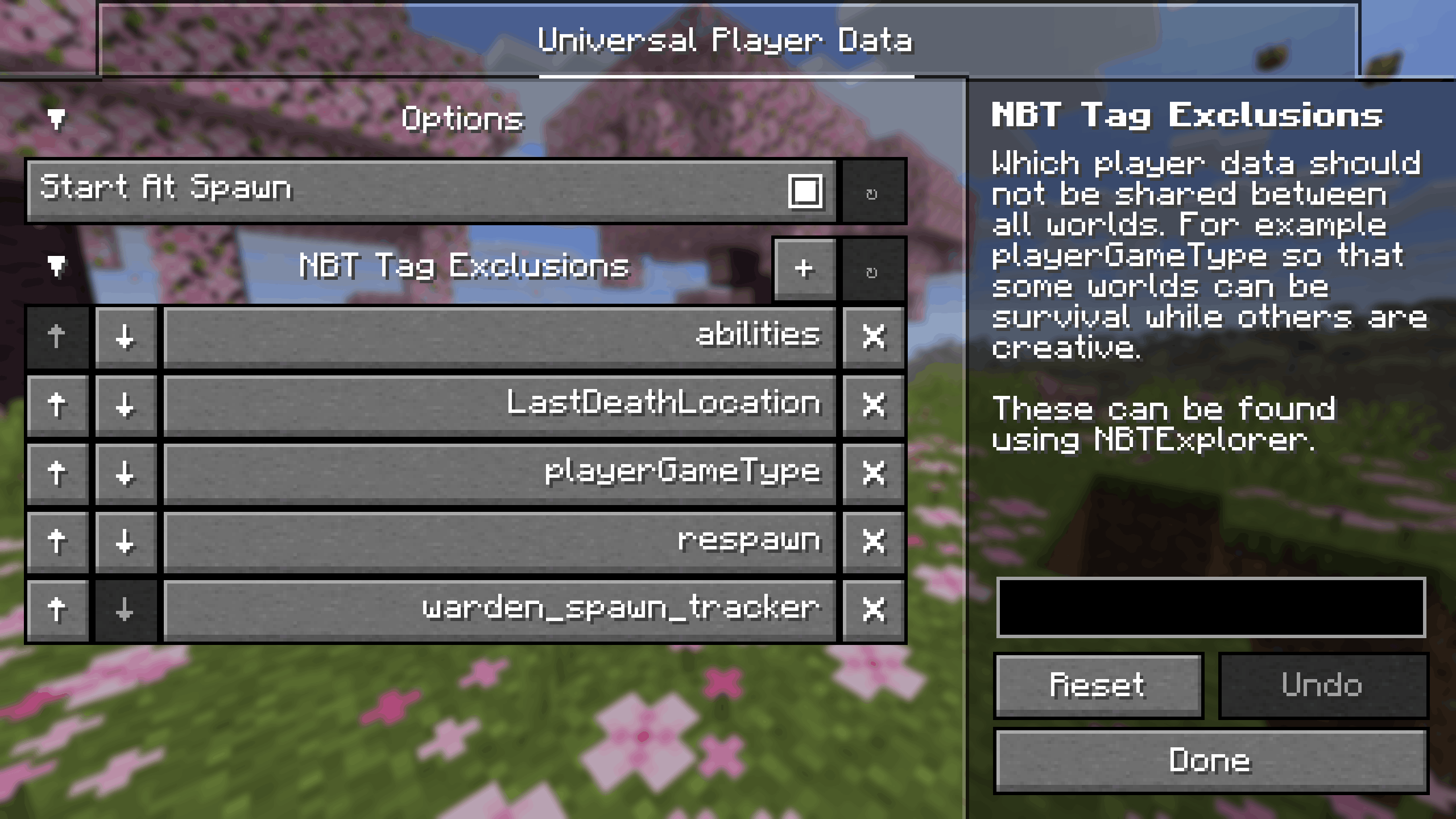
The mod works by using the same NBT data for all worlds, except for a small set of exclusions (abilities, LastDeathLocation, playerGameType, respawn, RootVehicle, and warden_spawn_tracker). Exclusions can be added or removed in the config. Whether or not players start at spawn can also be set in the config. If disabled, it is recommended to add the Motion, Pos, and Rotation NBT tags to the exclusions list.
You can find NBT tags by using NBT Explorer.
Project description from Modrinth.
Pick your setup
Choose the version and loader you play, then open the matching release.
Check the dependencies, then try the file in a copied instance before changing a world you care about.
Recent files
universal-player-data-0.2.1-fabric-26.1.jar
2 Apr 2026
universal-player-data-0.2.0-fabric-26.1.jar
31 Mar 2026
Looking for an older file? The official Modrinth project page is in Resources.
 mod
This mod disables item drop scatter by centering items on the block grid.
 mod
Client-side mod that calculates optimal enchantment paths to save XP and levels when enchanting gear, tools, weapons, and armor.
 mod
Shows invisible players' nametags and skins at full opacity. Client-side, with persistent settings, keybinds and a Cloth Config screen.