Fabric API Needed by Diegetic 0.8.2_1.21.5-1.21.8
requiredNo matching file

Modrinth · Minecraft mod
Allows some f3 information to be gained from normal gameplay: time-of-day, coordinates, and slime chunks.
Quick answer
Diegetic 0.8.2_1.21.5-1.21.8 targets 1.21, 1.21.1, 1.21.10 with Fabric. Do not install it on the client. It must be installed on the dedicated server. 1 required mod needs a matching file.
Where it goes
Do not install it on the client. It must be installed on the dedicated server.
This file is marked server-only.
0.8.2_1.21.5-1.21.8 on 1.21.2. Every mod below is checked against that same setup.
Install Fabric API first, but 1 required mod has no matching file for this setup. Do not mix loader builds to force a match.
We only count dependency files that match this setup. A file for another loader does not fill the gap.
Before you install it
Built for Diegetic 0.8.2_1.21.5-1.21.8 on 1.21.2. Pick another file and the loader, install side or required mods may change.
Use 0.8.2_1.21.5-1.21.8. It targets 1.21, 1.21.1, 1.21.10 with Fabric; another release may have different loader, side or dependency requirements.
Install Fabric API first, but 1 required mod has no matching file for this setup. Do not mix loader builds to force a match.
Do not install it on the client. It must be installed on the dedicated server.
Use the “Get this file” button beside 0.8.2_1.21.5-1.21.8. It opens that exact file at the source.
About this project
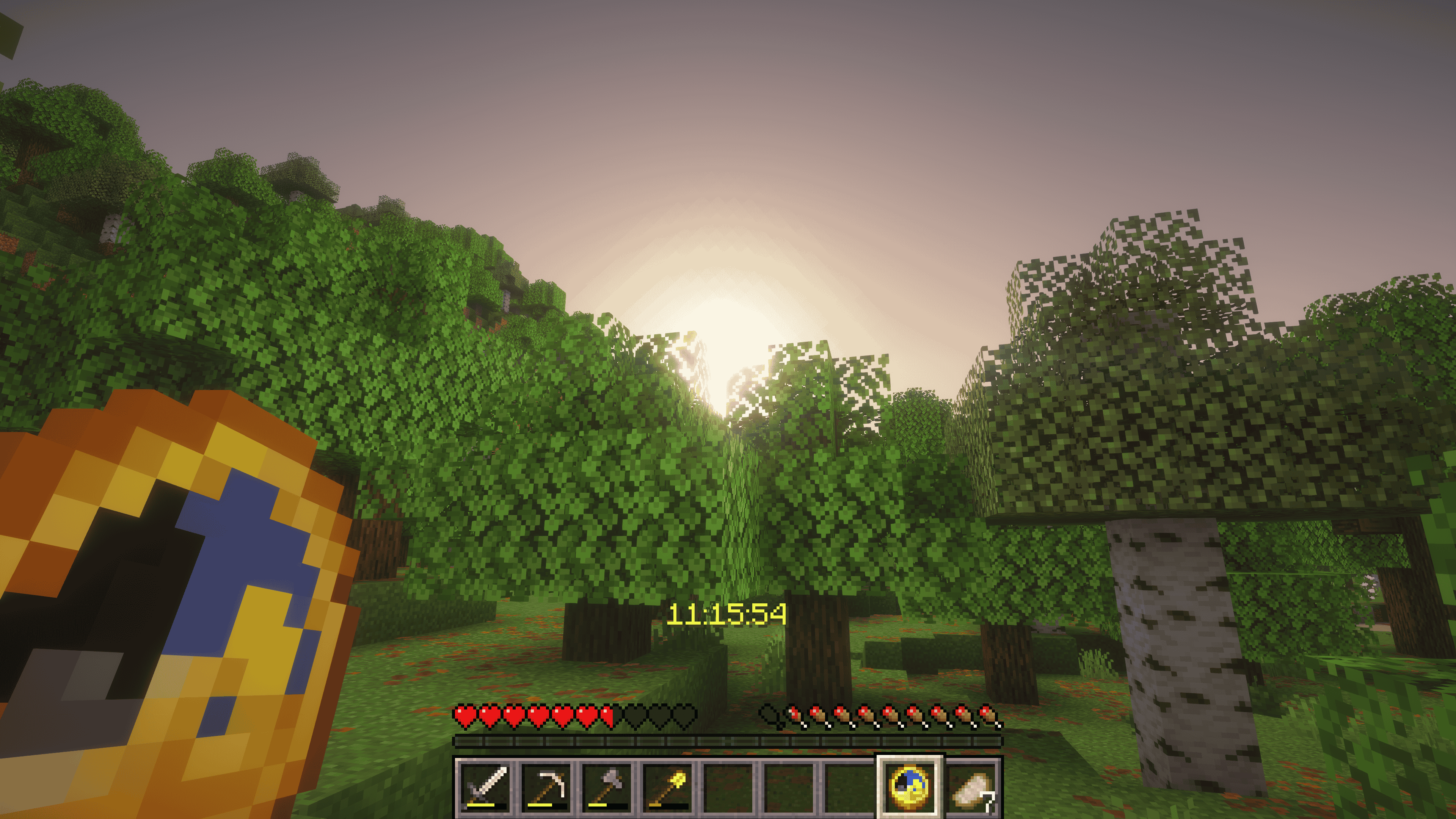
Diegetic adds several in-game means of measuring information that is otherwise only reasonably obtainable outside of the game and with "meta-gaming". The current systems added are:
The items used to measure information may be subject to change.
| Name (1.21+) | Name (-1.21) | Description |
|---|---|---|
| clock_displays_time | diegeticClockDisplaysTime | Clocks can display the [world] time. |
| clock_uses_server_time | diegeticClockUsesServerTime | If clocks are enabled, clocks will display the server's (IRL) time. |
| compass_coordinates | diegetic- CompassCoordinates | Compasses can provide absolute coordinates. |
| lodestone_compass_relative_coordinates | diegeticLodestone- CompassRelativeCoordinates | Compasses associated with lodestones will provide relative coordinates to their lodestone. |
| recovery_compass_relative_coordinates | diegeticRecovery- CompassRelativeCoordinates | Recovery-compasses will provide relate coordinates to last known death location. |
| slime_chunk_checking | diegeticSlimeChunkChecking | Slimeballs can inform if one's current chunk is a slime chunk. |
By default, all of features are enabled (their gamerules are true).
These can be modified with the gamerule command, ex:/gamerule diegetic:slime_chunk_checking false
.
The shaders used in the gallery are BSL by CaptTatsu.
Project description from Modrinth.
Pick your setup
Choose the version and loader you play, then open the matching release.
Check the dependencies, then try the file in a copied instance before changing a world you care about.
Recent files
Diegetic-0.8.2_1.21.5-1.21.8.jar
9 Dec 2025
Looking for an older file? The official Modrinth project page is in Resources.
 mod
A Minecraft mod that lets you cycle through paintings using the brush!
 mod
Adds forts, citadels, castles, with unique vanilla mobs/ hidden items
 mod
A customizable Hypixel SkyBlock chat mod featuring 200+ message filters, chat tabs, search and compact messages.