Minecraft version
Back to mods 
Modrinth · Minecraft mod
Interaction Hint
Is a lightweight client-side mod that displays contextual interaction hints and adds a dedicated interaction key.
Choose a version Pick your version below, then grab the matching file.
Quick answer
Which Interaction Hint release should I use?
Latest stable file 1.0.3
Game version 1.21.1
Loader Fabric
Interaction Hint 1.0.3 targets 1.21.1 with Fabric. It must be installed on the client. Do not install it on the dedicated server. No extra mods listed for this file.
Where it goes
Is Interaction Hint required on the client, server, or both?
It must be installed on the client. Do not install it on the dedicated server.
Client Required
Dedicated server Not supported
Loader for this release Fabric
Required install it here Optional supported, not mandatory Not supported do not install here Source doesn’t say do not assume
This file is marked client-only.
What else does Interaction Hint 1.0.3 need?
1.0.3. Change the file and its required mods may change too.
This file does not list any required mods. Do not add a library just because a different file uses it.
This file does not list any required or optional mods.
Before you install it
Add Interaction Hint without breaking your instance.
Built for Interaction Hint 1.0.3. Pick another file and the loader, install side or required mods may change.
- 01
Stick to this file
Use 1.0.3. It targets 1.21.1 with Fabric; another release may have different loader, side or dependency requirements.
- 02
Bring the mods it needs
This file does not list any required mods. Do not add a library just because a different file uses it.
- 03
Put it on the correct side
It must be installed on the client. Do not install it on the dedicated server.
- 04
Pick the file you checked
Use the “Get this file” button beside 1.0.3. It opens that exact file at the source.
About this project
What does Interaction Hint add?
🛠️Interaction Hint
Is a lightweight client-side mod that displays contextual interaction hints and adds a dedicated interaction key.
❗ The mod is primarily designed for story-driven, RPG, and adventure modpacks, helping players understand what can be interacted with without cluttering the screen.
🔓Features:
Context-sensitive interaction hints.
Dedicated interaction key (default F).
Keeps the standard mouse controls unchanged.
Localization support.
- Install Forge (Minecraft 1.19.2).
- Place the mod file into the "mods" folder.
- Launch Minecraft.
Support & Feedback
If you encounter any issues or want to share ideas, join our Discord Channel
The mod is made with the help of AI!
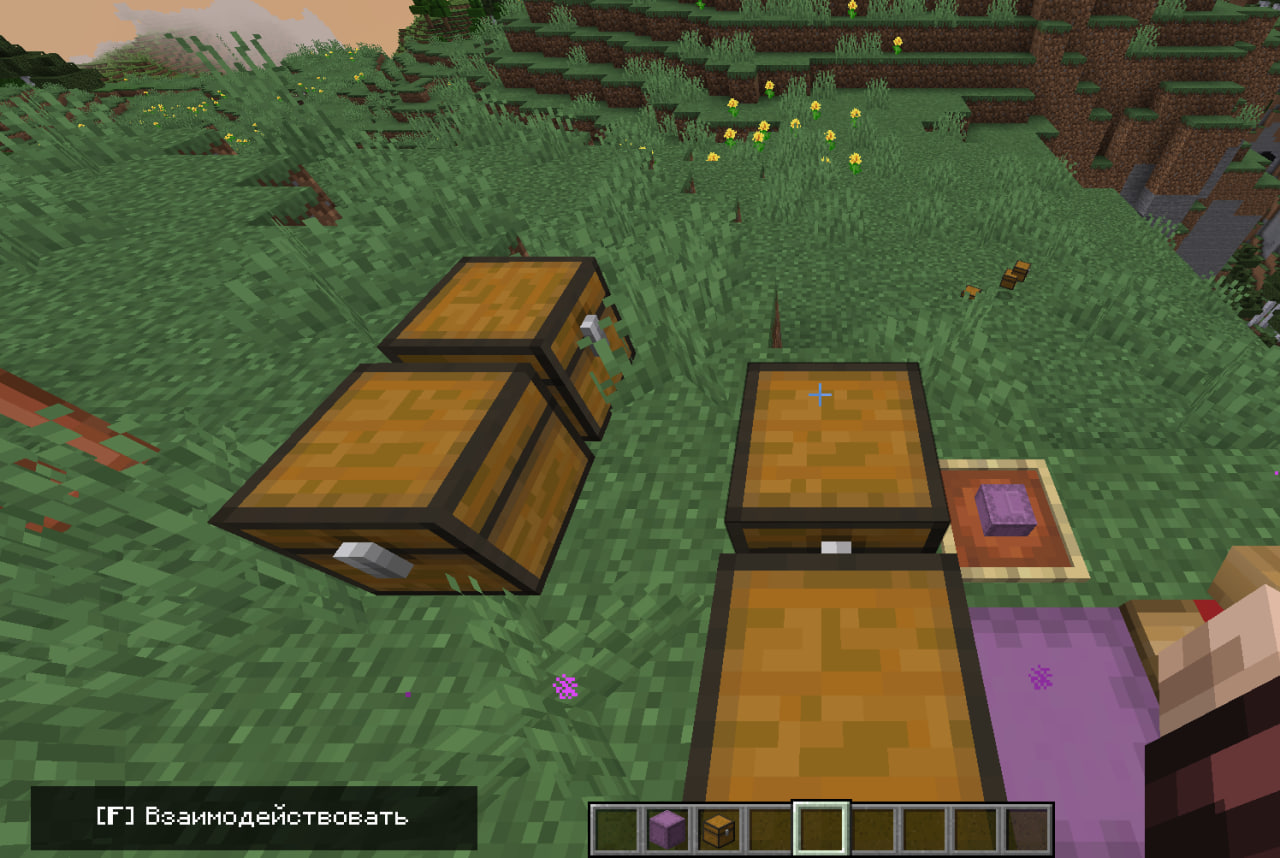
Project description from Modrinth.
Pick your setup
Interaction Hint by Minecraft version and loader
Choose the version and loader you play, then open the matching release.
Minecraft version
1.19.2
1 loader buildCheck the dependencies, then try the file in a copied instance before changing a world you care about.
Recent files
Interaction Hint versions and loaders
1.0.3
interactionhint-1.0.3-1.21.1 fabric.jar
15 Sept 2026
Client Required Server Not supported Dependencies No extras listed Listed on Release listing
Check the 1.21.1 · Fabric setup 1.21.1Fabric release
1.0.3
interactionhint-1.0.3-1.19.2 forge.jar
15 Sept 2026
Client Required Server Not supported Dependencies No extras listed Listed on Release listing
Check the 1.19.2 · Forge setup 1.19.2Forge release
1.0.2
interactionhint-1.0.2.jar
11 Sept 2026
Client Required Server Not supported Dependencies No extras listed Listed on Release listing
Check the 1.19.2 · Forge setup 1.19.2Forge alpha
1.0.1
interactionhint-1.0.1.jar
12 Aug 2026
Client Required Server Not supported Dependencies No extras listed Listed on Release listing
Check the 1.19.2 · Forge setup 1.19.2Forge beta
1.0.0-beta
interactionhint-1.0.jar
2 Aug 2026
Client Required Server Not supported Dependencies No extras listed Listed on Release listing
Check the 1.19.2 · Forge setup 1.19.2Forge beta
Looking for an older file? The official Modrinth project page is in Resources.
 mod
mod CurseForge + Modrinth · Minecraft
MVS - Moog's Voyager Structures
160+ structures made with vanilla blocks and entities bringing life to your world! Discover loot, enemies, & villagers along the way!
 mod
mod CurseForge + Modrinth · Minecraft
MTR - Moog's Temples Reimagined
Discover large, rare temples filled with challenging encounters, valuable loot, and exciting exploration that will test your skills and reward your bravery
 mod
mod CurseForge + Modrinth · Minecraft
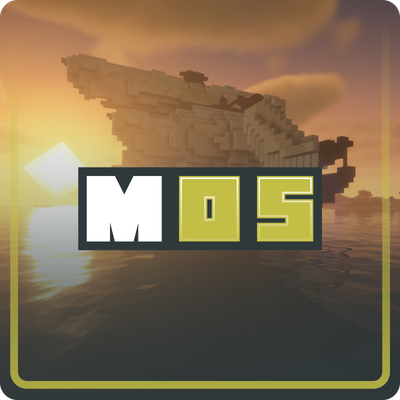
MOS - Moog's Ocean Structures
100+ vanilla style ocean structures. Dive through Atlantean ruins, ancient shipwrecks, ocean temples, and drifting rafts for loot and adventure.