Fabric Language Kotlin Needed by Extended Comparators 1.0.0
requiredMatching file found Matched file: 1.14.2+kotlin.2.4.21
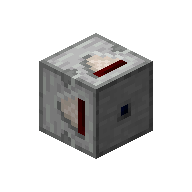
Modrinth · Minecraft mod
Full-block size comparators.
Quick answer
Extended Comparators 1.0.0 targets 1.20.1, 1.20.2, 1.20.3 with Fabric. Installation on the client is optional. Installation on the dedicated server is optional. All 2 required mods have matching files.
Where it goes
Installation on the client is optional. Installation on the dedicated server is optional.
The source marks this as usable on both the client and server.
1.0.0 on 1.20.3. Every mod below is checked against that same setup.
Install Fabric Language Kotlin, Fabric API first. We found matching files for this game-version and loader setup.
We only count dependency files that match this setup. A file for another loader does not fill the gap.
Before you install it
Built for Extended Comparators 1.0.0 on 1.20.3. Pick another file and the loader, install side or required mods may change.
Use 1.0.0. It targets 1.20.1, 1.20.2, 1.20.3 with Fabric; another release may have different loader, side or dependency requirements.
Install Fabric Language Kotlin, Fabric API first. We found matching files for this game-version and loader setup.
Installation on the client is optional. Installation on the dedicated server is optional.
Use the “Get this file” button beside 1.0.0. It opens that exact file at the source.
About this project
Adds new full-block-size comparators that function similarly to vanilla comparators:
Adds new items:
More textures for the different internal & output signal levels of the comparator blocks. Unique textures for the weak comparator.
Allow individual secondary input sides to be turned off (ignore input) using the redstone key item.
This mod uses mixins to trigger some additional logic in the world wherever a comparator would be updated, which could result in some overhead. Please follow the report issues link to report about any performance issues or bugs.
Project description from Modrinth.
Pick your setup
Choose the version and loader you play, then open the matching release.
Check the dependencies, then try the file in a copied instance before changing a world you care about.
Recent files
extended-comparator-1.0.0.jar
16 Jul 2024
Looking for an older file? The official Modrinth project page is in Resources.
 mod
A Minecraft mod that adds customizable timestamps to chat!
 mod
Fix macOS text navigation shortcuts in chat/books/signs/etc & allows custom shortcuts: get native cmd + backspace, option + delete, cmd + arrows, and more!
 mod
See every armour piece and its durability next to your hotbar, with a warning before anything breaks.