
Back to mods
DeepIn - Deepslate Instaminable project artwork

Modrinth · Minecraft mod

DeepIn - Deepslate Instaminable

Customizable mod that Lets you instamine deepslate and other materials

Choose a version Pick your version below, then grab the matching file.

Quick answer

Which DeepIn - Deepslate Instaminable release should I use?

Updated 7 days ago
Latest stable file 3.1.1+26.2-neoforge
Game version 26.1, 26.1.1, 26.1.2
Loader NeoForge

DeepIn - Deepslate Instaminable 3.1.1+26.2-neoforge targets 26.1, 26.1.1, 26.1.2 with NeoForge. Do not install it on the client. It must be installed on the dedicated server. No extra mods listed for this file.

Where it goes

Is DeepIn - Deepslate Instaminable required on the client, server, or both?

Do not install it on the client. It must be installed on the dedicated server.

Client Not supported
Dedicated server Required
Loader for this release NeoForge
Required install it here Optional supported, not mandatory Not supported do not install here Source doesn’t say do not assume

This file is marked server-only.

What else does DeepIn - Deepslate Instaminable 3.1.1+26.2-neoforge need?

3.1.1+26.2-neoforge. Change the file and its required mods may change too.

No extra mods listed for this file

This file does not list any required mods. Do not add a library just because a different file uses it.

This file does not list any required or optional mods.

Before you install it

Add DeepIn - Deepslate Instaminable without breaking your instance.

Built for DeepIn - Deepslate Instaminable 3.1.1+26.2-neoforge. Pick another file and the loader, install side or required mods may change.

  1. 01

    Stick to this file

    Use 3.1.1+26.2-neoforge. It targets 26.1, 26.1.1, 26.1.2 with NeoForge; another release may have different loader, side or dependency requirements.

  2. 02

    Bring the mods it needs

    This file does not list any required mods. Do not add a library just because a different file uses it.

  3. 03

    Put it on the correct side

    Do not install it on the client. It must be installed on the dedicated server.

  4. 04

    Pick the file you checked

    Use the “Get this file” button beside 3.1.1+26.2-neoforge. It opens that exact file at the source.

About this project

What does DeepIn - Deepslate Instaminable add?

DeepIn

Mod showcase

Sorry for not updating. I struggled a lot to update to Mojang mappings, and had some personal issues. DeepIn is now on 26.2.x. And updated version for 1.21.11 is also available. Now with folia and forge support.

What is DeepIn?

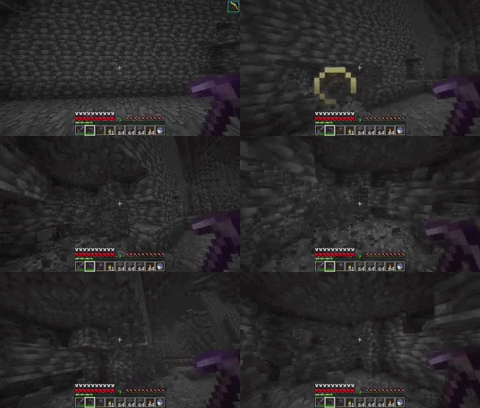
DeepIn is a server-side mod that allows you to instamine deepslate and related blocks when using a Netherite pickaxe with Efficiency V and standing within a Haste II beacon area.

Why use DeepIn?

Tired of how slow deepslate is to mine, even with Efficiency V and Haste II?
DeepIn enhances your mining experience by giving you just the right boost to make deepslate feel as fast as stone, without affecting game balance or requiring client-side mods.

How to use

  • Enchant your Netherite pickaxe with Efficiency V.
  • Set up a beacon with Haste II in the area where you want to mine.
  • Start mining! The mod will automatically boost your Haste effect to Haste VIII, allowing you to instamine deepslate blocks.

Presets

  • New instamine presets. They allow you to quickly and without touching the config file add instaminable blocks. Use the command /deepin preset to manage it.

Syntax

/deepin preset                          list all presets (on/off)
/deepin preset list                     same as above
/deepin preset <name>                   detailed status of a preset
/deepin preset <name> on|off            enable/disable
/deepin preset all on|off|reset         apply to all presets
/deepin preset <name> reset             drop that preset's overrides
/deepin preset <name> set <key> <num>   hasteDuration / hasteAmplifier /
                                        efficiencyRequirement / hasteRequirement
/deepin preset <name> add <kind> <id>   add an id (kind: block|tool)
/deepin preset <name> remove <kind> <id>remove an id (kind: block|tool)

Note

  • If you update this plugin from a previous version it's recommended to remove the deepslate instamine config on "tools" on the config file

Advanced

  • /deepin reload reloads the config file.
  • LuckPerms support (Optional) The mod will work as normal without it.
    • deepin.use — allows using the instamine feature
    • deepin.reload — allows /deepin reload
    • deepin.preset — allows /deepin preset
    • deepin.bypass.tool — instamine with any tool
    • deepin.bypass.enchants — skip the efficiency requirement
    • deepin.bypass.beacon — skip the beacon requirement
    • deepin.bypass — bypasses all requirements

tuning options (config, all defaults)

Key Default What it does
graceDurationTicks 120 (6s) How long grace haste lasts after leaving a beacon/stopping mining
renewSkipTicks 5 How often the haste effect packet is refreshed while mining
miningTargetTtlTicks 40 (2s) How long a mining target stays "active" after your last hit
beaconScanRange 50 Radius (blocks) searched for beacons
permissionNodePrefix deepin Prefix for all permission nodes
geometryCacheTtlTicks 4 How often beacon geometry is recomputed
geometryCacheEvictTicks 400 Idle geometry cache eviction time
searchCooldownTicks 40 (2s) Cooldown between failed beacon searches
cacheSweepIntervalTicks 6000 (5min) Interval of the periodic cache cleanup

Project description from Modrinth.

Pick your setup

DeepIn - Deepslate Instaminable by Minecraft version and loader

Choose the version and loader you play, then open the matching release.

85 available setups

Showing the newest 12 of 31 game versions. Older files are in the list below.

Check the dependencies, then try the file in a copied instance before changing a world you care about.

Recent files

DeepIn - Deepslate Instaminable versions and loaders

37 of 37 releases match

Looking for an older file? The official Modrinth project page is in Resources.