Fabric API Needed by Vanillin 1.1.3+1.20.1
requiredMatching file found Matched file: 0.92.12+1.20.1

Modrinth · Minecraft mod
Instanced rendering for entities and block entities using Flywheel
Quick answer
Vanillin 1.1.3+1.20.1 targets 1.20.1 with Fabric. It must be installed on the client. Do not install it on the dedicated server. All 1 required mods have matching files.
Where it goes
It must be installed on the client. Do not install it on the dedicated server.
This file is marked client-only.
1.1.3+1.20.1 on Fabric. Every mod below is checked against that same setup.
Install Fabric API first. We found matching files for this game-version and loader setup.
We only count dependency files that match this setup. A file for another loader does not fill the gap.
Before you install it
Built for Vanillin 1.1.3+1.20.1 on Fabric. Pick another file and the loader, install side or required mods may change.
Use 1.1.3+1.20.1. It targets 1.20.1 with Fabric; another release may have different loader, side or dependency requirements.
Install Fabric API first. We found matching files for this game-version and loader setup.
It must be installed on the client. Do not install it on the dedicated server.
Use the “Get this file” button beside 1.1.3+1.20.1. It opens that exact file at the source.
About this project
Vanillin optimizes Minecraft by implementing instanced rendering for entities and block entities through Flywheel.
With Flywheel doing the heavy lifting, Vanillin is able to achieve significant performance improvements on all the game objects it affects. The end result is that ten thousand of something have the same frame time impact as one of something.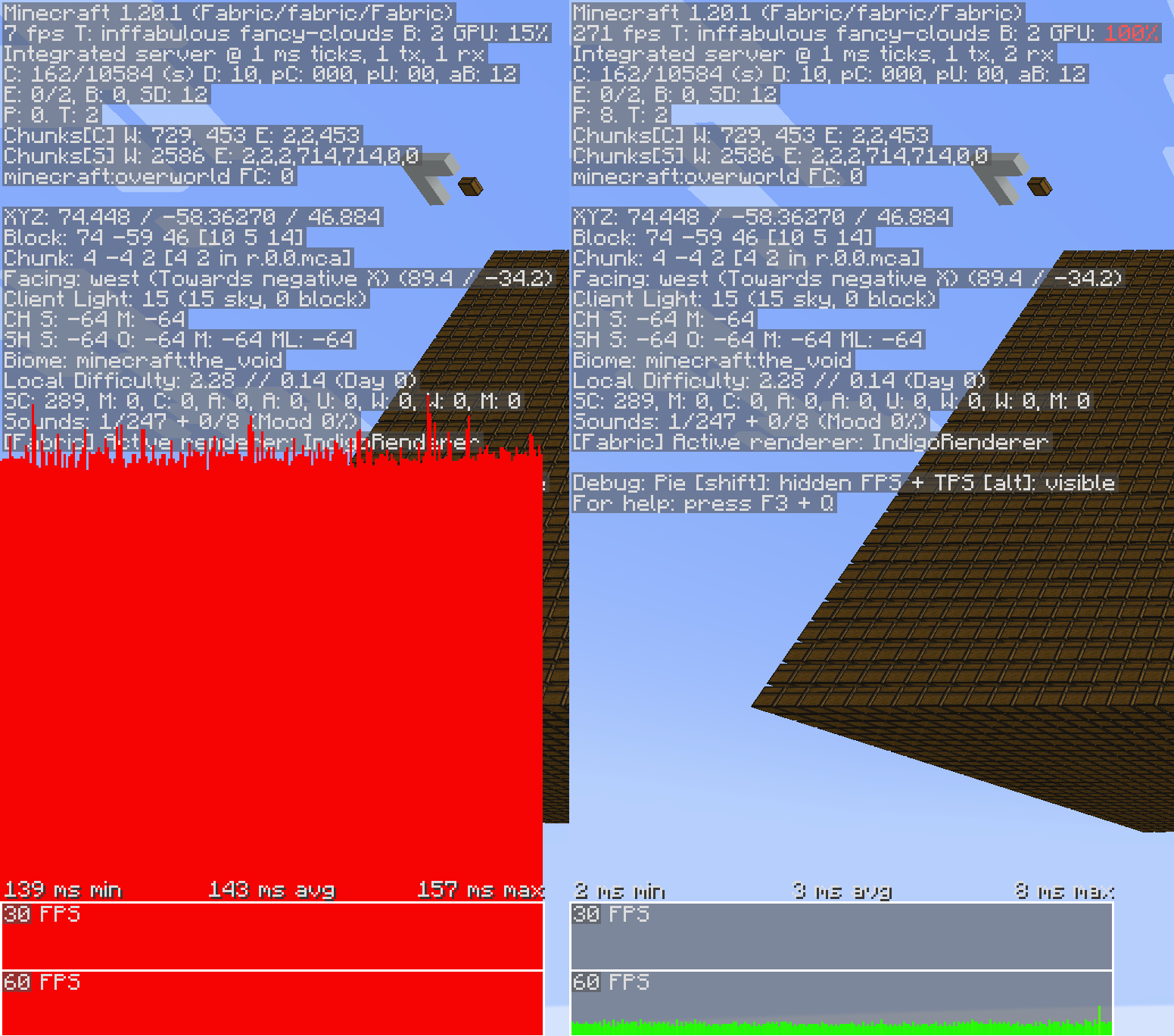
Flywheel 1.0, and therefore Vanillin, is currently incompatible with shaders. Work is underway to make first party compat between Flywheel and shaders a reality, but no time estimates can be made.
Vanillin does not optimize everything by default. Special support needs to be built for each type of entity and block entity. Those that are currently optimized are listed below.
✅ = Stable, enabled by default.
🧪 = Experimental, enabled behind a config.
❌ = Temporarily disabled entirely due to crashes/compat/etc.
To enable experimental optimizations, edit the config file:
config/vanillin.toml
[entities]
    #Allowed Values: DEFAULT, DISABLE, FORCE_ENABLE
-   "minecraft:item" = "DEFAULT"
+   "minecraft:item" = "FORCE_ENABLE"
config/vanillin.json
{
  "entities": {
-   "minecraft:item": "default",
+   "minecraft:item": "force_enable",
  }
}
Alternatively, you can disable optimizations that you find to be causing conflict:
config/vanillin.toml
[entities]
    #Allowed Values: DEFAULT, DISABLE, FORCE_ENABLE
-   "minecraft:minecart" = "DEFAULT"
+   "minecraft:minecart" = "DISABLE"
config/vanillin.json
{
  "entities": {
-   "minecraft:minecart": "default",
+   "minecraft:minecart": "disable",
  }
}
Project description from Modrinth.
Pick your setup
Choose the version and loader you play, then open the matching release.
Check the dependencies, then try the file in a copied instance before changing a world you care about.
Recent files
vanillin-fabric-1.20.1-1.1.3.jar
21 Apr 2025
vanillin-fabric-1.21.1-1.1.3.jar
21 Apr 2025
vanillin-fabric-1.21.1-1.1.2.jar
15 Apr 2025
vanillin-fabric-1.20.1-1.1.1.jar
14 Apr 2025
vanillin-fabric-1.21.1-1.1.1.jar
14 Apr 2025
vanillin-fabric-1.20.1-1.1.0.jar
7 Apr 2025
vanillin-fabric-1.21.1-1.1.0.jar
7 Apr 2025
vanillin-fabric-1.21.1-1.0.0.jar
17 Mar 2025
vanillin-fabric-1.20.1-1.0.0.jar
17 Mar 2025
vanillin-fabric-1.21.1-1.0.0-beta.jar
9 Mar 2025
vanillin-fabric-1.20.1-1.0.0-beta.jar
9 Mar 2025
Looking for an older file? The official Modrinth project page is in Resources.
 mod
An NPC squad addon for SuperbWarfare — recruit, deploy, and command your own AI-driven infantry, mortar, tank, and drone squads.
 mod
A mod adding many configurable features to EMI!
 mod
Magic Mirrors adds new items that consume XP to teleport the player to spawn, or last death location.