Bookshelf Needed by Pokeframes 26.3.0.1
requiredMatching file found Matched file: 26.3.0.4

Modrinth · Minecraft mod
Customize items with new Pokemon inspired tooltips!
Quick answer
Pokeframes 26.3.0.1 targets 26.3 with NeoForge. Installation on the client is optional. Installation on the dedicated server is optional. All 2 required mods have matching files.
Where it goes
Installation on the client is optional. Installation on the dedicated server is optional.
The source marks this as usable on both the client and server.
26.3.0.1. Change the file and its required mods may change too.
Install Bookshelf, Prickle first. We found matching files for this game-version and loader setup.
We only count dependency files that match this setup. A file for another loader does not fill the gap.
Before you install it
Built for Pokeframes 26.3.0.1. Pick another file and the loader, install side or required mods may change.
Use 26.3.0.1. It targets 26.3 with NeoForge; another release may have different loader, side or dependency requirements.
Install Bookshelf, Prickle first. We found matching files for this game-version and loader setup.
Installation on the client is optional. Installation on the dedicated server is optional.
Use the “Get this file” button beside 26.3.0.1. It opens that exact file at the source.
About this project
Bring the nostaligc look of classic Pokemon games into Minecraft with Pokeframes!
The Pokeframes mod adds collectible tooltip frames inspired by the iconic UI styles of classic Pokemon games. Craft a frame and apply it to your favorite items using a smithing table! The tooltip style of the item will change to match the frame you used. This mod requires Bookshelf and Prickle.
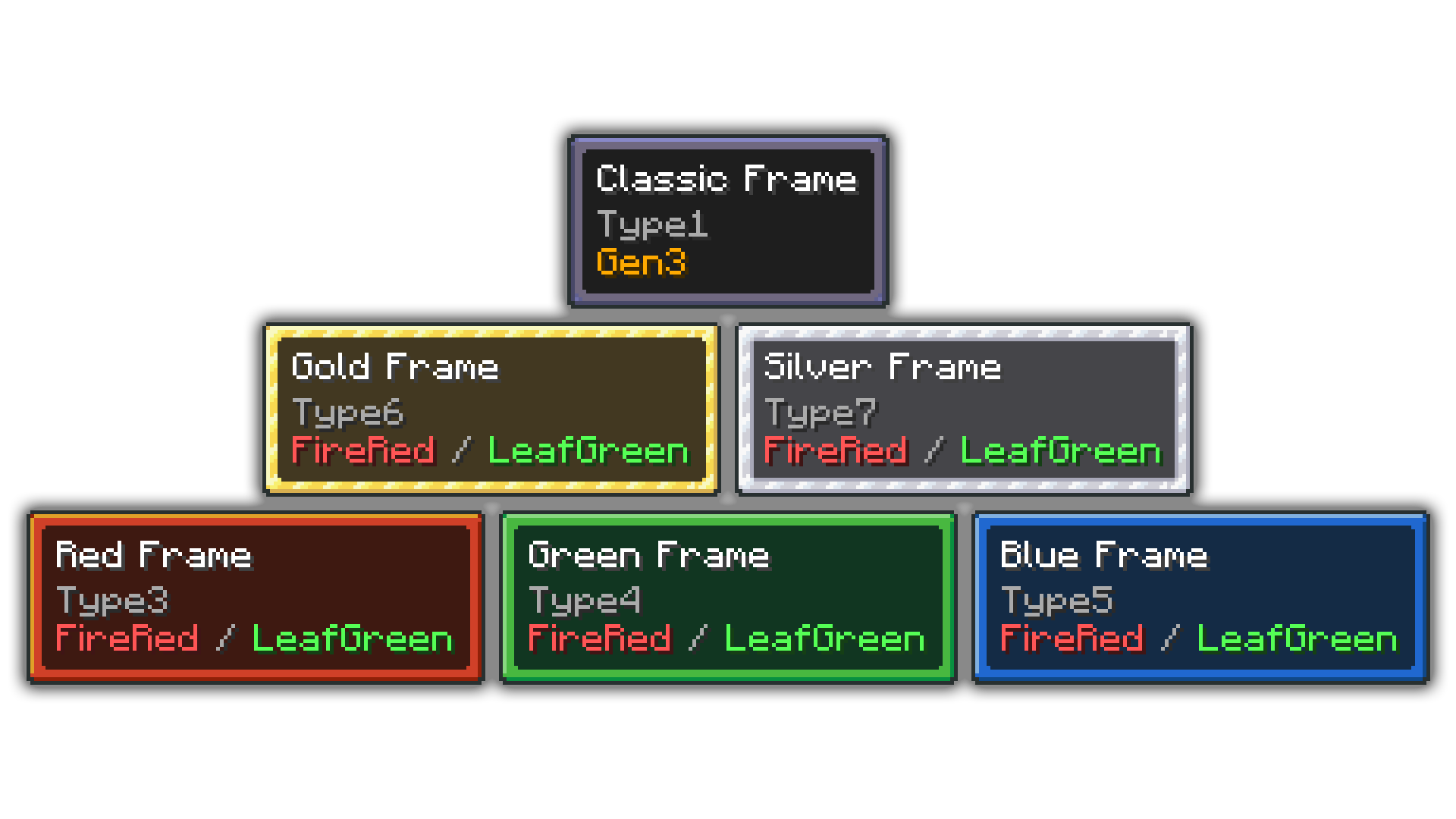
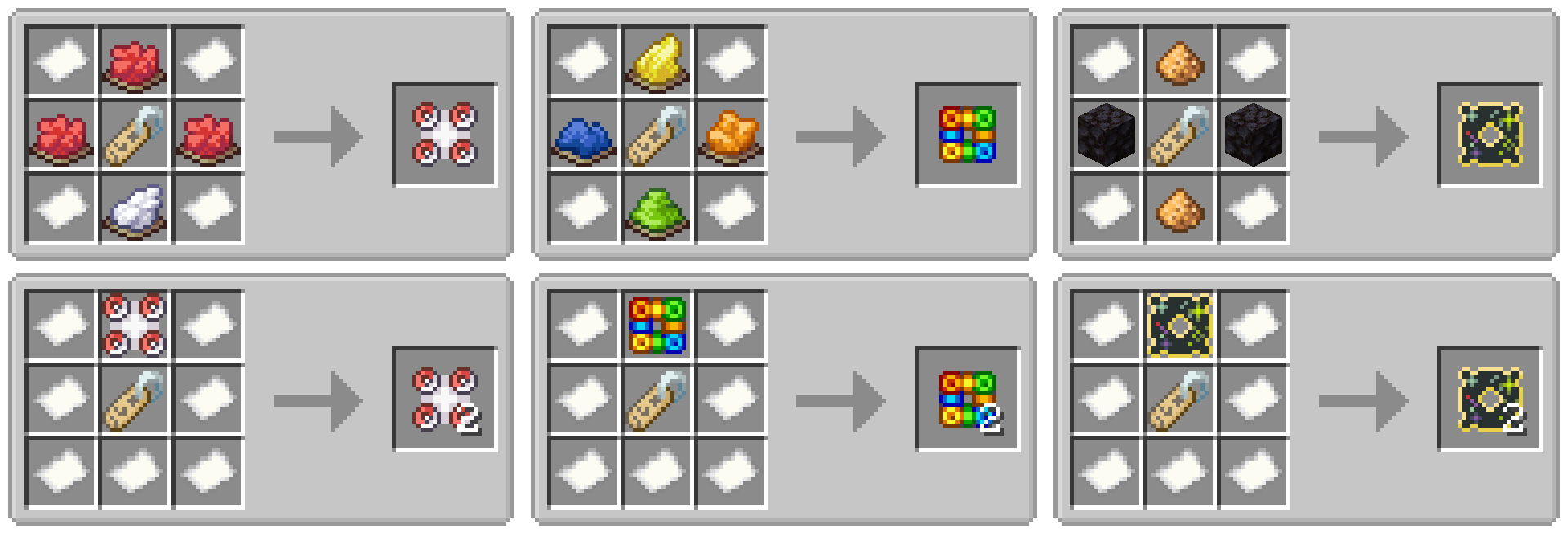
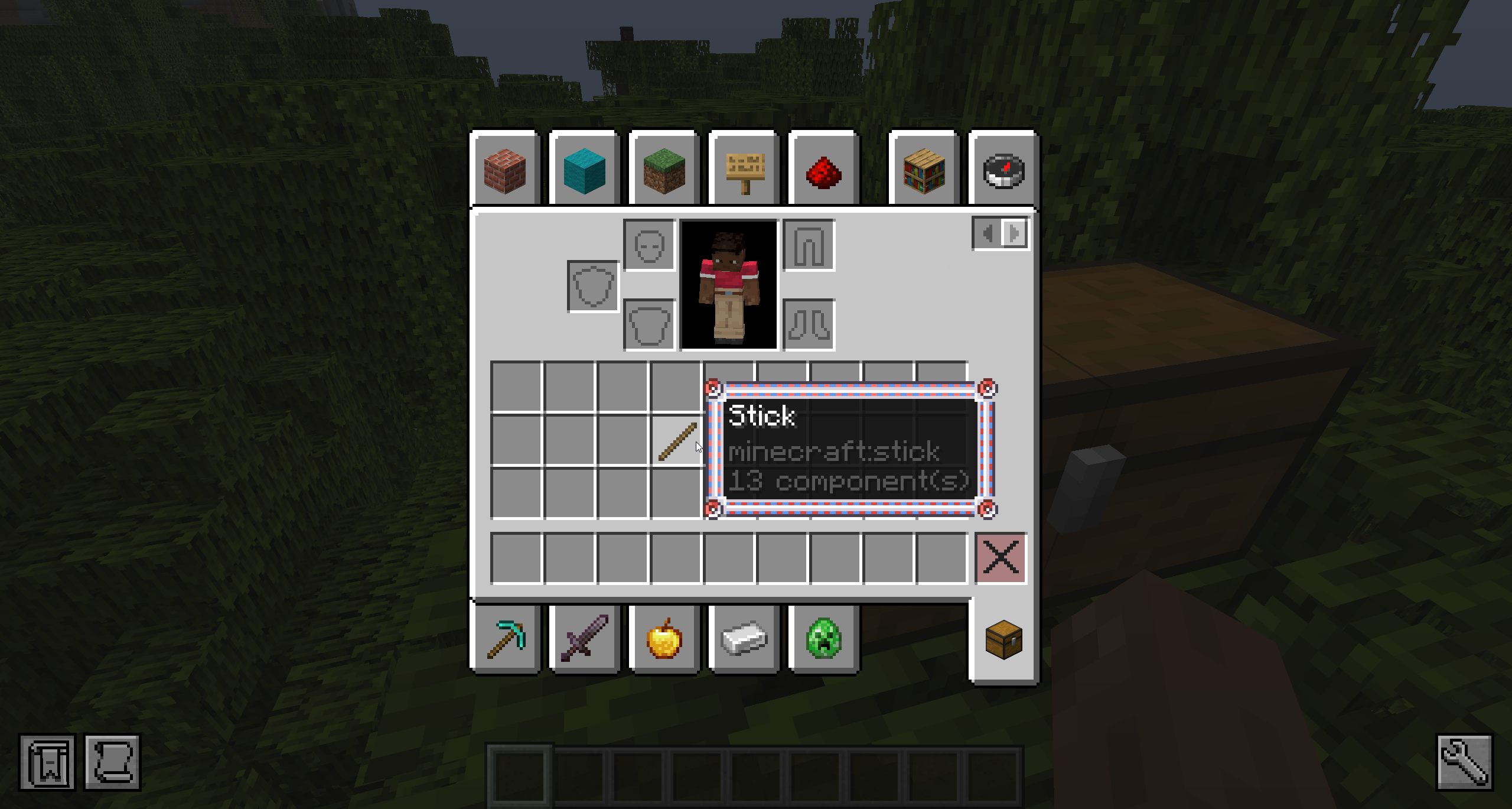
Pokeframes can be used anywhere that accepts a tooltip style ID. The style ID of each frame is the same as the corresponding item id for that frame. You can press F3+H to view the ID in game.
/give @p stick[tooltip_style='pokeframes:pokeball']
How do I apply the frame to an item?
To apply a frame, open a smithing table and place the frame in the template slot. Then place your item of choice in the center slot. Your item will be perfectly copied to the output slot with the frame applied to the tooltip style.
What does Type1, Type8, and Custom mean in the tooltip?
That is the name of the UI style in the game it was originally from. It's included on the tooltip to help players find and compare the frame to the original. If a frame says Custom, that means it is added by this mod and was not an official UI style. This text will NOT be added to the tooltip of your item.
What does Gen3 / Ruby / Sapphire / Emerald / FireRed / LeafGreen mean?
This text indicates which games the original UI style is from. If it says Gen3 that means it was available in all Gen3 releases. This text will NOT be added to the tooltip of your item.
Can you backport this mod to 1.21.1, 1.20.1, 1.19.2, etc?
Unfortunately Minecraft added custom tooltip styles in 1.21.2 and it is not realistic to backport this feature to older versions of the game. The mod will be updated to newer versions of Minecraft when I have time.
Will you add frames from other games?
Right now the mod only has frames for the gen3 mainline games. If there is enough interest, I may add frames from other games like gen2 and the mystery dungeon series.
Can I set my default tooltip style to one from this mod?
Not yet, but I am working on something!
Can I disable crafting recipes?
This mod provides two config options related to crafting recipes. You can disable the frame crafting recipes, or disable the frame copy recipes. If you want to do something more complex like disable specific recipes, change the ingredients, or add the frame items to loot tables, this is possible with datapacks or a mod like CraftTweaker.
This project is sponsored by Nodecraft. Use code DARKHAX for 30% off your first month of service!
Project description from Modrinth.
Pick your setup
Choose the version and loader you play, then open the matching release.
Check the dependencies, then try the file in a copied instance before changing a world you care about.
Recent files
Pokeframes-neoforge-MC26.3-26.3.0.1.jar
28 Sept 2026
Pokeframes-fabric-MC26.3-26.3.0.1.jar
28 Sept 2026
Pokeframes-fabric-MC26.2-26.2.0.1.jar
18 Jun 2026
Pokeframes-neoforge-MC26.2-26.2.0.1.jar
18 Jun 2026
Pokeframes-fabric-MC26.1.2-26.1.2.2.jar
18 Jun 2026
Pokeframes-neoforge-MC26.1.2-26.1.2.2.jar
18 Jun 2026
Pokeframes-fabric-MC26.1.2-26.1.2.1.jar
9 Jun 2026
Pokeframes-neoforge-MC26.1.2-26.1.2.1.jar
9 Jun 2026
Looking for an older file? The official Modrinth project page is in Resources.
 mod
Introduces a wide range of features to enhance the gameplay experience. From quality of life improvements to new mob behaviors and random sh*t, this mod offers a little bit of everything. The mod is designed to work on server-side as well!
 mod
Provides more expansions for Minecraft gold ingots, including building blocks such as doors, lanterns and fences, as well as a new sturdygold material with its corresponding tools and building blocks.
 mod
Adding a sword that deals more than 1B damage with other things