Fabric API Needed by Verticality 4.1.3-fabric1.20
requiredMatching file found Matched file: 0.92.11+1.20.1
Modrinth · Minecraft mod
Verticalize your hotbar!
Quick answer
Verticality 4.1.3-fabric1.20 targets 1.20, 1.20.1 with Fabric, Quilt. It must be installed on the client. Do not install it on the dedicated server. All 1 required mods have matching files.
Where it goes
It must be installed on the client. Do not install it on the dedicated server.
This file is marked client-only.
4.1.3-fabric1.20. Change the file and its required mods may change too.
Install Fabric API first. We found matching files for this game-version and loader setup.
We only count dependency files that match this setup. A file for another loader does not fill the gap.
Before you install it
Built for Verticality 4.1.3-fabric1.20. Pick another file and the loader, install side or required mods may change.
Use 4.1.3-fabric1.20. It targets 1.20, 1.20.1 with Fabric, Quilt; another release may have different loader, side or dependency requirements.
Install Fabric API first. We found matching files for this game-version and loader setup.
It must be installed on the client. Do not install it on the dedicated server.
Use the “Get this file” button beside 4.1.3-fabric1.20. It opens that exact file at the source.
About this project
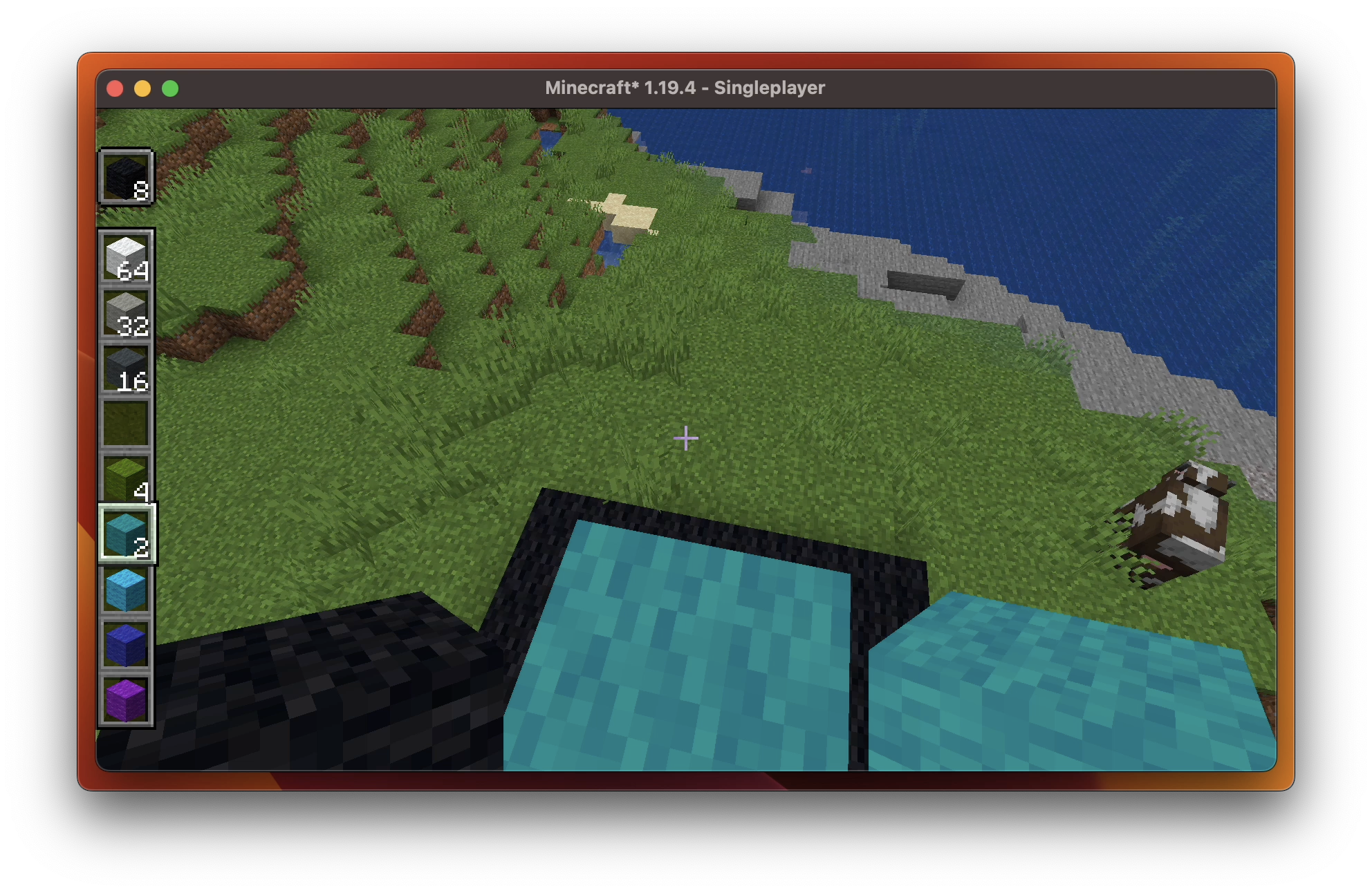
Verticality verticals your hotbar. Simple enough? Fascinating enough!
To toggle the feature, just press Escape to access the game menu, then you'shall see arrows on the hotbar area. Click them to see what happens!
Verticality provides the following hotbar styles:

Horizontal (Vanilla) |

Vertical |
|---|---|

Horizontal Alternative Layout |

Vertical Alternative Layout |

Also works in Spectator Mode. |
|
Verticality has good compatibility with:
Feel free to open a new issue if you find an incompatibility.
This video demonstrates how you can play around with Verticality.
Project description from Modrinth.
Pick your setup
Choose the version and loader you play, then open the matching release.
Showing the newest 12 of 13 game versions. Older files are in the list below.
Check the dependencies, then try the file in a copied instance before changing a world you care about.
Recent files
verticality-4.1.3-fabric1.20.jar
1 May 2024
verticality-4.1.3-fabric1.20.2.jar
1 May 2024
verticality-4.1.2-fabric1.20.2.jar
29 Apr 2024
verticality-4.1.1-fabric1.20.2.jar
29 Apr 2024
verticality-4.1.0-fabric1.20.2.jar
21 Apr 2024
verticality-1.20.2-4.0.3.jar
14 Mar 2024
verticality-1.20.2-4.0.2.jar
6 Mar 2024
verticality-1.20.2-4.0.1.jar
6 Mar 2024
verticality-1.20.2-4.0.0.jar
24 Feb 2024
verticality-1.20.2-3.1.1.jar
13 Jan 2024
verticality-1.20.2-3.1.0.jar
5 Jan 2024
verticality-1.20.2-3.0.0-sources.jar
1 Jan 2024
Looking for an older file? The official Modrinth project page is in Resources.
 mod
modEnhances search bars with support for mistyped searches, multiple languages and much more!
 mod
modTransform into a mob!
 mod
modA compatibility fix mod for NetMusic and Create:Storage: it allows NetMusic music discs (music_cd) to be placed into the JukeboxUpgrade slot of Create:Storage backpacks and play normally, turning the backpack into a portable music player.