
Minecraft version
Back to mods 
CurseForge · Minecraft mod
Chatter Chat
A forge chat modification that allows you to change the color of messages sent by players with nickname support.
Choose a version Pick your version below, then grab the matching file.
Quick answer
Which Chatter Chat release matches 1.17.1 Forge?
Best match for your filters 1.0.0
Game version 1.17.1
Loader Forge
Chatter Chat 1.0.0 targets 1.17.1 with Forge. The project page does not say whether this file belongs on the client, dedicated server, or both. No extra mods listed for this file.
Where it goes
Is Chatter Chat required on the client, server, or both?
The project page does not say whether this file belongs on the client, dedicated server, or both.
Client Source doesn’t say
Dedicated server Source doesn’t say
Loader for this release Forge
Required install it here Optional supported, not mandatory Not supported do not install here Source doesn’t say do not assume
The source does not explicitly classify this release as client-only or server-only.
What else does Chatter Chat 1.0.0 need?
1.0.0 on 1.17.1 Forge. Every mod below is checked against that same setup.
This file does not list any required mods. Do not add a library just because a different file uses it.
This file does not list any required or optional mods.
Before you install it
Add Chatter Chat without breaking your instance.
Built for Chatter Chat 1.0.0 on 1.17.1 Forge. Pick another file and the loader, install side or required mods may change.
- 01
Stick to this file
Use 1.0.0. It targets 1.17.1 with Forge; another release may have different loader, side or dependency requirements.
- 02
Bring the mods it needs
This file does not list any required mods. Do not add a library just because a different file uses it.
- 03
Put it on the correct side
The project page does not say whether this file belongs on the client, dedicated server, or both.
- 04
Pick the file you checked
Use the “Get this file” button beside 1.0.0. It opens that exact file at the source.
About this project
What does Chatter Chat add?
 Chatter is a forge-based chat mod that adds several features related to chat. There is a built-in admin user interface to control what players can change. You can also set the game rules directly for the world to do the same thing from the server console. Chatter gives players full control over how their chat messages should look, everything can be edited.
This project was made with MCreator you can find the MCreator page here.
Discontinued
This mod has broken as of 1.19.2 due to Mojang not listening to their community and going forward with the chat reporting system. It caused major issues with this mod that I can't work around without third-party software which may end up violating the EULA or terms of service later down the road so I simply am discontinuing the mod. If the situation changes I will continue working on the modification. The only way this would be possible is if Mojang allowed people to disable the reporting system which seems unlikely to happen.

Supported Minecraft Versions
Versions below are the recommended versions for the modification. The Latest versions can still get updates for that game version.
- Chatter [1.5.0 for 1.19.4] Forge - Latest - MCR and CurseForge
- Chatter [1.4.0 for 1.19.2] Forge - Release - MCR and CurseForge
- Chatter [1.1.0 for 1.18.2] Forge - Release - MCR and CurseForge
- Chatter [1.0.0 for 1.17.1] Forge - Release - CurseForge
Planned Features
- More Emojis / Reactions
Basic Features
- Admin menu can control every permission and maximum proximity distance.
- Built-in reaction support
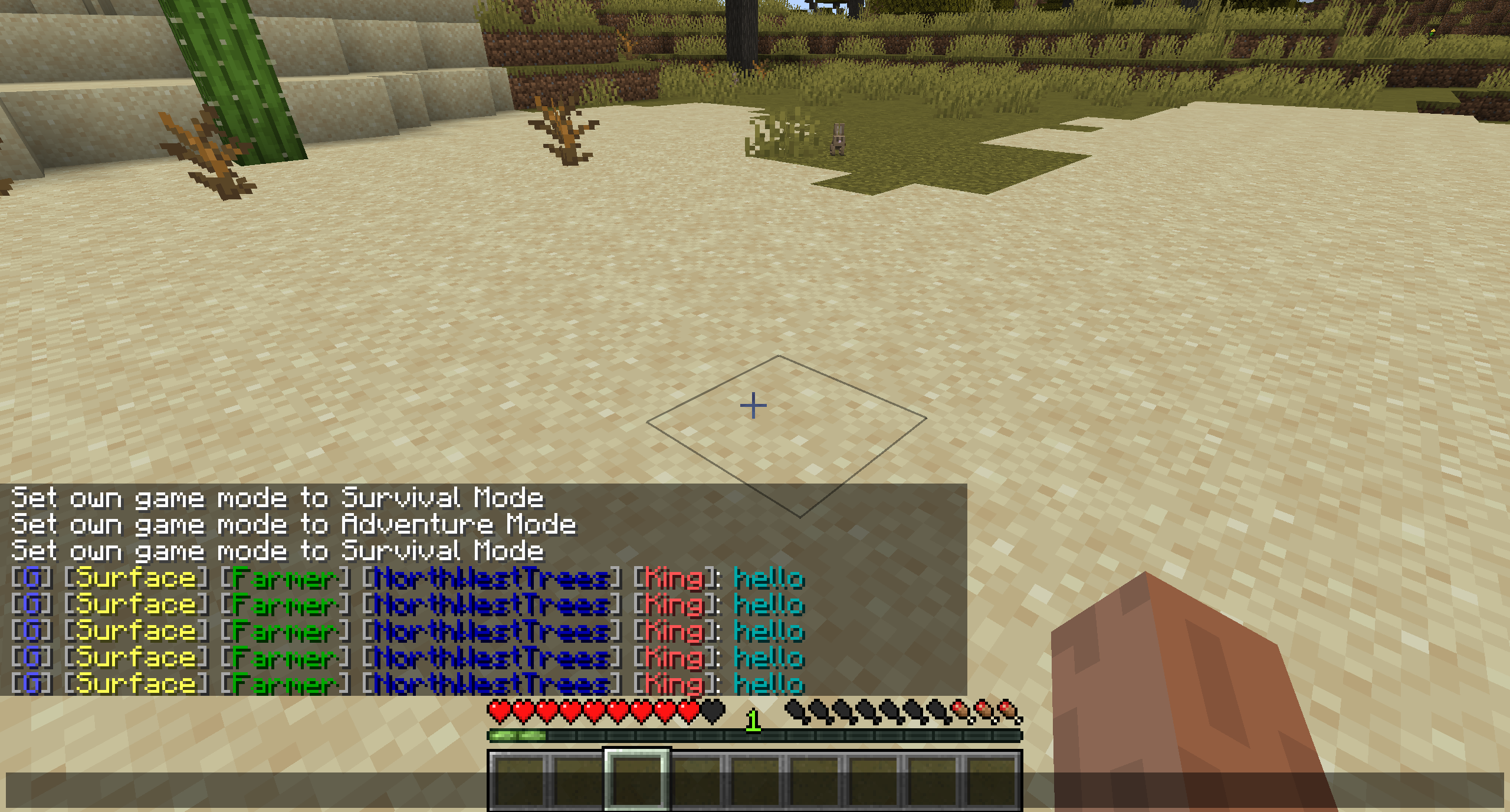
- Can edit and style (brackets, channel, message, nicknames, prefixes, player status, suffixes, and worlds names)
- Channels offer to send messages to specific players based on the three channels (proximity, global, and world channels)
- Custom world name support using entity NBT strings.
- Permission support for server admins to edit what can be edited.
- Players can promote in-game shop locations.
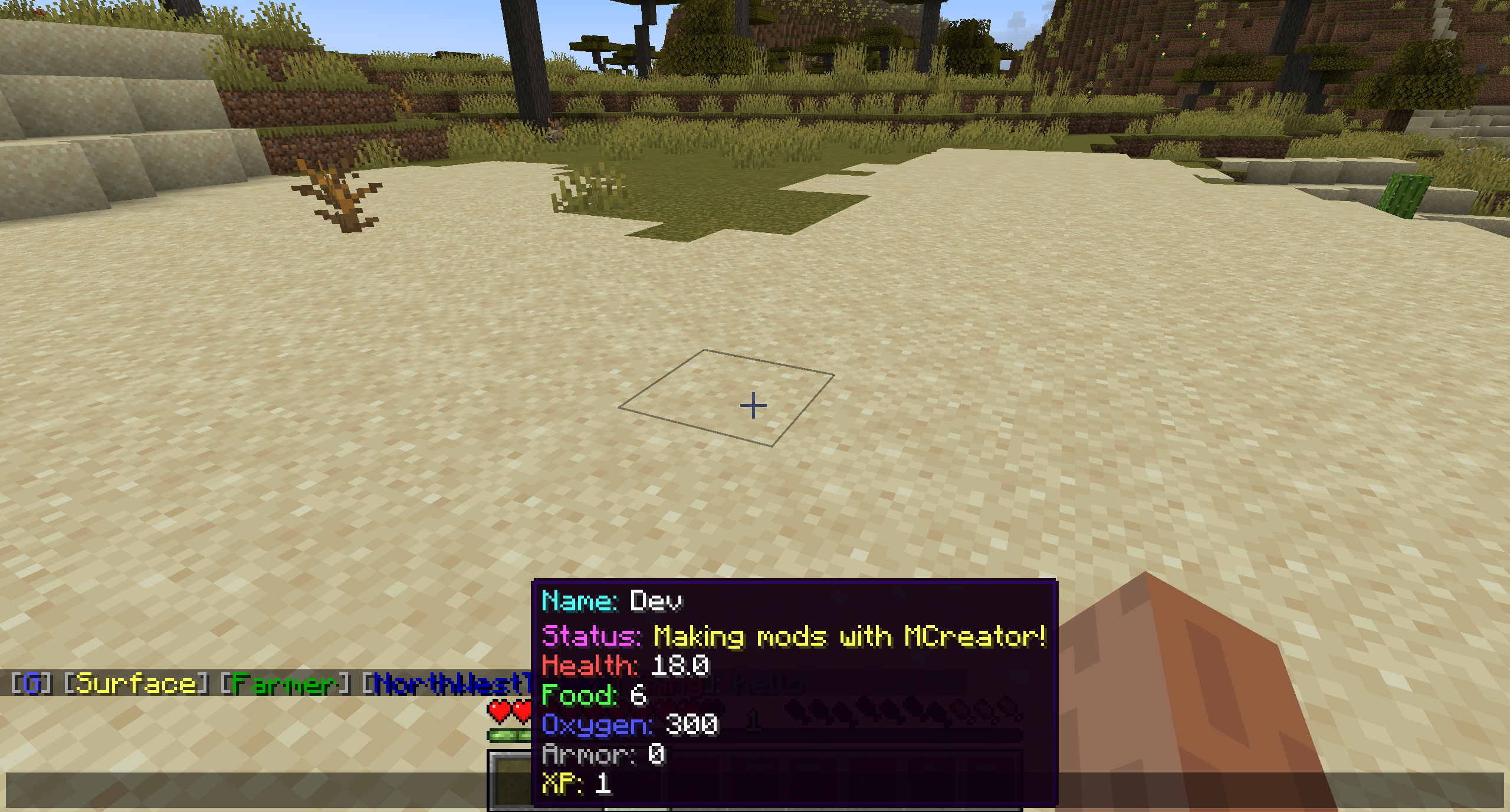
- Player information tabs when hovering over the player's name or the world they are in.
- Player stats when hovering over the world name and player name.
- Player statuses (A neat way for leaving notes)
- Using the Global channel can send messages to all players.
- Using the Proximity (local) channel will only send messages to players at a specific distance set by the server or player.
- Using the World channel will only send messages to players in the same world.
- Everything has colour support!
Player Status
- Shows the health of the player
- Shows armour for the player
- Shows XP levels for the player
- Shows food levels for the player
- Shows the real name of the player
- Shows the oxygen level of the player
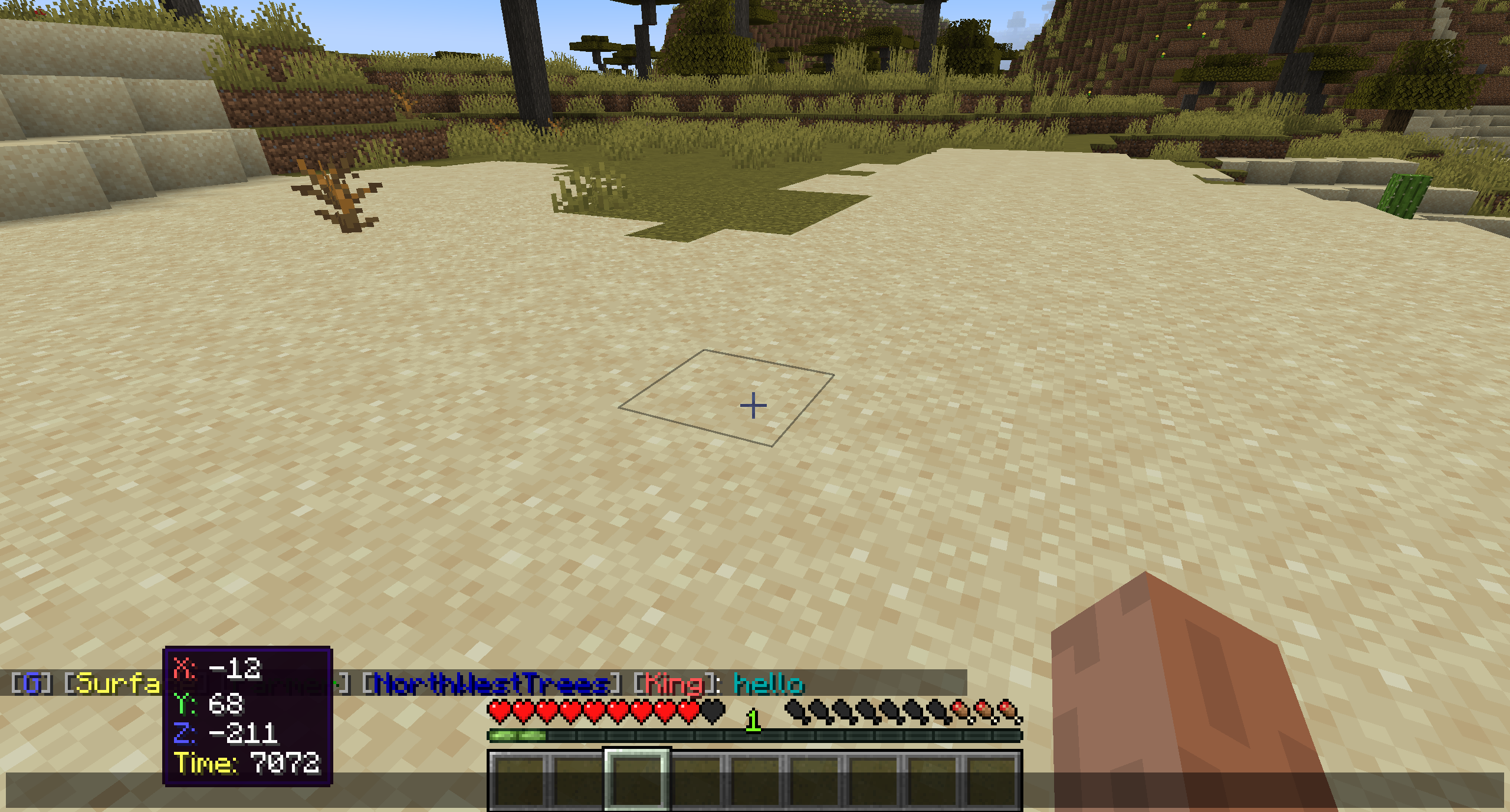
- Shows the player's position.
- Shows the time of the world the player is in.
Reactions
Reactions are limited at the moment but I plan to add more soon.
- Blush
- Cool
- Happy
- Love
- Angry
- Nerd
- Rich
- Sad
- Shocked
- Sick
- Sleepy
- Stars
- Tongue Out
- Unamused
- Wink
- Crazy (New)
- Pleading (New)
- Smirk (New)
- Sweating (New)
- Upside-Down (New)
More information and older commands can be found on the Public GitHub Repositorywiki pages.
Channel Commands
/chatter channel local
/chatter channel global
/chatter channel world
/chatter channel help
Editor Commands
/chatter editor prefix
/chatter editor suffix
/chatter editor name
/chatter editor brackets
/chatter editor status
/chatter editor message
/chatter editor world
/chatter editor distance <size>
/chatter editor help
Admin Commands
/chatter admin
Other Commands
/chatter ignore [add | remove] <player>
/chatter react
/chatter shop
/chatter shop <x> <y> <z>
/chatter help

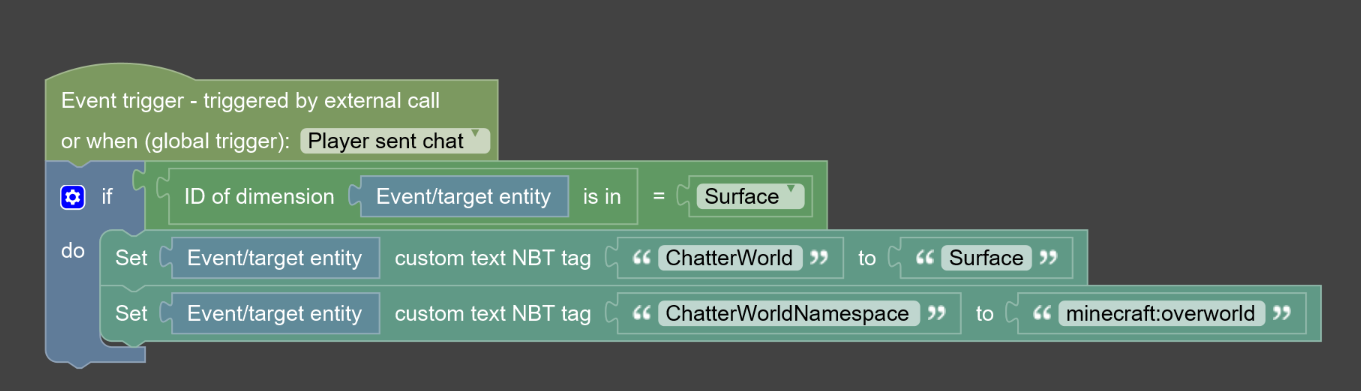
Set the block that says "Surface" to your custom dimension so that it tests for what world the entity is located in. Next set an entity NBT tag called "ChatterWorld" and then set the value where "Narnia" is located to your custom world display name. The custom name of the world must be 16 characters long, anything over will be shortened to 16 characters exactly. This is mainly to preserve space for chat messages.

Notes
- This modification requires both client and servers to have the modification installed.
Project description from CurseForge.
Pick your setup
Chatter Chat by Minecraft version and loader
Choose the version and loader you play, then open the matching release.
Minecraft version
1.19.2
1 loader buildMinecraft version
1.18.2
1 loader buildMinecraft version
1.17.1
1 loader buildCheck the dependencies, then try the file in a copied instance before changing a world you care about.
Recent files
Chatter Chat versions and loaders
1.0.0
Chatter_v1.0.0_for_1.17.1.jar
9 Nov 2022
Client Source doesn’t say Server Source doesn’t say Dependencies No extras listed Listed on Release listing
Check the 1.17.1 · Forge setup 1.17.1Forge release
Looking for an older file? The official CurseForge project page is in Resources.
 mod
CurseForge · Minecraft
Croptopia Delight
This part of an extensive mod adds the integration of Croptopia recipes with Farmer's Delight and their addons.
 mod
CurseForge · Minecraft
geential
Instant co-op world hosting, friends & invites hub, custom profile switcher, 3D wardrobe studio (wings, capes, emotes, Mojang & .PNG skin importer), and weak-PC performance booster for Minecraft 1.20.1 (Forge & Fabric).
 mod
CurseForge · Minecraft
AppleStats :timmer+ AppleSkin+ Jade +GUI Clock+Coordinates+Horse Stat
HUD:A lightweight Jade alternative ,effect timmer ,Target Info,Saturation and Coordinates Monitor ,Waila,HWYLA,show Horse speed and jump stats,death location,Death Finder