Minecraft version
Back to mods 
CurseForge · Minecraft mod
RGB Chat
RGB Chat allows player to use gradient color text in chat、editing words.
Choose a version Pick your version below, then grab the matching file.
Quick answer
Which RGB Chat release should I use?
Latest stable file RGB Chat 0.6(ItemBorders)
Game version 1.12.2
Loader Forge
RGB Chat 0.6(ItemBorders) targets 1.12.2 with Forge. The project page does not say whether this file belongs on the client, dedicated server, or both. No extra mods listed for this file.
Where it goes
Is RGB Chat required on the client, server, or both?
The project page does not say whether this file belongs on the client, dedicated server, or both.
Client Source doesn’t say
Dedicated server Source doesn’t say
Loader for this release Forge
Required install it here Optional supported, not mandatory Not supported do not install here Source doesn’t say do not assume
The source does not explicitly classify this release as client-only or server-only.
What else does RGB Chat 0.6(ItemBorders) need?
RGB Chat 0.6(ItemBorders). Change the file and its required mods may change too.
This file does not list any required mods. Do not add a library just because a different file uses it.
This file does not list any required or optional mods.
Before you install it
Add RGB Chat without breaking your instance.
Built for RGB Chat 0.6(ItemBorders). Pick another file and the loader, install side or required mods may change.
- 01
Stick to this file
Use RGB Chat 0.6(ItemBorders). It targets 1.12.2 with Forge; another release may have different loader, side or dependency requirements.
- 02
Bring the mods it needs
This file does not list any required mods. Do not add a library just because a different file uses it.
- 03
Put it on the correct side
The project page does not say whether this file belongs on the client, dedicated server, or both.
- 04
Pick the file you checked
Use the “Get this file” button beside RGB Chat 0.6(ItemBorders). It opens that exact file at the source.
About this project
What does RGB Chat add?
RGB-Chat mod
RGB Chat allows player to use gradient color text in chat、editing words and RGB loot beam.
There are two types of Hex color you can input,every Hex color is total 6 digits[R(red)G(green)B(blue)]:
1.single color
Input format
#RGByour text
example
#B0E0E6ABCDEFG
2.gradient color
Input format(from color A to color B,then follows words)
#RGB-RGByour text
example
#FF69B4-FFF0B4Hello World!
multiple gradient effect:
Input format(several colors ,then follows words)
#RGB-RGB...-RBGyour text
example
#FF69B4-BBAACC-B0E0E6-45FF9AI need to be the one
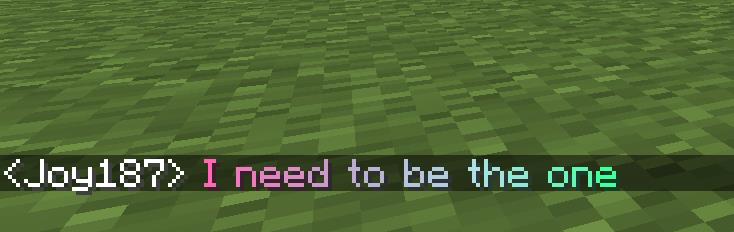
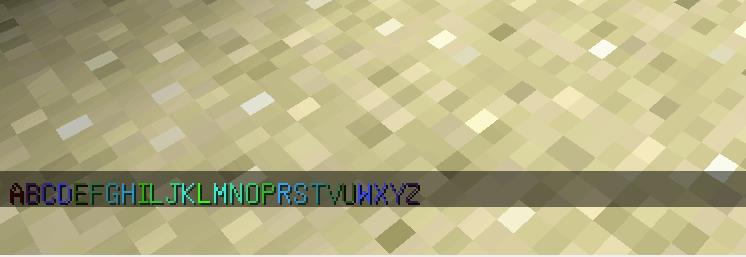
well, you can use a combination of them:
#320004-32FF04ABCDEFGHILJK#32FF04-320004LMNOPRSTVUWXYZ
More you can do:
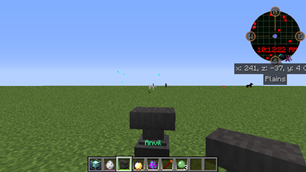
you can create colored name item through Anvil:
colored entity name:
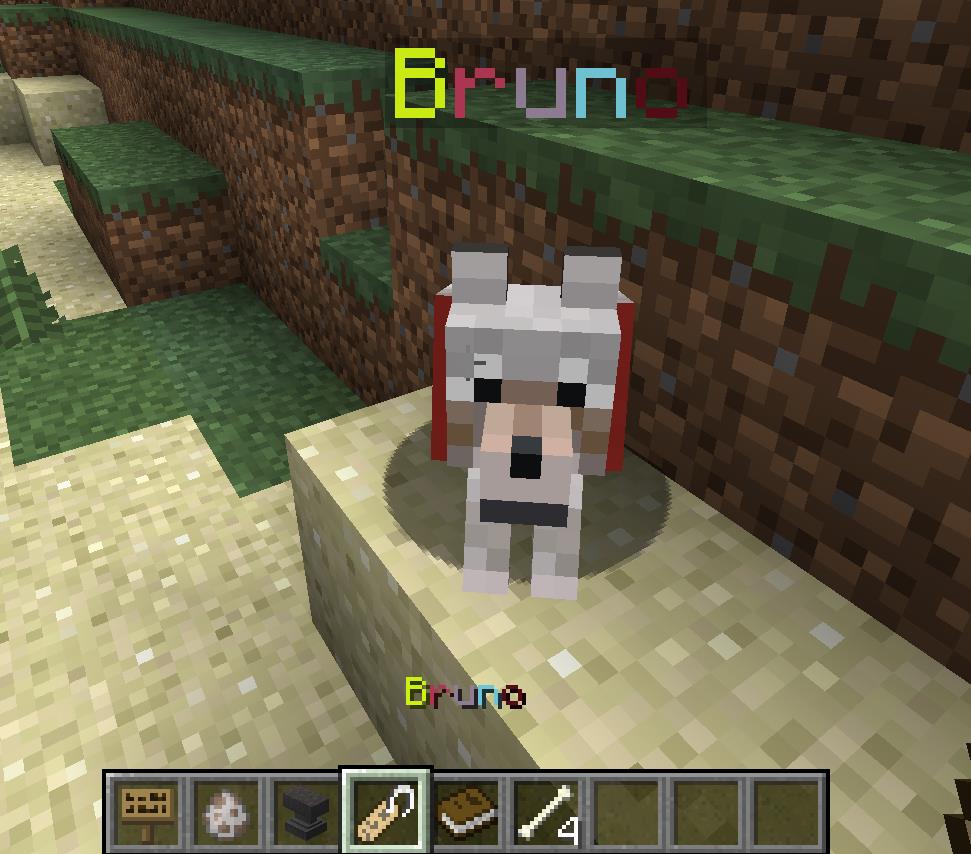
make your sign words more colorful: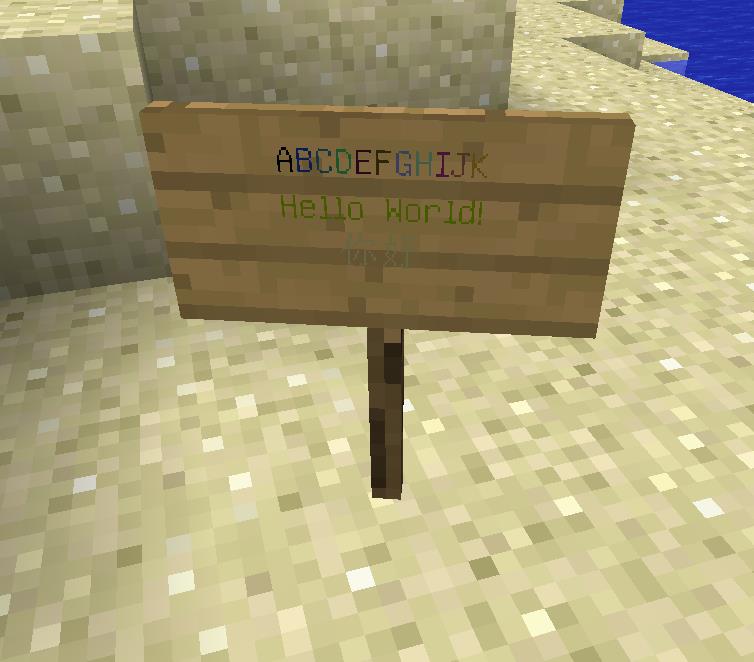
3.RGB loot beam
if your item has the RGB name like what we talk before,then your loot beam will has the same color effect:
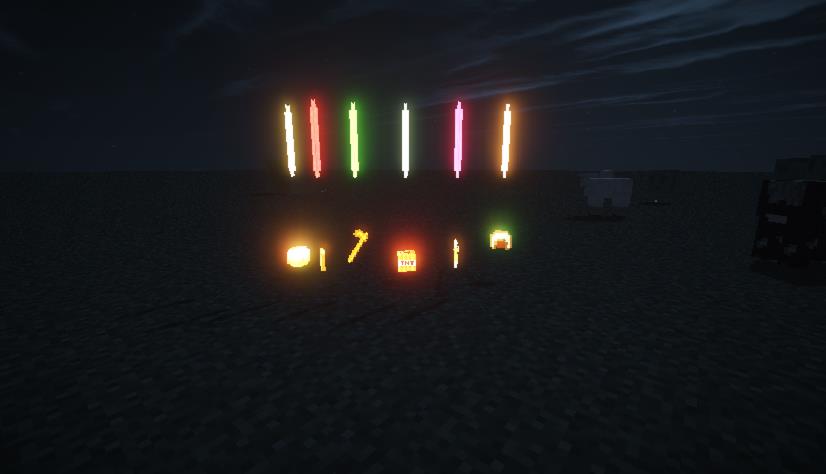
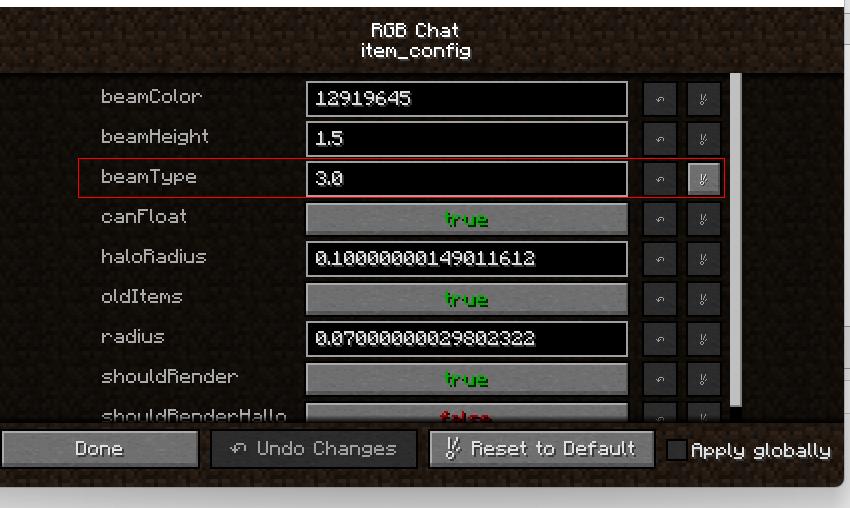
You can custom your loot beam in the config file:
The latest version 0.6 adds item borders, and players can modify item names through the anvil to achieve different border colors.
This project is opensource,you can visit my github repository: https://github.com/BitbanChou/RGB-Chat
Project description from CurseForge.
Pick your setup
RGB Chat by Minecraft version and loader
Choose the version and loader you play, then open the matching release.
Check the dependencies, then try the file in a copied instance before changing a world you care about.
Recent files
RGB Chat versions and loaders
RGB Chat 0.6(ItemBorders)
RGB Chat 0.6.jar
18 Jun 2023
Client Source doesn’t say Server Source doesn’t say Dependencies No extras listed Listed on Release listing
Check the 1.12.2 · Forge setup Forge1.12.2 release
RGB Chat 0.5
RGB Chat 0.5.jar
25 Nov 2022
Client Source doesn’t say Server Source doesn’t say Dependencies No extras listed Listed on Release listing
Check the 1.12.2 · Forge setup Forge1.12.2 release
RBG Chat 0.4
RBG Chat 0.4.jar
23 Nov 2022
Client Source doesn’t say Server Source doesn’t say Dependencies No extras listed Listed on Release listing
Check the 1.12.2 · Forge setup Forge1.12.2 release
RGB Chat 0.3
RBG Chat 0.3.jar
19 Nov 2022
Client Source doesn’t say Server Source doesn’t say Dependencies No extras listed Listed on Release listing
Check the 1.12.2 · Forge setup Forge1.12.2 release
RGB Chat 0.2
RBG Chat 0.2.jar
17 Nov 2022
Client Source doesn’t say Server Source doesn’t say Dependencies No extras listed Listed on Release listing
Check the 1.12.2 · Forge setup Forge1.12.2 release
RGB Chat
RGB Chat.jar
15 Nov 2022
Client Source doesn’t say Server Source doesn’t say Dependencies No extras listed Listed on Release listing
Check the 1.12.2 · Forge setup Forge1.12.2 release
Looking for an older file? The official CurseForge project page is in Resources.
 mod
CurseForge + Modrinth · Minecraft
Hybrid Blocks
A mod that adds a variety of decorative and colorful blocks to the game
 mod
CurseForge · Minecraft
Quest Plus
A next-gen questing mod featuring an immersive 3D tablet, advanced objectives, custom rewards, multiplayer support, mod support and an intuitive web editor.
 mod
CurseForge · Minecraft
Explorer's Tools
A collection of items and tweaks that improve the exploration experience