GeckoLib Optional for CosmetologyLib cosmetology-1.1.0.jar
optionalMatching file found Matched file: geckolib-forge-1.16.5-3.0.106.jar

CurseForge · Minecraft mod
A library for managing cosmetics.
Quick answer
CosmetologyLib cosmetology-1.1.0.jar targets 1.16.5 with Forge. The project page does not say whether this file belongs on the client, dedicated server, or both. No extra mods listed for this file.
Where it goes
The project page does not say whether this file belongs on the client, dedicated server, or both.
The source does not explicitly classify this release as client-only or server-only.
cosmetology-1.1.0.jar. Change the file and its required mods may change too.
This file does not list any required mods. Do not add a library just because a different file uses it.
We only count dependency files that match this setup. A file for another loader does not fill the gap.
Before you install it
Built for CosmetologyLib cosmetology-1.1.0.jar. Pick another file and the loader, install side or required mods may change.
Use cosmetology-1.1.0.jar. It targets 1.16.5 with Forge; another release may have different loader, side or dependency requirements.
This file does not list any required mods. Do not add a library just because a different file uses it.
The project page does not say whether this file belongs on the client, dedicated server, or both.
Use the “Get this file” button beside cosmetology-1.1.0.jar. It opens that exact file at the source.
About this project
A library to help Minecraft mods add custom cosmetics. A unified interface for equipping cosmetics supplied by a variety of rendering libraries. Provides tools for managing which cosmetics each player has permission to equip.
> The Minecraft EULA/CUG says don't integrate with NFTs or sell cosmetics that look like capes, so... don't do that.
Project description from CurseForge.
Pick your setup
Choose the version and loader you play, then open the matching release.
Check the dependencies, then try the file in a copied instance before changing a world you care about.
Recent files
12 Jun 2023
19 Nov 2022
Looking for an older file? The official CurseForge project page is in Resources.
 mod
Backpack mod on all versions
 mod
Config library that builds Bedrock-style config screens for you. It also adds a Config button to mods that have none, so players can edit their config files in game.
 mod
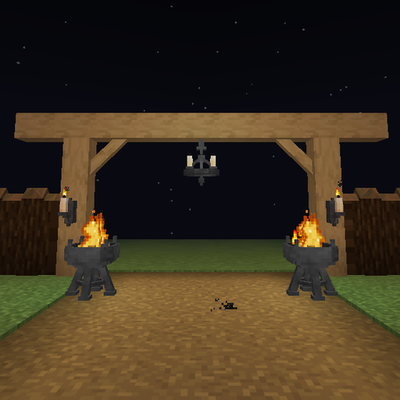
Timber beams, palisades, braces, timber frames and log piles for all 12 wood types, plus braziers, chandeliers, wall sconces and candelabras. Vanilla textures.