Fabric API Needed by Vibes v3.0.0
requiredMatching file found Matched file: [1.19] Fabric API 0.58.0+1.19
CurseForge · Minecraft mod
Listen to music discs on the go with the Vibe, a portable jukebox player!
Quick answer
Vibes v3.0.0 targets 1.19.2, 1.19.1, 1.19 with Fabric. The project page does not say whether this file belongs on the client, dedicated server, or both. All 2 required mods have matching files.
Where it goes
The project page does not say whether this file belongs on the client, dedicated server, or both.
The source does not explicitly classify this release as client-only or server-only.
v3.0.0 on 1.19. Every mod below is checked against that same setup.
Install Fabric API, Fabric Language Kotlin first. We found matching files for this game-version and loader setup.
We only count dependency files that match this setup. A file for another loader does not fill the gap.
Before you install it
Built for Vibes v3.0.0 on 1.19. Pick another file and the loader, install side or required mods may change.
Use v3.0.0. It targets 1.19.2, 1.19.1, 1.19 with Fabric; another release may have different loader, side or dependency requirements.
Install Fabric API, Fabric Language Kotlin first. We found matching files for this game-version and loader setup.
The project page does not say whether this file belongs on the client, dedicated server, or both.
Use the “Get this file” button beside v3.0.0. It opens that exact file at the source.
About this project
Vibes adds a new item, the Vibe, that lets you play music discs on the go without needing a jukebox.
Vibes try to position their music logically, which means that putting a Vibe inside a chest while it's still playing will move the sound source to the chest's position. This not only works with chests, but with all vanilla storage blocks, storage minecarts, shulker boxes, and item frames.
Dropping a Vibe on the ground will move the sound source to the item entity, and picking it up will move the sound source to the position of the player that picked it up.
Dependencies
• Fabric Loader
• Fabric API
• Fabric Language Kotlin
Crafting
A Vibe can be crafted with 1 Jukebox and 4 Iron Ingots.

Usage
The mechanics for Vibe are very similar to how the bundle is used.
Playing Discs
Ejecting Discs
Compatibility
Vibes is compatible with mods that introduce new music discs into the game, so you can enjoy your favorite modded music on the go.
Suggestions
• Disco - Modular music disc loader
Project description from CurseForge.
Pick your setup
Choose the version and loader you play, then open the matching release.
Check the dependencies, then try the file in a copied instance before changing a world you care about.
Recent files
vibes-3.0.0.jar
22 Nov 2022
Looking for an older file? The official CurseForge project page is in Resources.
 mod
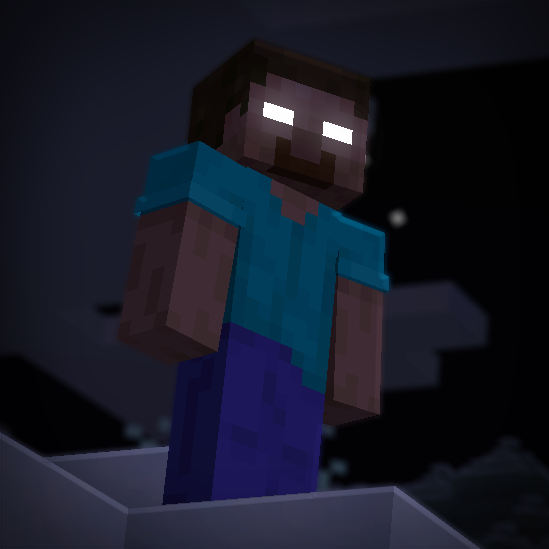
Enter a world of fear and mystery with From The Fog, a Minecraft mod that brings the legendary Herobrine to life in a spooky and immersive way true to the legend.
 mod
Simple Terraria-like guns and bullets to go with them. Does not add roses.
 mod
Allows loot from loottables to be integrated into other lootables, inherently adds better dungeon loot to a few structure mods