Minecraft version
Back to mods 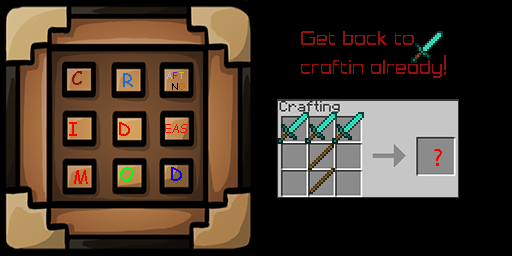
CurseForge · Minecraft mod
Crafting Ideas Mod
Expanding Minecraft, through random crafting recipes!
Choose a version Pick your version below, then grab the matching file.
Quick answer
Which Crafting Ideas Mod release should I use?
Latest stable file CraftingIdeas-v1.1.jar
Game version 1.6.4
Loader Not required
Crafting Ideas Mod CraftingIdeas-v1.1.jar targets 1.6.4. The project page does not say whether this file belongs on the client, dedicated server, or both. No extra mods listed for this file.
Where it goes
Is Crafting Ideas Mod required on the client, server, or both?
The project page does not say whether this file belongs on the client, dedicated server, or both.
Client Source doesn’t say
Dedicated server Source doesn’t say
Loader for this release No loader listed
Required install it here Optional supported, not mandatory Not supported do not install here Source doesn’t say do not assume
The source does not explicitly classify this release as client-only or server-only.
What else does Crafting Ideas Mod CraftingIdeas-v1.1.jar need?
CraftingIdeas-v1.1.jar. Change the file and its required mods may change too.
This file does not list any required mods. Do not add a library just because a different file uses it.
This file does not list any required or optional mods.
Before you install it
Add Crafting Ideas Mod without breaking your instance.
Built for Crafting Ideas Mod CraftingIdeas-v1.1.jar. Pick another file and the loader, install side or required mods may change.
- 01
Stick to this file
Use CraftingIdeas-v1.1.jar. It targets 1.6.4; another release may have different loader, side or dependency requirements.
- 02
Bring the mods it needs
This file does not list any required mods. Do not add a library just because a different file uses it.
- 03
Put it on the correct side
The project page does not say whether this file belongs on the client, dedicated server, or both.
- 04
Pick the file you checked
Use the “Get this file” button beside CraftingIdeas-v1.1.jar. It opens that exact file at the source.
About this project
What does Crafting Ideas Mod add?
Crafting Ideas Mod
Ever watch those crafting ideas videos, and wish they were actually in the game?
If yes, continue reading.
They are now, just download this mod, and load it with Minecraft Forge, and get crafting!
Installation Instructions
The installation procedure is the same for most forge mods. If you don't know how to install a forge mod, follow the instructions below.
Windows:
- Download Minecraft Forge. Select 1.6.4 Recommended (9.11.1.965) installer.
- Download my mod.
- Install Minecraft Forge, by opening the double click the installer, and selecting Install client.
- Run Minecraft, making sure to select "Forge" as the profile. Followed by closing minecraft after it loads.
- Open Windows Explorer and goto %appdata%/.minecraft/mods by pasting it into the top of the window.
- Paste my mod into the folder
- Run Minecraft, making sure to select "Forge" as the profile. When Minecraft loads check if it is install by going to the Mods
Crafting Ideas taken from
http://www.youtube.com/watch?v=Qw3PpXJdmzY
http://www.youtube.com/watch?v=QUUh3rlsz5A
My brain
My friends
Delongated Torch has buggy lighting
Well, it's as bit big, so...
CLICK ME!
Recipes
Recipes can be found usingNEI.
Project description from CurseForge.
Pick your setup
Crafting Ideas Mod by Minecraft version and loader
Choose the version and loader you play, then open the matching release.
Check the dependencies, then try the file in a copied instance before changing a world you care about.
Recent files
Crafting Ideas Mod versions and loaders
CraftingIdeas-v1.1.jar
30 Jan 2014
Client Source doesn’t say Server Source doesn’t say Dependencies No extras listed Listed on Release listing
Check the 1.6.4 setup 1.6.4 release
CraftingIdeas-v1.0.jar
30 Jan 2014
Client Source doesn’t say Server Source doesn’t say Dependencies No extras listed Listed on Release listing
Check the 1.6.4 setup 1.6.4 release
Looking for an older file? The official CurseForge project page is in Resources.