Mantle Needed by Tinkers Construct Tinkers' Construct 3.3.4.335 for 1.16.5
requiredMatching file found Matched file: Mantle 1.6.157 for 1.16.5
CurseForge · Minecraft mod
Tinker a little, modify all the tools, build a smeltery, then tinker a little more. The classic modular tool mod.
Quick answer
Tinkers Construct Tinkers' Construct 3.3.4.335 for 1.16.5 targets 1.16.5 with Forge. The project page does not say whether it belongs on the client. The project page does not say whether it belongs on the dedicated server. All 1 required mods have matching files.
Where it goes
The project page does not say whether it belongs on the client. The project page does not say whether it belongs on the dedicated server.
The source does not explicitly classify this release as client-only or server-only.
Tinkers' Construct 3.3.4.335 for 1.16.5 on 1.16.5 Forge. Every mod below is checked against that same setup.
Install Mantle first. We found matching files for this game-version and loader setup.
We only count dependency files that match this setup. A file for another loader does not fill the gap.
Before you install it
Built for Tinkers Construct Tinkers' Construct 3.3.4.335 for 1.16.5 on 1.16.5 Forge. Pick another file and the loader, install side or required mods may change.
Use Tinkers' Construct 3.3.4.335 for 1.16.5. It targets 1.16.5 with Forge; another release may have different loader, side or dependency requirements.
Install Mantle first. We found matching files for this game-version and loader setup.
The project page does not say whether it belongs on the client. The project page does not say whether it belongs on the dedicated server.
Use the “Get this file” button beside Tinkers' Construct 3.3.4.335 for 1.16.5. It opens that exact file at the source.
About this project
Requires SlimeKnights Library Mod: Mantle
Recommended to include the a recipe viewer: Just Enough Items
Support Tinkers' Construct on patreon:
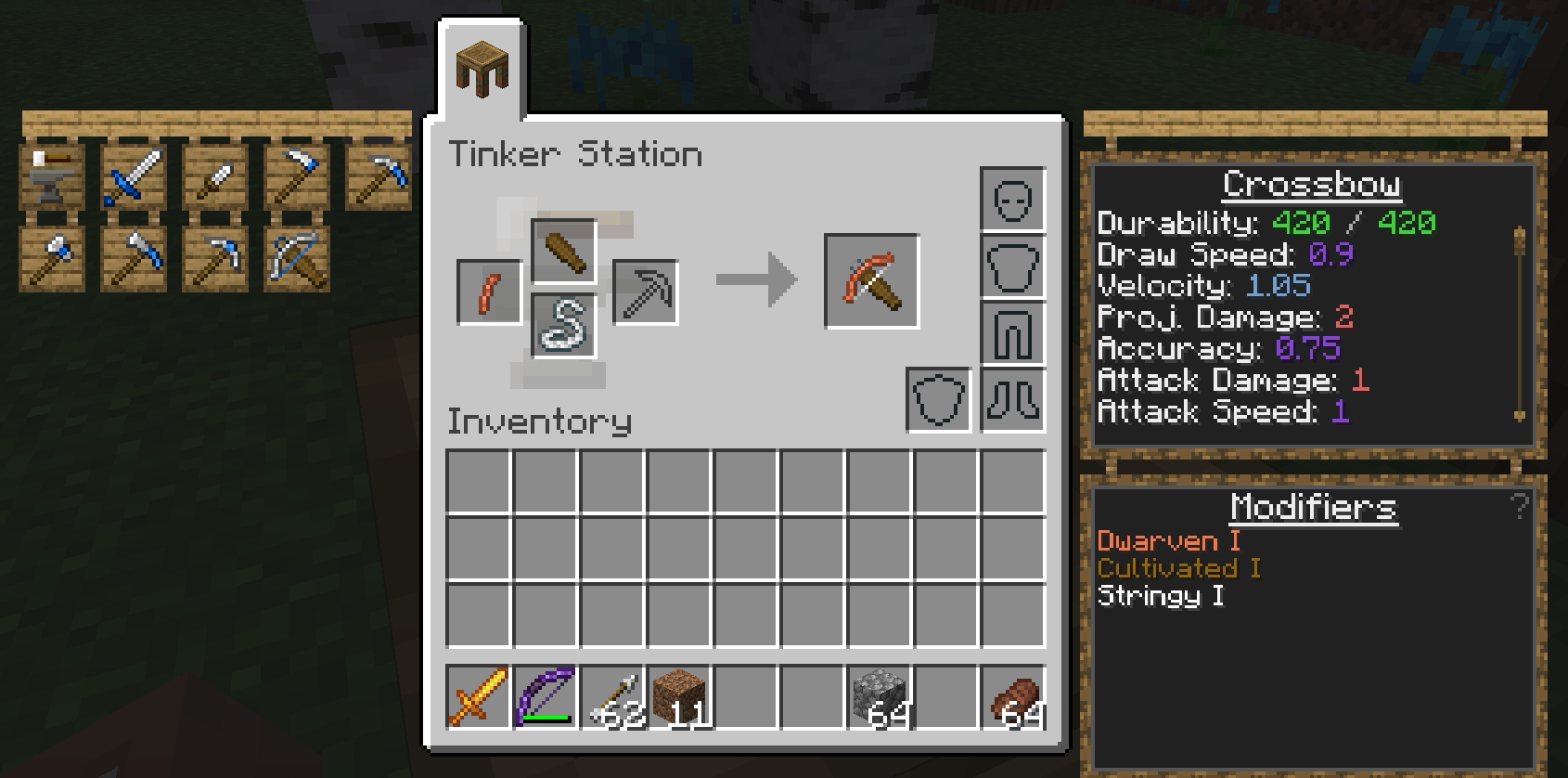
Tinkers' Construct is a mod about putting tools together in a wide variety of ways, then modifying them until they turn into something else. The tools never disappear and can be named and changed to your heart's desire. Once you make them, they're yours forever. Many different materials can be used to make your tools.
This mod includes many related features, including:
To get started, craft Materials and You then follow the introduction steps. For a more detailed overview, see one of the following links:
The mods binaries, as well as its textures and code are licensed under the MIT License.
Feel free to use the mod in any modpacks. You are allowed to use it, you do not need to ask for permission, in fact permission requests will usually be ignored. When using the mod, please use the Curse/CurseForge, Modrinth, or GitHub download and do not rehost the files.
Any modpack which uses Tinkers' Construct takes full responsibility for user support queries.
For anyone else, we only support official builds from Curse/Curseforge, Modrinth, and GitHub. No custom built jars. We also do not take bug reports for outdated builds of Minecraft.
This project currently has builds for 1.18.2+ along with 1.6.4, 1.7.10, 1.12.2, and 1.16.5. If you are using a Minecraft version other than that which has a Tinkers release, make a request on our discord and I will upload the older build.
Project description from CurseForge.
Pick your setup
Choose the version and loader you play, then open the matching release.
Check the dependencies, then try the file in a copied instance before changing a world you care about.
Recent files
TConstruct-1.16.5-3.3.4.335.jar
16 Mar 2022
TConstruct-1.16.5-3.3.3.332.jar
31 Jan 2022
TConstruct-1.16.5-3.3.2.324.jar
22 Dec 2021
TConstruct-1.16.5-3.3.1.316.jar
13 Dec 2021
TConstruct-1.16.5-3.3.0.308.jar
6 Dec 2021
TConstruct-1.16.5-3.2.1.296.jar
15 Nov 2021
TConstruct-1.16.5-3.2.0.290.jar
8 Nov 2021
TConstruct-1.16.5-3.1.3.271.jar
6 Oct 2021
TConstruct-1.16.5-3.1.2.265.jar
25 Aug 2021
TConstruct-1.16.5-3.1.1.252.jar
4 Aug 2021
TConstruct-1.16.5-3.1.0.231.jar
15 Jul 2021
TConstruct-1.16.5-3.0.4.197.jar
15 Jun 2021
Looking for an older file? The official CurseForge project page is in Resources.
 mod
modCarry On allows you to pick up Tile Entities and Mobs and carry them around!
 mod
modBlood Particles
 mod
modMakes building easier by providing tools like mirrors, arrays, build modes and a block randomizer. For survival and creative mode.