Minecraft version
Back to mods 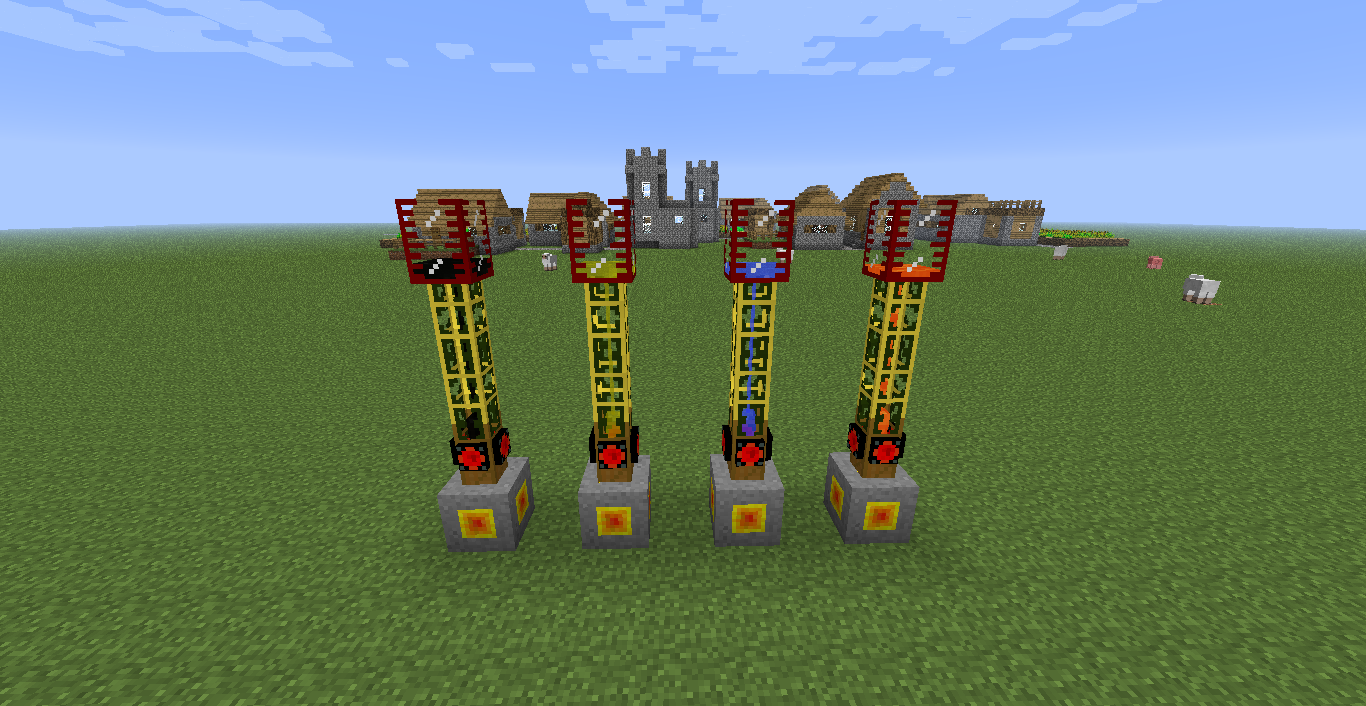
CurseForge · Minecraft mod
Creative Supplier
Creative Supplier
Choose a version Pick your version below, then grab the matching file.
Quick answer
Which Creative Supplier release should I use?
Latest stable file Creative_Supplier_MC_1.6.4_CS_1.1.1.zip
Game version 1.6.4
Loader Not required
Creative Supplier Creative_Supplier_MC_1.6.4_CS_1.1.1.zip targets 1.6.4. The project page does not say whether this file belongs on the client, dedicated server, or both. No extra mods listed for this file.
Where it goes
Is Creative Supplier required on the client, server, or both?
The project page does not say whether this file belongs on the client, dedicated server, or both.
Client Source doesn’t say
Dedicated server Source doesn’t say
Loader for this release No loader listed
Required install it here Optional supported, not mandatory Not supported do not install here Source doesn’t say do not assume
The source does not explicitly classify this release as client-only or server-only.
What else does Creative Supplier Creative_Supplier_MC_1.6.4_CS_1.1.1.zip need?
Creative_Supplier_MC_1.6.4_CS_1.1.1.zip. Change the file and its required mods may change too.
This file does not list any required mods. Do not add a library just because a different file uses it.
This file does not list any required or optional mods.
Before you install it
Add Creative Supplier without breaking your instance.
Built for Creative Supplier Creative_Supplier_MC_1.6.4_CS_1.1.1.zip. Pick another file and the loader, install side or required mods may change.
- 01
Stick to this file
Use Creative_Supplier_MC_1.6.4_CS_1.1.1.zip. It targets 1.6.4; another release may have different loader, side or dependency requirements.
- 02
Bring the mods it needs
This file does not list any required mods. Do not add a library just because a different file uses it.
- 03
Put it on the correct side
The project page does not say whether this file belongs on the client, dedicated server, or both.
- 04
Pick the file you checked
Use the “Get this file” button beside Creative_Supplier_MC_1.6.4_CS_1.1.1.zip. It opens that exact file at the source.
About this project
What does Creative Supplier add?
Creative Supplier
I hate building lava pumps in my test world, so i made this mod.
What this mod allows you to do is just place down a block, and then pump all the fluid out of it you want.
That sounds op, you might think. Yes, yes it is, that is why there is no crafting recipe, you can only get it through cheating.
Ok, then how does it work?
t's very simple, you just connect pipes to it, and pump it out like you normally would.
The mod is open source and if you want to get the latest or perhaps help out, just head over to Github
There are currently 3 blocks in the game, the Water Supplier, the Lava supplier and the Fluid supplier.
The water and lava supplier is going to be removed, in a later update, so i suggest using the Fluid supplier.
If you are good with textures and think you have just the texture for my block, please get in touch, as you can see from the image above i'm not good with textures.
How to use the Fluid supplier:
To use the fluid supplier you simply place it on the ground, and right click with a fluid container, you can also open the GUI and place the fluid container in there. Then you simply hook up some pipes and pump out all the fluid you want. You can also just right click the block with a empty bucket and get a bucket of the fluid you want.
If you find any bugs please either write them below or submit them at github issues and label it bug
If you download the mod, please leave feedback below
To always get the latest release check out the github releases
Change-log
v1.2-ALFA.1:
Updated to 1.7
-Temporary disabled GUI
-Lava Supplier
-Water Supplier
v1.1.1:
Fluid Supplier - You can now pump different fluids out of different Fluid suppliers.
v1.1:
+Fluid Supplier
v1.0:
+Water Supplier
+Lava Supplier
Project description from CurseForge.
Pick your setup
Creative Supplier by Minecraft version and loader
Choose the version and loader you play, then open the matching release.
Minecraft version
1.6.4
1 loader buildCheck the dependencies, then try the file in a copied instance before changing a world you care about.
Recent files
Creative Supplier versions and loaders
Creative_Supplier-1.7.2-1.2_ALFA_1.jar
13 Mar 2014
Client Source doesn’t say Server Source doesn’t say Dependencies No extras listed Listed on Release listing
Check the 1.7.2 setup 1.7.2 alpha
Creative_Supplier_MC_1.6.4_CS_1.1.1.zip
11 Feb 2014
Client Source doesn’t say Server Source doesn’t say Dependencies No extras listed Listed on Release listing
Check the 1.6.4 setup 1.6.4 release
Creative_Supplier_MC_1.6.4_CS_1.1.zip
10 Feb 2014
Client Source doesn’t say Server Source doesn’t say Dependencies No extras listed Listed on Release listing
Check the 1.6.4 setup 1.6.4 release
Creative_Supplier_MC_1.6.4_CS_1.0.zip
10 Feb 2014
Client Source doesn’t say Server Source doesn’t say Dependencies No extras listed Listed on Release listing
Check the 1.6.4 setup 1.6.4 release
Looking for an older file? The official CurseForge project page is in Resources.