Minecraft version
Back to mods 
CurseForge · Minecraft mod
Gwycraft - A colored blocks mod
Adding colored blocks and glowing blocks to your world.
Choose a version Pick your version below, then grab the matching file.
Quick answer
Which Gwycraft - A colored blocks mod release should I use?
Latest stable file gwycraft-1.21.1-1.jar
Game version 1.21.1
Loader NeoForge
Gwycraft - A colored blocks mod gwycraft-1.21.1-1.jar targets 1.21.1 with NeoForge. The project page does not say whether this file belongs on the client, dedicated server, or both. No extra mods listed for this file.
Where it goes
Is Gwycraft - A colored blocks mod required on the client, server, or both?
The project page does not say whether this file belongs on the client, dedicated server, or both.
Client Source doesn’t say
Dedicated server Source doesn’t say
Loader for this release NeoForge
Required install it here Optional supported, not mandatory Not supported do not install here Source doesn’t say do not assume
The source does not explicitly classify this release as client-only or server-only.
What else does Gwycraft - A colored blocks mod gwycraft-1.21.1-1.jar need?
gwycraft-1.21.1-1.jar. Change the file and its required mods may change too.
This file does not list any required mods. Do not add a library just because a different file uses it.
This file does not list any required or optional mods.
Before you install it
Add Gwycraft - A colored blocks mod without breaking your instance.
Built for Gwycraft - A colored blocks mod gwycraft-1.21.1-1.jar. Pick another file and the loader, install side or required mods may change.
- 01
Stick to this file
Use gwycraft-1.21.1-1.jar. It targets 1.21.1 with NeoForge; another release may have different loader, side or dependency requirements.
- 02
Bring the mods it needs
This file does not list any required mods. Do not add a library just because a different file uses it.
- 03
Put it on the correct side
The project page does not say whether this file belongs on the client, dedicated server, or both.
- 04
Pick the file you checked
Use the “Get this file” button beside gwycraft-1.21.1-1.jar. It opens that exact file at the source.
About this project
What does Gwycraft - A colored blocks mod add?
Gwycraft is a mod for Minecraft that adds colored blocks and glowing blocks to your world.
The blocks are available in the standard 16 minecraft colors, some of the dyed blocks include:
- stone
- logs
- planks
- glass
- bookcases (enchanting compatible)
- sand
- sandstone
- mud
Version 0.1.8 update includes gem tools, many recipe and bug fixes.
Check out the spotlight by AJPlaze!
New in version 0.1.7, sandstone blocks!
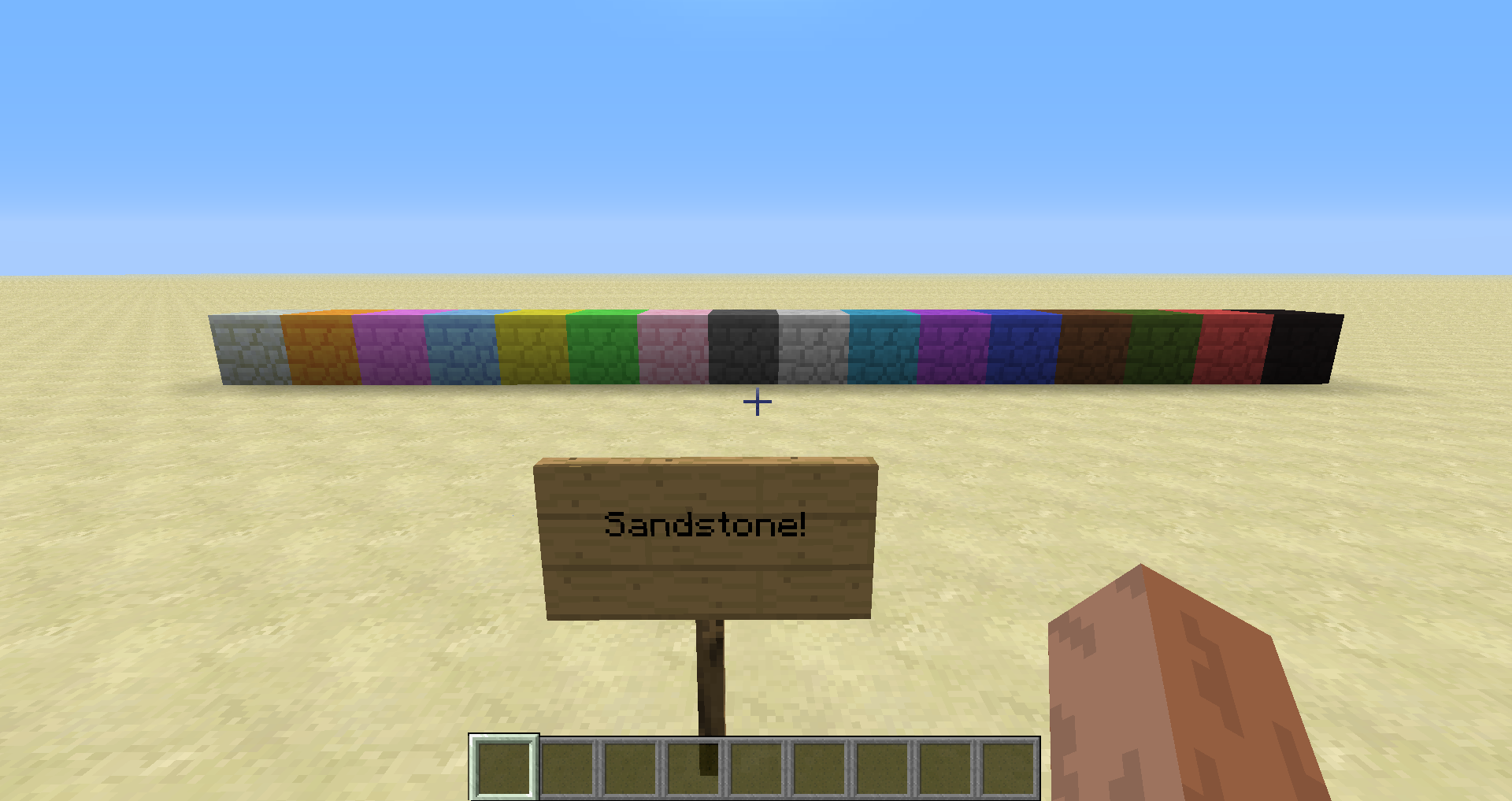
There are also light emitting versions of most blocks.
Mod support:
- Forestry
- Backpack support, the blocks go into the correct backpacks
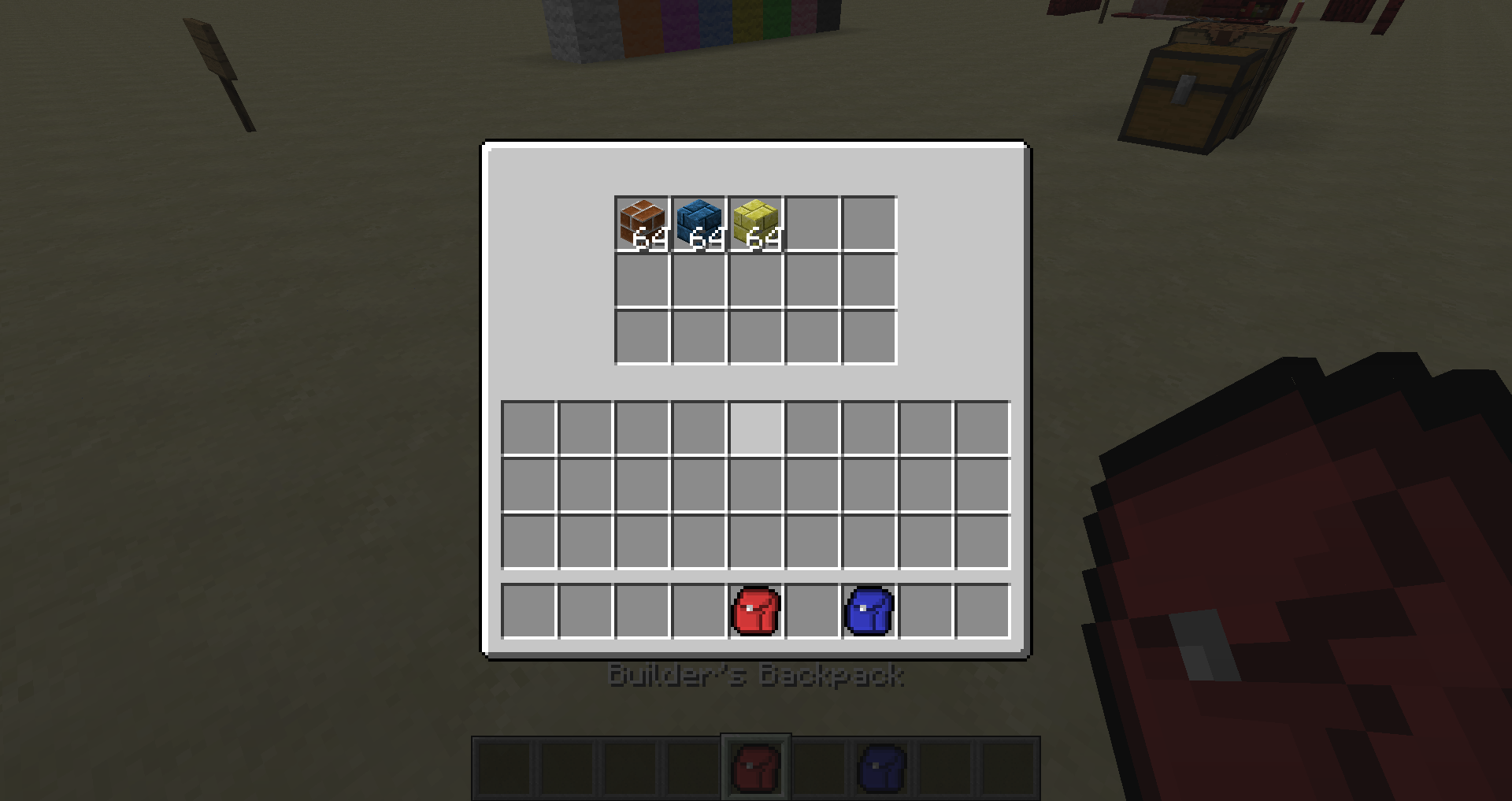
- Forge MultiPart
- Use the saw to cut up the blocks
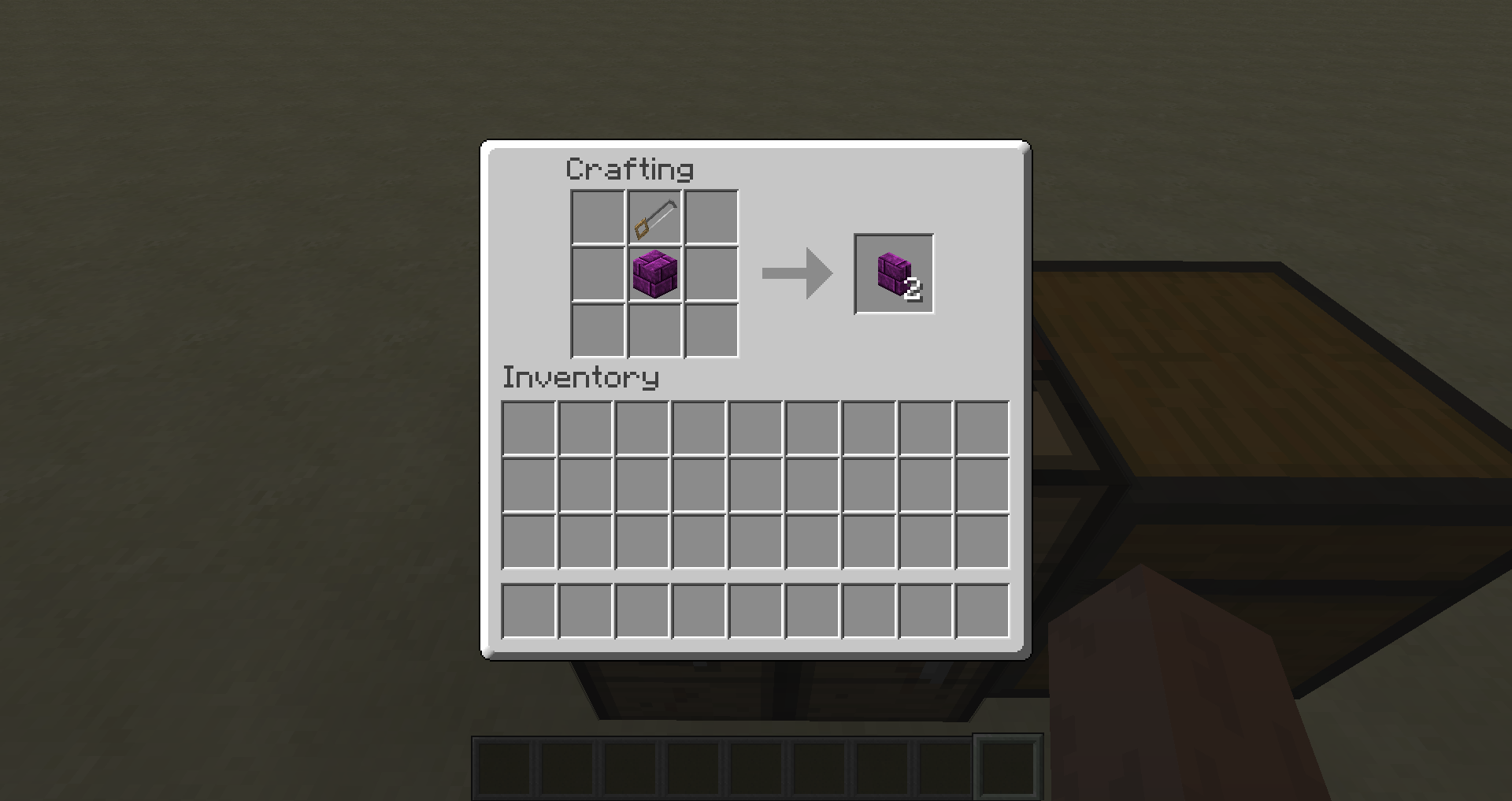
Pictures added! See the Images tab for more.

Textures done by MatrexsVigil, Painterly and Shadowclaimer.
Modpacks: You may use this mod in any modpack (public or private), you do not need to ask for specific permission. If you are using this mod in a pack it would be cool if you let us know with a comment, but you are in no way required to do so.
Updated for versions 1.12.2 and 1.16.5, newer versions coming soon!
Project description from CurseForge.
Pick your setup
Gwycraft - A colored blocks mod by Minecraft version and loader
Choose the version and loader you play, then open the matching release.
Minecraft version
1.20.1
1 loader buildMinecraft version
1.16.5
1 loader buildMinecraft version
1.12.2
1 loader buildMinecraft version
1.7.10
1 loader buildMinecraft version
1.7.2
1 loader buildMinecraft version
1.6.4
1 loader buildCheck the dependencies, then try the file in a copied instance before changing a world you care about.
Recent files
Gwycraft - A colored blocks mod versions and loaders
gwycraft-1.21.1-1.jar
3 Aug 2026
Client Source doesn’t say Server Source doesn’t say Dependencies No extras listed Listed on Release listing
Check the 1.21.1 · NeoForge setup 1.21.1NeoForge release
gwycraft-1.20.1-1.jar
28 Jun 2026
Client Source doesn’t say Server Source doesn’t say Dependencies No extras listed Listed on Release listing
Check the 1.20.1 · Forge setup 1.20.1Forge release
gwycraft-1.16.5-2.jar
27 Jun 2026
Client Source doesn’t say Server Source doesn’t say Dependencies No extras listed Listed on Release listing
Check the 1.16.5 · Forge setup 1.16.5Forge release
gwycraft-1.12.2-2.jar
27 Jun 2026
Client Source doesn’t say Server Source doesn’t say Dependencies No extras listed Listed on Release listing
Check the 1.12.2 · Forge setup Forge1.12.2 release
gwycraft-mc1710-0.1.10.jar
26 May 2016
Client Source doesn’t say Server Source doesn’t say Dependencies No extras listed Listed on Release listing
Check the 1.7.10 setup 1.7.10 release
gwycraft-mc1710-0.1.9a.jar
22 Mar 2015
Client Source doesn’t say Server Source doesn’t say Dependencies No extras listed Listed on Release listing
Check the 1.7.10 setup 1.7.10 release
gwycraft-mc172-0.1.8.jar
28 Aug 2014
Client Source doesn’t say Server Source doesn’t say Dependencies No extras listed Listed on Release listing
Check the 1.7.10 setup 1.7.21.7.10 release
gwycraft-mc172-0.1.7b.jar
24 Jun 2014
Client Source doesn’t say Server Source doesn’t say Dependencies No extras listed Listed on Release listing
Check the 1.7.10 setup 1.7.21.7.10 release
gwycraft-mc172-0.1.7a.jar
18 May 2014
Client Source doesn’t say Server Source doesn’t say Dependencies No extras listed Listed on Release listing
Check the 1.7.2 setup 1.7.2 release
GwyCraft_0.1.7_mc1.6_.zip
25 Apr 2014
Client Source doesn’t say Server Source doesn’t say Dependencies No extras listed Listed on Release listing
Check the 1.6.4 setup 1.6.4 release
GwyCraft_0.1.6_mc1.6_.zip
28 Mar 2014
Client Source doesn’t say Server Source doesn’t say Dependencies No extras listed Listed on Release listing
Check the 1.6.4 setup 1.6.4 release
Looking for an older file? The official CurseForge project page is in Resources.
 mod
mod CurseForge + Modrinth · Minecraft
Hunter'sReturn
Add evil Hunter's mob! They hunt the animals while making a cheeky laugh...
 mod
mod CurseForge + Modrinth · Minecraft
Dungeon Train: A Lore-Rich Roguelite RPG Adventure
Adventure time inspired dungeon crawler on a train. Procedurally generated carriages on a infinite sable physics train. Rich narrative, with custom made mods for a completely unique experience.
 mod
mod CurseForge + Modrinth · Minecraft
Isle of Berk Variant Loader
Support for data-driven dragon variants for Isle of Berk mod