Minecraft version
Back to mods 
CurseForge · Minecraft mod
RadixCore
RadixCore
Choose a version Pick your version below, then grab the matching file.
Quick answer
Which RadixCore release should I use?
Latest stable file RadixCore-1.12.x-2.2.1-universal.jar
Game version 1.12.1, 1.12, 1.12.2
Loader Not required
RadixCore-1.12.x-2.2.1-universal.jar targets 1.12.1, 1.12, 1.12.2. The project page does not say whether this file belongs on the client, dedicated server, or both. No extra mods listed for this file.
Where it goes
Is RadixCore required on the client, server, or both?
The project page does not say whether this file belongs on the client, dedicated server, or both.
Client Source doesn’t say
Dedicated server Source doesn’t say
Loader for this release No loader listed
Required install it here Optional supported, not mandatory Not supported do not install here Source doesn’t say do not assume
The source does not explicitly classify this release as client-only or server-only.
What else does RadixCore-1.12.x-2.2.1-universal.jar need?
RadixCore-1.12.x-2.2.1-universal.jar. Change the file and its required mods may change too.
This file does not list any required mods. Do not add a library just because a different file uses it.
This file does not list any required or optional mods.
Before you install it
Add RadixCore without breaking your instance.
Built for RadixCore-1.12.x-2.2.1-universal.jar. Pick another file and the loader, install side or required mods may change.
- 01
Stick to this file
Use RadixCore-1.12.x-2.2.1-universal.jar. It targets 1.12.1, 1.12, 1.12.2; another release may have different loader, side or dependency requirements.
- 02
Bring the mods it needs
This file does not list any required mods. Do not add a library just because a different file uses it.
- 03
Put it on the correct side
The project page does not say whether this file belongs on the client, dedicated server, or both.
- 04
Pick the file you checked
Use the “Get this file” button beside RadixCore-1.12.x-2.2.1-universal.jar. It opens that exact file at the source.
About this project
What does RadixCore add?
This project is now defunct and no longer supported. RadixCore will continue to function for mods that require it, but it will no longer be updated.
Overview
RadixCore is not a replacement for MinecraftForge, FML, LiteLoader, or any other API with mod loading capabilities.
It is a library of many different functions that will assist modders, both beginner and advanced, as they create and maintain their mods. It does not load mods. Instead, several core functionalities that need to be implemented in most mods are automatically handled by the API. RadixCore also offers additional powerful features that are enabled with only a few lines of code.
The API is constructed from the core of Minecraft Comes Alive. We found ourselves reusing a substantial portion of MCA's code in our other mods, and we realized how useful it could be to others.
Complete Feature List
If you are simply a player, you will notice no outward changes with RadixCore installed. It only does what mods tell it to do. If you don't use a mod that uses RadixCore - you don't need it!
If you are a modder, RadixCore will do quite a lot to help you create and maintain your mods.
- Client/server synchronization is super simple with the use of the DataWatcherEx and its accompanying WatchedObjects.
- Simple item and block initialization can automatically be handled with one line of code.
- An easy to use .schematic file handler, which can read in schematics and paste them in the world.
- An implementation of custom player data that is never lost on player death, server shutdown, etc.
- Many various classes and methods to help with logic, simple math, and AI.
- An automatic update checker. All you must provide is a URL containing your mod's current version and the URL that you would like users to be redirected to.
- An automatic crash watcher/reporter that can be used to send crash reports from your mod to your designated remote system.
- A language system allowing for easy translation of GUIs and parsing of variables.
- A networking system somewhat reminiscent of the pre-1.7 system.
- Even more...with your help! We want to expand RadixCore to effectively meet most modders' needs.
Installation
RadixCore behaves just like a regular mod. It is installed the same way - simply drag and drop it into Minecraft's mods folder while Forge is installed.
Developers
In order to begin using RadixCore with your project, you will need to do the following:
- Setup a default mod workspace using a src version of Forge.
- Download the deobf version of RadixCore, available from our website.
- Place RadixCore somewhere in your workspace.
- Modify your build path to include the JAR you've just downloaded.
- RadixCore does not have a maven repository. Gradle must use the local version for compilation. See MCA's implementation of this.
All deobf and source distributions are located on our website. Curse will only be used to distribute the universal JAR.
Project description from CurseForge.
Pick your setup
RadixCore by Minecraft version and loader
Choose the version and loader you play, then open the matching release.
Minecraft version
1.12.1
1 loader buildMinecraft version
1.12
1 loader buildMinecraft version
1.10.2
1 loader buildMinecraft version
1.9.4
1 loader buildMinecraft version
1.9
1 loader buildMinecraft version
1.8.9
1 loader buildMinecraft version
1.8
1 loader buildMinecraft version
1.7.10
1 loader buildMinecraft version
1.7.2
1 loader buildCheck the dependencies, then try the file in a copied instance before changing a world you care about.
Recent files
RadixCore versions and loaders
RadixCore-1.12.x-2.2.1-universal.jar
24 Sept 2017
Client Source doesn’t say Server Source doesn’t say Dependencies No extras listed Listed on Release listing
Check the 1.12.2 setup 1.12.11.121.12.2 release
RadixCore-1.12-2.2.0-universal.jar
28 Aug 2017
Client Source doesn’t say Server Source doesn’t say Dependencies No extras listed Listed on Release listing
Check the 1.12 setup 1.12 release
RadixCore-1.10.2-2.1.3-universal.jar
16 Aug 2016
Client Source doesn’t say Server Source doesn’t say Dependencies No extras listed Listed on Release listing
Check the 1.10.2 setup 1.10.2 release
RadixCore-1.7.10-2.1.3-universal.jar
16 Aug 2016
Client Source doesn’t say Server Source doesn’t say Dependencies No extras listed Listed on Release listing
Check the 1.7.10 setup 1.7.10 release
RadixCore-1.10.2-2.1.2-universal.jar
6 Jul 2016
Client Source doesn’t say Server Source doesn’t say Dependencies No extras listed Listed on Release listing
Check the 1.10.2 setup 1.10.2 release
RadixCore-1.9.4-2.1.2-universal.jar
6 Jul 2016
Client Source doesn’t say Server Source doesn’t say Dependencies No extras listed Listed on Release listing
Check the 1.9.4 setup 1.9.4 release
RadixCore-1.9-2.1.2-universal.jar
6 Jul 2016
Client Source doesn’t say Server Source doesn’t say Dependencies No extras listed Listed on Release listing
Check the 1.9 setup 1.9 release
RadixCore-1.8.9-2.1.2-universal.jar
6 Jul 2016
Client Source doesn’t say Server Source doesn’t say Dependencies No extras listed Listed on Release listing
Check the 1.8.9 setup 1.8.9 release
RadixCore-1.7.10-2.1.2-universal.jar
6 Jul 2016
Client Source doesn’t say Server Source doesn’t say Dependencies No extras listed Listed on Release listing
Check the 1.7.10 setup 1.7.10 release
RadixCore-1.9-2.1.0-universal.jar
4 May 2016
Client Source doesn’t say Server Source doesn’t say Dependencies No extras listed Listed on Release listing
Check the 1.9 setup 1.9 release
RadixCore-1.9-2.1.0-BETA-universal.jar
17 Apr 2016
Client Source doesn’t say Server Source doesn’t say Dependencies No extras listed Listed on Release listing
Check the 1.9 setup 1.9 release
RadixCore-1.8.9-2.1.0-universal.jar
21 Feb 2016
Client Source doesn’t say Server Source doesn’t say Dependencies No extras listed Listed on Release listing
Check the 1.8.9 setup 1.8.9 release
Looking for an older file? The official CurseForge project page is in Resources.
 mod
mod CurseForge · Minecraft
DoxHitbox
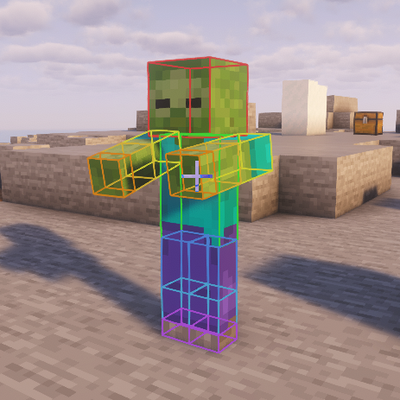
Precise per-part OBB hitboxes (head/torso/arms/legs) that match the rendered pose.
 mod
mod CurseForge · Minecraft
Hero Capes
Best customizable physics cape mod (Epic Fight & Fresh Animations support)
 mod
mod CurseForge + Modrinth · Minecraft
Spell Engine Extension (RPG Series Tweaks)
Extends the mod 'Spell Engine' with additional functionality.