Quick answer
Which Reconstructor release should I use?
Latest stable file reconstructor-3.8.jar
Game version 1.21.1
Loader NeoForge
reconstructor-3.8.jar targets 1.21.1 with NeoForge. The project page does not say whether this file belongs on the client, dedicated server, or both. All 1 required mods have matching files.
Where it goes
Is Reconstructor required on the client, server, or both?
The project page does not say whether this file belongs on the client, dedicated server, or both.
Client Source doesn’t say
Dedicated server Source doesn’t say
Loader for this release NeoForge
Required install it here Optional supported, not mandatory Not supported do not install here Source doesn’t say do not assume
The source does not explicitly classify this release as client-only or server-only.
What else does reconstructor-3.8.jar need?
reconstructor-3.8.jar. Change the file and its required mods may change too.
Install MCULib first. We found matching files for this game-version and loader setup.
Matching file found Matched file: curios-neoforge-9.5.1+1.21.1.jar
MCULib Needed by reconstructor-3.8.jar requiredMatching file found Matched file: mculib-1.5.2.jar
We only count dependency files that match this setup. A file for another loader does not fill the gap.
Before you install it
Add Reconstructor without breaking your instance.
Built for reconstructor-3.8.jar. Pick another file and the loader, install side or required mods may change.
- 01
Stick to this file
Use reconstructor-3.8.jar. It targets 1.21.1 with NeoForge; another release may have different loader, side or dependency requirements.
- 02
Bring the mods it needs
Install MCULib first. We found matching files for this game-version and loader setup.
- 03
Put it on the correct side
The project page does not say whether this file belongs on the client, dedicated server, or both.
- 04
Pick the file you checked
Use the “Get this file” button beside reconstructor-3.8.jar. It opens that exact file at the source.
About this project
What does Reconstructor add?
A machine that accepts Buildcraft energy (Thermal Expansion conduits can supply this without Buildcraft installed in 1.6.4 - Buildcraft is currently required for 1.7.2) to repair most things with a damage bar. In 1.7.10, this machine is now RF powered. As of version 2.9 for Minecraft 1.10.2, now uses Forge Energy instead of RF.
- In 1.6.4, two recipes are added (each can be disabled in the config) one using diamond gears (for Buildcraft), the other using invar gears (for Thermal Expansion). In 1.7.10, the Buildcraft recipe is removed and the chest is replaced with a Redstone Reception Coil (as of 2.1 this is now a piece of redstone dust and the gear item is configurable). (As of 2.6, the default "gear" item is now a regular book)
- The default (configurable) energy usage is 50 RF / point of damage repaired. (5 MJ for pre-1.7 versions)
- Will not repair Tinkers Construct tools (now repairable in 2.6!), IC2 non-electric tools, or IC2 or TE charged items, or other non-standard damage items
- Can be configured to restrict repairs to only items which extend from the vanilla classes for tools, armor, bows, and swords.
- (as of 2.1) An op-only command of /recon_blacklist will add the currently held item to a blacklist of items that will not be repaired.
- Items will automatically be ejected from the machine when processing is complete in the following priority:
- (pre-1.7.10) A random Buildcraft pipe (if available)
- (pre-1.7.10) A random adjacent inventory
- (1.7.10 and later) An adjacent inventory in the following order: below, right, behind, left, above (never out the front)
- Launched into the world vertically from the block (like a BC Quarry without adjacent pipes or chests) (this is no longer the case as of 2.9)
Known issues: In 1.10 versions, the reconstructor will sometimes stop placing items into adjacent inventories. The cause of this has not yet been determined, and is the reason items are no longer auto-ejected into the world.
Source code is available on GitHub.
Modpack permissions
This mod may be included and redistributed in any modpack, public or private, without requiring explicit permission.
Project description from CurseForge.
Pick your setup
Reconstructor by Minecraft version and loader
Choose the version and loader you play, then open the matching release.
Minecraft version
1.21.1
1
loader build Minecraft version
1.12.2
2
loader builds Minecraft version
1.11.2
1
loader build Minecraft version
1.10.2
1
loader build Minecraft version
1.10
1
loader build Minecraft version
1.9.4
1
loader build Minecraft version
1.7.10
1
loader build Minecraft version
1.7.2
1
loader build Minecraft version
1.6.4
1
loader build Check the dependencies, then try the file in a copied instance before changing a world you care about.
Recent files
Reconstructor versions and loaders
15 Mar 2019
Client Source doesn’t say Server Source doesn’t say Dependencies No extras listed Listed on Release listing
Check the 1.12.2 setup → 17 Oct 2018
Client Source doesn’t say Server Source doesn’t say Dependencies No extras listed Listed on Release listing
Check the 1.12.2 setup → 14 Oct 2018
Client Source doesn’t say Server Source doesn’t say Dependencies No extras listed Listed on Release listing
Check the 1.12.2 setup → 11 Oct 2018
Client Source doesn’t say Server Source doesn’t say Dependencies 1 required · 1 unchecked Listed on Release listing
Check the 1.7.10 setup → 11 Oct 2018
Client Source doesn’t say Server Source doesn’t say Dependencies No extras listed Listed on Release listing
Check the 1.12.2 setup → 26 Aug 2018
Client Source doesn’t say Server Source doesn’t say Dependencies No extras listed Listed on Release listing
Check the 1.12.2 setup → 15 Oct 2017
Client Source doesn’t say Server Source doesn’t say Dependencies No extras listed Listed on Release listing
Check the 1.12.2 setup → 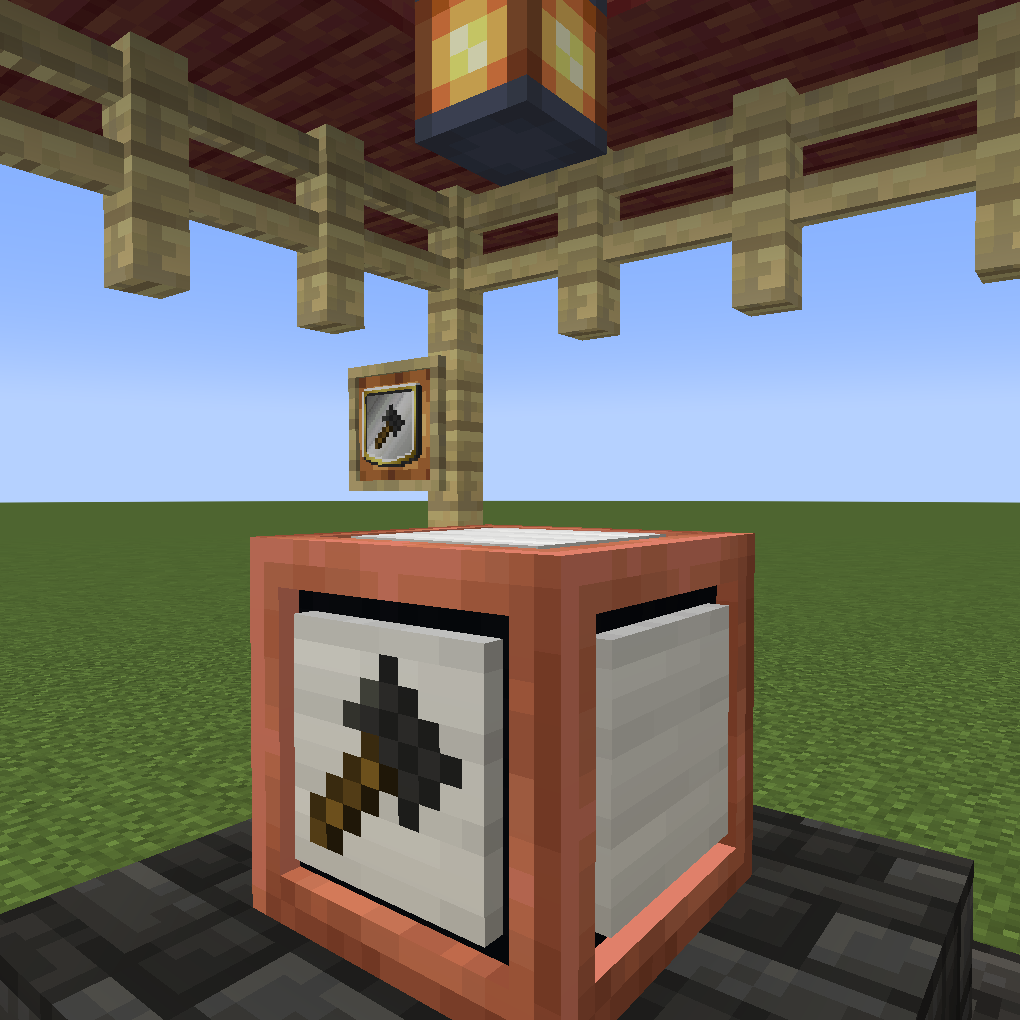
 mod
 mod
 mod