Fabric API Needed by Debug Utils 1.21.8-1.0.9-fabric
requiredMatching file found Matched file: [1.21.8] Fabric API 0.136.1+1.21.8
CurseForge · Minecraft mod
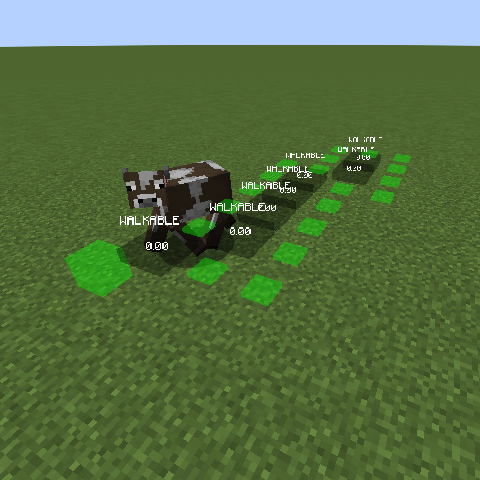
Enables various debugging features of minecraft
Quick answer
Debug Utils 1.21.8-1.0.9-fabric targets 1.21.8 with Fabric. Installation on the client is optional. Installation on the dedicated server is optional. All 1 required mods have matching files.
Where it goes
Installation on the client is optional. Installation on the dedicated server is optional.
The source marks this as usable on both the client and server.
1.21.8-1.0.9-fabric on 1.21.8 Fabric. Every mod below is checked against that same setup.
Install Fabric API first. We found matching files for this game-version and loader setup.
We only count dependency files that match this setup. A file for another loader does not fill the gap.
Before you install it
Built for Debug Utils 1.21.8-1.0.9-fabric on 1.21.8 Fabric. Pick another file and the loader, install side or required mods may change.
Use 1.21.8-1.0.9-fabric. It targets 1.21.8 with Fabric; another release may have different loader, side or dependency requirements.
Install Fabric API first. We found matching files for this game-version and loader setup.
Installation on the client is optional. Installation on the dedicated server is optional.
Use the “Get this file” button beside 1.21.8-1.0.9-fabric. It opens that exact file at the source.
About this project






Mojang has various debugging tools implemented in minecraft that are removed for the release jar. This mod adds them back which might be useful for various cases. You will need this mod on both the client and the server.
Debugging features include for example:
Entity Pathing: Showing a mobs pathfinding
Entity Brains: Showing the brain states of mobs
Entity Goals: Showing a mobs goal tasks
As of 1.21.9 the debugging features are no longer stripped for the release jar and can be accessed by the user. The process to do so though involves the use of jvm arguments meaning you cannot change it in game. To accomodate that now this mod allows you to toggle the features in game without restarting it.
Use the command /debugutils <feature> <on | off> to turn a debugging feature on/off.
To turn all currently active features off use /debugutils off.
If you are on 1.21.9 the command has now been split between debugutils and debugutils_client.debugutils_client toggles all features that do not require data from the server.
Project description from CurseForge.
Pick your setup
Choose the version and loader you play, then open the matching release.
Showing the newest 12 of 14 game versions. Older files are in the list below.
Check the dependencies, then try the file in a copied instance before changing a world you care about.
Recent files
debugutils-1.21.8-1.0.9-fabric.jar
27 Jul 2025
Looking for an older file? The official CurseForge project page is in Resources.
 mod
modA 3D animation library for entities, blocks, items, armor, and more!
 mod
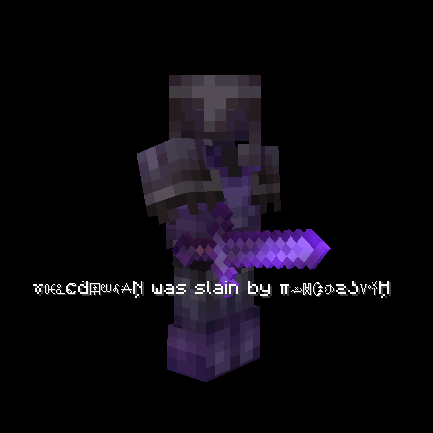
modObfuscates / hides death messages and kill messages that invisible players get. Both default to true but can be edited through gamerule commands.
 mod
modObfuscates / hides death messages and kill messages that invisible players get. Both default to true but can be edited through gamerule commands.