Minecraft version
Back to mods 
CurseForge · Minecraft mod
Scroll for WorldEdit
Use the mouse wheel to move your selections and builds!
Choose a version Pick your version below, then grab the matching file.
Quick answer
Which Scroll for WorldEdit release should I use?
Latest stable file Scroll for WorldEdit 1.1.4 (Minecraft 1.21)
Game version 1.21
Loader Fabric
Scroll for WorldEdit 1.1.4 (Minecraft 1.21) targets 1.21 with Fabric. The project page does not say whether this file belongs on the client, dedicated server, or both. No extra mods listed for this file.
Where it goes
Is Scroll for WorldEdit required on the client, server, or both?
The project page does not say whether this file belongs on the client, dedicated server, or both.
Client Source doesn’t say
Dedicated server Source doesn’t say
Loader for this release Fabric
Required install it here Optional supported, not mandatory Not supported do not install here Source doesn’t say do not assume
The source does not explicitly classify this release as client-only or server-only.
What else does Scroll for WorldEdit 1.1.4 (Minecraft 1.21) need?
Scroll for WorldEdit 1.1.4 (Minecraft 1.21). Change the file and its required mods may change too.
This file does not list any required mods. Do not add a library just because a different file uses it.
This file does not list any required or optional mods.
Before you install it
Add Scroll for WorldEdit without breaking your instance.
Built for Scroll for WorldEdit 1.1.4 (Minecraft 1.21). Pick another file and the loader, install side or required mods may change.
- 01
Stick to this file
Use Scroll for WorldEdit 1.1.4 (Minecraft 1.21). It targets 1.21 with Fabric; another release may have different loader, side or dependency requirements.
- 02
Bring the mods it needs
This file does not list any required mods. Do not add a library just because a different file uses it.
- 03
Put it on the correct side
The project page does not say whether this file belongs on the client, dedicated server, or both.
- 04
Pick the file you checked
Use the “Get this file” button beside Scroll for WorldEdit 1.1.4 (Minecraft 1.21). It opens that exact file at the source.
About this project
What does Scroll for WorldEdit add?
Use the mouse wheel to move your selections and builds!
Requires the Fabric API and the Cloth Config API. To edit the configuration in-game, use Mod Menu
- Supports
//move,//expand,//contract,//shift, and//stack. - To activate the mod, press
alt¹. - To change the command, hold
ctrl² and scroll. - Supports scrolling vertically and horizontally. If those two aren't enough, press
z³ to use another set of directions. - You can also just bind each command to its own keybind.
- Also customizable:
- Change the scroll threshold.
- Change the directions stuff moves in.
- Change if buttons are toggleable or have to be held down.
- Change the colors.
¹Use selected mode (toggles by default)
²Scroll through modes (hold by default)
³Alternate scrolling (hold)
Project description from CurseForge.
Pick your setup
Scroll for WorldEdit by Minecraft version and loader
Choose the version and loader you play, then open the matching release.
Minecraft version
1.20.1
1 loader buildMinecraft version
1.20
2 loader buildsMinecraft version
1.19.4
1 loader buildMinecraft version
1.19.3
1 loader buildMinecraft version
1.19
1 loader buildCheck the dependencies, then try the file in a copied instance before changing a world you care about.
Recent files
Scroll for WorldEdit versions and loaders
Scroll for WorldEdit 1.1.4 (Minecraft 1.21)
scroll-for-worldedit-1.1.4.jar
18 Jul 2024
Client Source doesn’t say Server Source doesn’t say Dependencies No extras listed Listed on Release listing
Check the 1.21 · Fabric setup 1.21Fabric release
Scroll for WorldEdit 1.1.4
scroll-for-worldedit-1.1.4.jar
29 Jul 2023
Client Source doesn’t say Server Source doesn’t say Dependencies 2 required · 2 unchecked Listed on Release listing
Check the 1.20.1 · Fabric setup Fabric1.20.1 release
Scroll for WorldEdit v1.1.3
scroll-for-worldedit-1.1.3.jar
15 Jun 2023
Client Source doesn’t say Server Source doesn’t say Dependencies 2 required · 2 unchecked Listed on Release listing
Check the 1.20 · Fabric setup Fabric1.20Quilt release
Scroll for WorldEdit v1.1.2
scroll-for-worldedit-1.1.2.jar
21 Apr 2023
Client Source doesn’t say Server Source doesn’t say Dependencies 2 required · 2 unchecked Listed on Release listing
Check the 1.19.4 · Fabric setup 1.19.4Fabric release
Scroll for WorldEdit v1.1.1
scroll-for-worldedit-1.1.1.jar
2 Jan 2023
Client Source doesn’t say Server Source doesn’t say Dependencies 2 required · 2 unchecked Listed on Release listing
Check the 1.19.3 · Fabric setup 1.19.3Fabric release
Scroll for WorldEdit v1.1.0
scroll-for-worldedit-1.1.0.jar
2 Jan 2023
Client Source doesn’t say Server Source doesn’t say Dependencies 2 required · 2 unchecked Listed on Release listing
Check the 1.19 · Fabric setup Fabric1.19 release
Looking for an older file? The official CurseForge project page is in Resources.
 mod
CurseForge · Minecraft
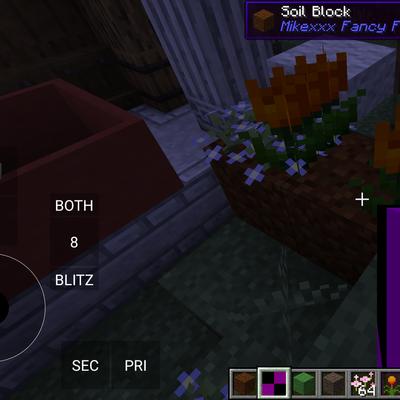
Mikexxx Fancy Flowerbeds / Garden stuff port
This is a port of the garden collection mods to one Mod for 1.20.1 I'm trying to do rn. Mainly going to port the few main functions I actually need.
 mod
CurseForge + Modrinth · Minecraft
Oh My, Meteors! - A meteorite mod
A Modern falling Meteor mod, highly configurable, pretty and with spirt of the old ones!
 mod
CurseForge + Modrinth · Minecraft
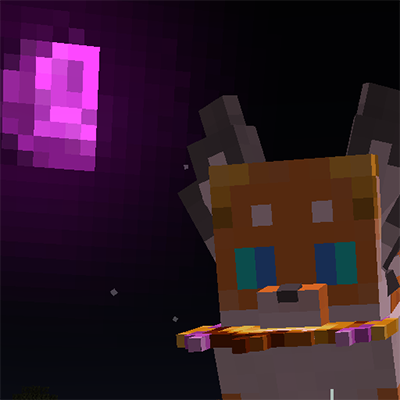
SSC Xu Addon
a SSC(Shape Shifter Curse) addon add some extra form and few extra item