Immibis Core Needed by Dimensional Anchors 50.2.1
requiredMatching file found Matched file: 50.2.4

Modrinth · Minecraft mod
Chunk loader mod
Quick answer
Dimensional Anchors 50.2.1 targets 1.4.2 with Forge. Installation on the client is optional. Installation on the dedicated server is optional. All 1 required mods have matching files.
Where it goes
Installation on the client is optional. Installation on the dedicated server is optional.
The source marks this as usable on both the client and server.
50.2.1 on 1.4.2. Every mod below is checked against that same setup.
Install Immibis Core first. We found matching files for this game-version and loader setup.
We only count dependency files that match this setup. A file for another loader does not fill the gap.
Before you install it
Built for Dimensional Anchors 50.2.1 on 1.4.2. Pick another file and the loader, install side or required mods may change.
Use 50.2.1. It targets 1.4.2 with Forge; another release may have different loader, side or dependency requirements.
Install Immibis Core first. We found matching files for this game-version and loader setup.
Installation on the client is optional. Installation on the dedicated server is optional.
Use the “Get this file” button beside 50.2.1. It opens that exact file at the source.
About this project
This mod adds a block that loads chunks. There is a limit on the number of chunks each non-op player can load in SMP, and each chunk loader can load an adjustable area.
Right clicking opens this GUI. If you are op (or in singleplayer) or the owner of the chunkloader, you can change the size of the loaded area without breaking and replacing it (which would make you the owner).
The green button expands the area loaded by this chunkloader by one chunk, and the red button shrinks it by one chunk.
There is a limit on the number of chunks that each player may force to be loaded. In singleplayer, or if the owner of the chunkloader is an op, there is no limit.
Pressing F9 shows loaded chunks, as with the Teleport Tether, however the format of this display is quite different:
If you set chunkloader.useFuel=true in immibis.cfg, anchors will require fuel to run. Anchors without fuel will be treated as if they don't exist - so they won't appear in F9 or contribute to your quota. (This also means you can set them to a larger area than you're allowed, and it won't be reset until you put fuel in)
If you set chunkloader.allowFuelPiping=true in immibis.cfg, then automation mods (such as Buildcraft pipes, RedPower 2 tubes and ComputerCraft turtles) will be allowed to insert fuel into anchors. If it is set to false (which is the default), they will be blocked (using ISidedInventory).
The available fuels and value of each fuel is configurable in immibis.cfg. This is mainly intended for server admins.
The amount of fuel used is scaled by the number of chunks, so a 3x3 loader will use 9 times as much fuel as a 1x1 loader.
Default fuels:
| Item | Time per item (1 chunk) | Time per stack (1 chunk) |
|---|---|---|
| Coal | 10 min | 10 hr 40 min |
| Charcoal | 1 min | 1 hr 4 min |
| Redstone | 1 min | 1 hr 4 min |
| Ender pearl | 15 min | 4 hr (max stack size is 16) |
| Magma cream | 15 min | 16 hr |
| Eye of ender | 30 min | 32 hr |
| Dirt | 1 sec | 1 min 4 sec |
| Cobblestone | 1 sec | 1 min 4 sec |
| Smoothstone | 3 sec | 3 min 12 sec |
| Netherrack | 4 sec | 4 min 16 sec |
| Nether brick | 10 sec | 10 min 40 sec |
| Glowstone dust | 2 min | 2 hr 8 min |
In Minecraft 1.3+, the mod also adds the following commands (only available to operators):
/dimanc getquota <username> - Tells you the current and maximum loaded chunks of that player./dimanc override <username> <number> - Sets a quota override for a specific player, equivalent to setting it in the chunkloader.playerQuotaOverride section of immibis.cfg. This does update the config. You can also use "unlimited" (without quotes) instead of the number, or "default" (which removes the override)/dimanc setfuel <ID> <time> <unit> - Sets a fuel item. ID is the item ID, and time is the amount of time. Unit is a multiplier for the time - it can be "sec" (seconds), "min" (minutes), "hr" (hours) or blank (ticks). Example to make stone last for 5 seconds: /dimanc setfuel 1 5 sec/dimanc setfuel <ID>:<meta> <time> <unit> - Same as above, but with a specific metadata/damage value./dimanc setpipemode allow - Enables automatic fuel insertion and updates the config./dimanc setpipemode block - Disables automatic fuel insertion and updates the config.(Original mod by immibis. Original description from the Minecraft Forums.)
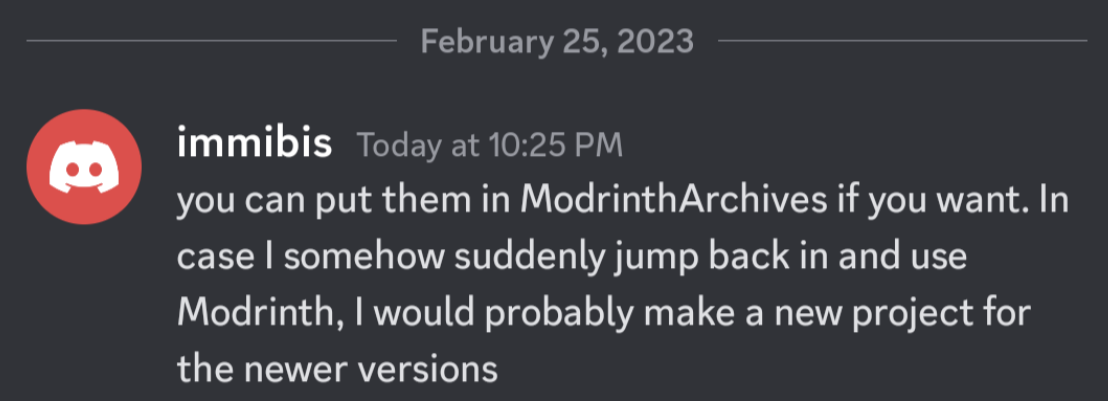
This mod is abandoned and has been uploaded for archival purposes. It was originally created by immibis. It has been uploaded to Modrinth under the ModrinthArchives account with permission from the original author.
Project description from Modrinth.
Pick your setup
Choose the version and loader you play, then open the matching release.
Showing the newest 12 of 13 game versions. Older files are in the list below.
Check the dependencies, then try the file in a copied instance before changing a world you care about.
Recent files
zdimensional-anchor_50.2.1_for_1.4.2-joined.jar
15 Jun 2023
zdimensional-anchor_50.2.0_for_1.4.2-joined.jar
15 Jun 2023
Looking for an older file? The official Modrinth project page is in Resources.