Minecraft version
Back to mods 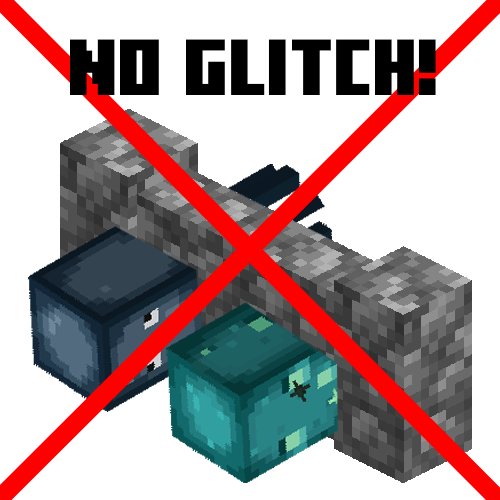
CurseForge · Minecraft mod
Squid No Glitch
A tiny mod that fixes various vanilla bugs with the squid
Choose a version Pick your version below, then grab the matching file.
Quick answer
Which Squid No Glitch release should I use?
Latest stable file [NeoForge 26.2] SquidNoGlitch v26.2.0
Game version 26.2
Loader NeoForge
Squid No Glitch [NeoForge 26.2] SquidNoGlitch v26.2.0 targets 26.2 with NeoForge. The project page does not say whether this file belongs on the client, dedicated server, or both. No extra mods listed for this file.
Where it goes
Is Squid No Glitch required on the client, server, or both?
The project page does not say whether this file belongs on the client, dedicated server, or both.
Client Source doesn’t say
Dedicated server Source doesn’t say
Loader for this release NeoForge
Required install it here Optional supported, not mandatory Not supported do not install here Source doesn’t say do not assume
The source does not explicitly classify this release as client-only or server-only.
What else does Squid No Glitch [NeoForge 26.2] SquidNoGlitch v26.2.0 need?
[NeoForge 26.2] SquidNoGlitch v26.2.0. Change the file and its required mods may change too.
This file does not list any required mods. Do not add a library just because a different file uses it.
This file does not list any required or optional mods.
Before you install it
Add Squid No Glitch without breaking your instance.
Built for Squid No Glitch [NeoForge 26.2] SquidNoGlitch v26.2.0. Pick another file and the loader, install side or required mods may change.
- 01
Stick to this file
Use [NeoForge 26.2] SquidNoGlitch v26.2.0. It targets 26.2 with NeoForge; another release may have different loader, side or dependency requirements.
- 02
Bring the mods it needs
This file does not list any required mods. Do not add a library just because a different file uses it.
- 03
Put it on the correct side
The project page does not say whether this file belongs on the client, dedicated server, or both.
- 04
Pick the file you checked
Use the “Get this file” button beside [NeoForge 26.2] SquidNoGlitch v26.2.0. It opens that exact file at the source.
About this project
What does Squid No Glitch add?
SquidNoGlitch
A tiny mod that fixes various vanilla bugs with the squid
Support with Minecraft 1.18.2-1.20.x for Fabric (Quilt maybe?)/Forge
List of bug fixes for squid
- Adding check to prevent movement de-sync on the client. Which resolves MC-39263, MC-58294, MC-89883, MC-136421, MC-212213, MC-225422 and partially fixes MC-134626
- Fix Levitation effect doesn't apply reset fall distance, no bug reported yet.
- Adding Slow Falling effect movement vector to squids. And reset fall distance. MC-167008.
- Decreasing Y movement vector to
0.15fwhich should stop squids become stuck on land. MC-132473. - Removing
getNoActionTime()check will restore the movement of squid if the player is far from them. MC-212687.
Installation
Make sure to install on both client and server side for a better result!
- Install Fabric Loader/MinecraftForge
- Copy mod into
modsfolder
Project description from CurseForge.
Pick your setup
Squid No Glitch by Minecraft version and loader
Choose the version and loader you play, then open the matching release.
Minecraft version
26.1.2
2 loader buildsMinecraft version
26.1.1
2 loader buildsMinecraft version
1.21.11
3 loader buildsMinecraft version
1.21.10
3 loader buildsMinecraft version
1.21.9
3 loader buildsMinecraft version
1.21.8
3 loader buildsMinecraft version
1.21.7
3 loader buildsMinecraft version
1.21.6
3 loader buildsMinecraft version
1.21.5
3 loader buildsMinecraft version
1.21.4
3 loader buildsMinecraft version
1.21.3
3 loader buildsShowing the newest 12 of 25 game versions. Older files are in the list below.
Check the dependencies, then try the file in a copied instance before changing a world you care about.
Recent files
Squid No Glitch versions and loaders
[NeoForge 26.2] SquidNoGlitch v26.2.0
squidnoglitch-mc26.2-v26.2.0-neoforge.jar
10 Jul 2026
Client Source doesn’t say Server Source doesn’t say Dependencies No extras listed Listed on Release listing
Check the 26.2 · NeoForge setup NeoForge26.2 release
[Fabric 26.2] SquidNoGlitch v26.2.0
squidnoglitch-mc26.2-v26.2.0-fabric.jar
10 Jul 2026
Client Source doesn’t say Server Source doesn’t say Dependencies No extras listed Listed on Release listing
Check the 26.2 · Fabric setup Fabric26.2 release
[NeoForge 26.1.1] SquidNoGlitch v1.0.6
squidnoglitch-mc26.1.1-v1.0.6-neoforge.jar
4 Apr 2026
Client Source doesn’t say Server Source doesn’t say Dependencies No extras listed Listed on Release listing
Check the 26.1.2 · NeoForge setup NeoForge26.1.126.1.2 release
[Fabric 26.1.1] SquidNoGlitch v1.0.6
squidnoglitch-mc26.1.1-v1.0.6-fabric.jar
4 Apr 2026
Client Source doesn’t say Server Source doesn’t say Dependencies No extras listed Listed on Release listing
Check the 26.1.2 · Fabric setup Fabric26.1.126.1.2 release
[Fabric 1.21.11] SquidNoGlitch v1.0.6
squidnoglitch-mc1.21.11-v1.0.6-fabric.jar
4 Jan 2026
Client Source doesn’t say Server Source doesn’t say Dependencies No extras listed Listed on Release listing
Check the 1.21.11 · Fabric setup FabricQuilt1.21.11 release
[NeoForge 1.21.11] SquidNoGlitch v1.0.6
squidnoglitch-mc1.21.11-v1.0.6-neoforge.jar
4 Jan 2026
Client Source doesn’t say Server Source doesn’t say Dependencies No extras listed Listed on Release listing
Check the 1.21.11 · NeoForge setup NeoForge1.21.11 release
[Fabric 1.21.10] SquidNoGlitch v1.0.6
squidnoglitch-mc1.21.10-v1.0.6-fabric.jar
4 Jan 2026
Client Source doesn’t say Server Source doesn’t say Dependencies No extras listed Listed on Release listing
Check the 1.21.10 · Fabric setup FabricQuilt1.21.10 release
[NeoForge 1.21.10] SquidNoGlitch v1.0.6
squidnoglitch-mc1.21.10-v1.0.6-neoforge.jar
4 Jan 2026
Client Source doesn’t say Server Source doesn’t say Dependencies No extras listed Listed on Release listing
Check the 1.21.10 · NeoForge setup NeoForge1.21.10 release
[Forge 1.7.10] SquidNoGlitch v1.0.0
squidnoglitch-mc1.7.10-1.0.0.jar
28 Oct 2025
Client Source doesn’t say Server Source doesn’t say Dependencies 2 required · 2 unchecked Listed on Release listing
Check the 1.7.10 · Forge setup Forge1.7.10 release
[Forge 1.12.2] SquidNoGlitch v1.0.0
squidnoglitch-mc1.12.2-v1.0.0.jar
24 Oct 2025
Client Source doesn’t say Server Source doesn’t say Dependencies No extras listed Listed on Release listing
Check the 1.12.2 · Forge setup Forge1.12.2 release
[Fabric 1.16.5] SquidNoGlitch v1.0.0
squidnoglitch-mc1.16.5-v1.0.0-fabric.jar
24 Oct 2025
Client Source doesn’t say Server Source doesn’t say Dependencies No extras listed Listed on Release listing
Check the 1.16.5 · Fabric setup Fabric1.16.5 release
[Forge 1.16.5] SquidNoGlitch v1.0.0
squidnoglitch-mc1.16.5-v1.0.0-forge.jar
24 Oct 2025
Client Source doesn’t say Server Source doesn’t say Dependencies No extras listed Listed on Release listing
Check the 1.16.5 · Forge setup 1.16.5Forge release
Looking for an older file? The official CurseForge project page is in Resources.
 mod
mod CurseForge + Modrinth · Minecraft
E33Chat
Rebuilds the vanilla chat HUD in chat-app style
 mod
mod CurseForge + Modrinth · Minecraft
Voxy Hypixel Addon
Standalone Voxy addon to achieve per-island world isolation on Hypixel Skyblock.
 mod
mod CurseForge + Modrinth · Minecraft
Reliable Advancements
In-game advancement editing and improvements to the advancement screen!