Mod Menu Optional for FramingLib 1.0.6+1.18.2-Fabric
optionalMatching file found Matched file: 3.2.5
Modrinth · Minecraft mod
A lightweight, client-sided configuration library for creating interactive, draggable HUD layout screens
Quick answer
FramingLib 1.0.6+1.18.2-Fabric targets 1.18.2 with Fabric, Quilt. It must be installed on the client. Do not install it on the dedicated server. No extra mods listed for this file.
Where it goes
It must be installed on the client. Do not install it on the dedicated server.
This file is marked client-only.
1.0.6+1.18.2-Fabric on Quilt. Every mod below is checked against that same setup.
This file does not list any required mods. Do not add a library just because a different file uses it.
We only count dependency files that match this setup. A file for another loader does not fill the gap.
Before you install it
Built for FramingLib 1.0.6+1.18.2-Fabric on Quilt. Pick another file and the loader, install side or required mods may change.
Use 1.0.6+1.18.2-Fabric. It targets 1.18.2 with Fabric, Quilt; another release may have different loader, side or dependency requirements.
This file does not list any required mods. Do not add a library just because a different file uses it.
It must be installed on the client. Do not install it on the dedicated server.
Use the “Get this file” button beside 1.0.6+1.18.2-Fabric. It opens that exact file at the source.
About this project
A lightweight, client-sided configuration screen library for creating interactive, draggable HUD layout screens!
This is a client-side configuration screen library for creating draggable HUD layout screens.
It allows developers to create configuration screens with interactive, draggable elements to make positioning their HUD/GUI elements easier for the player.
This is not a complete configuration API, it is simply for creating configuration screens.
Basically, this is for other mods that rely on it to work.
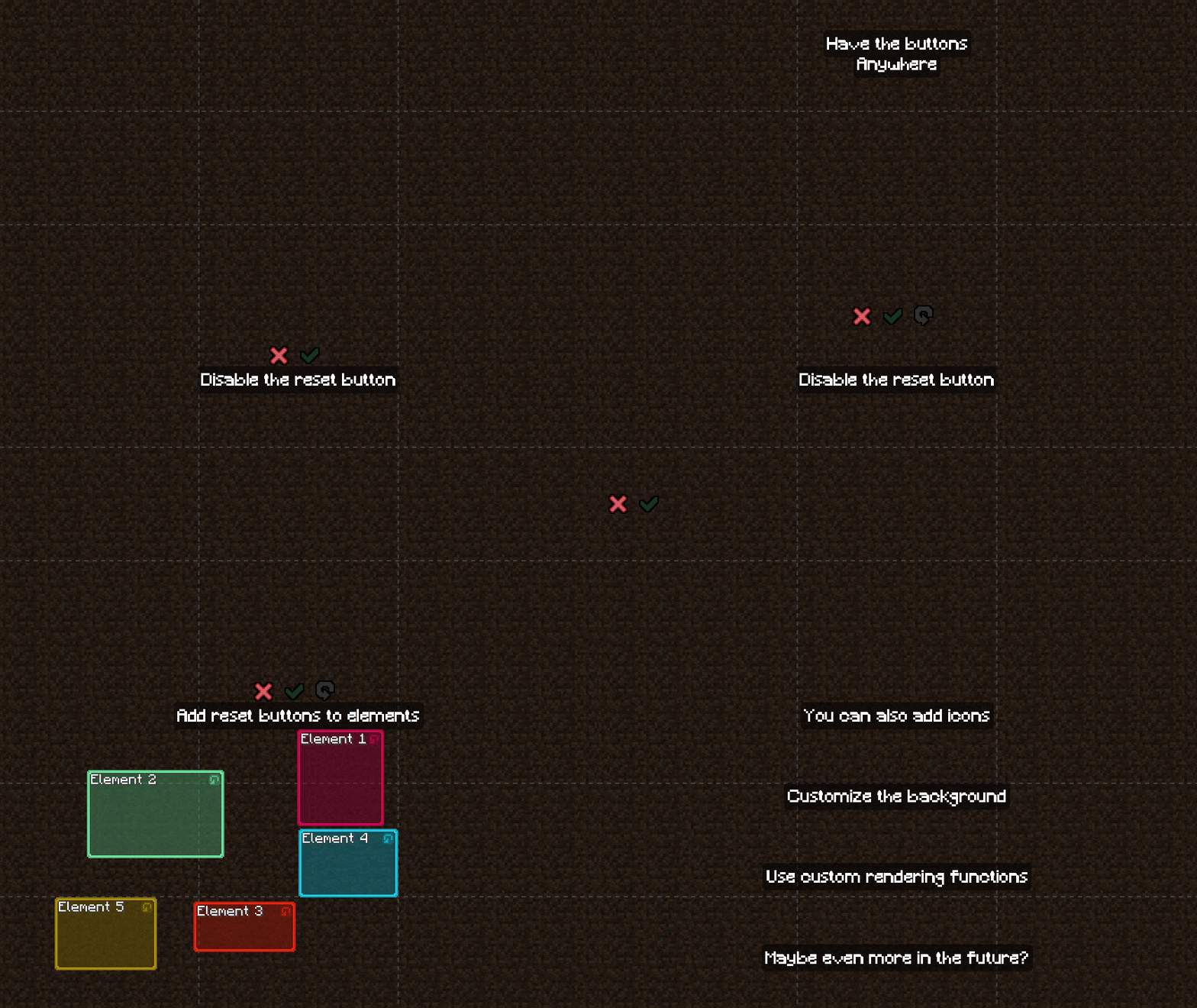
Here are some visuals to help show what this does:
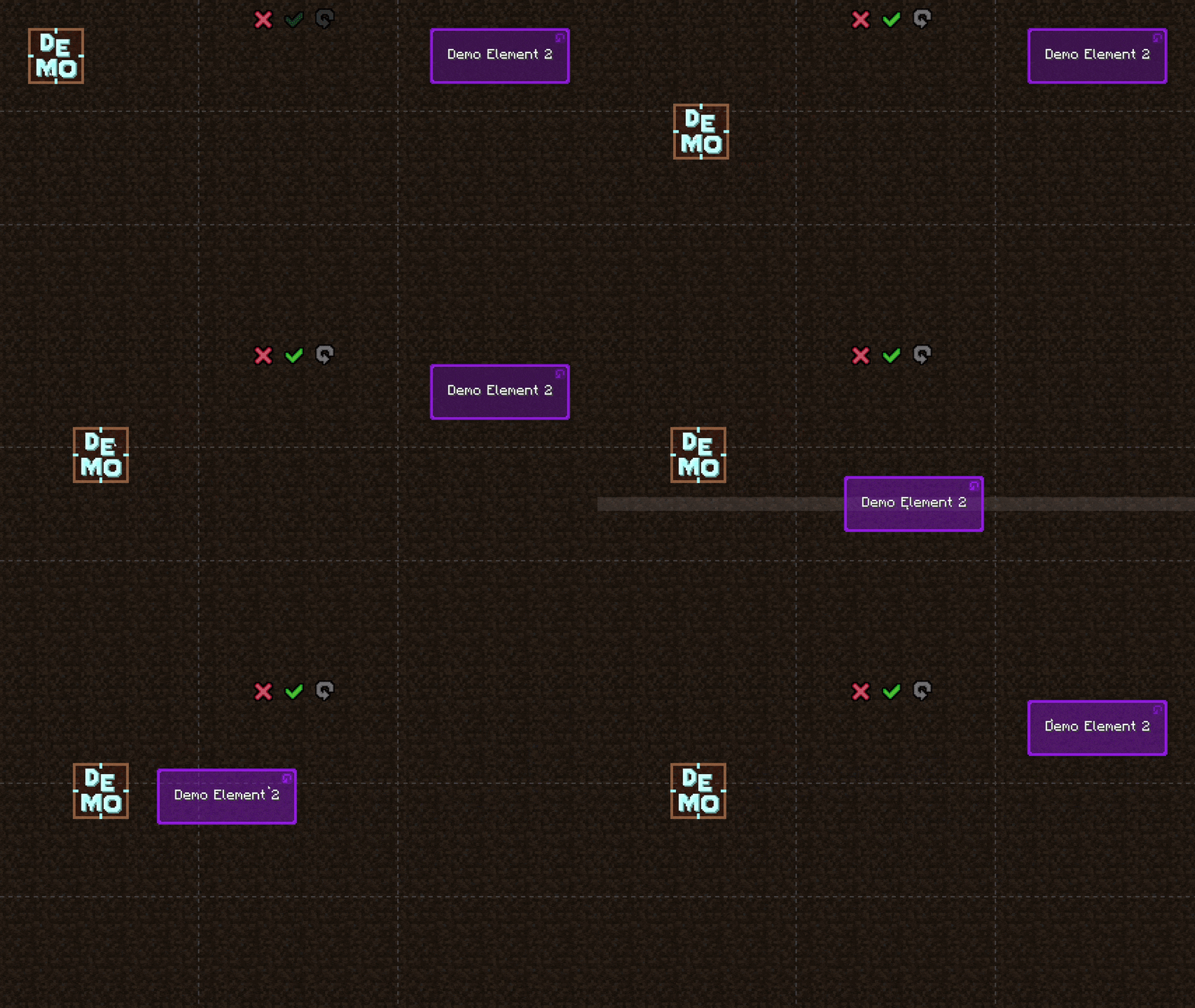
A more practical example, moving chat around:
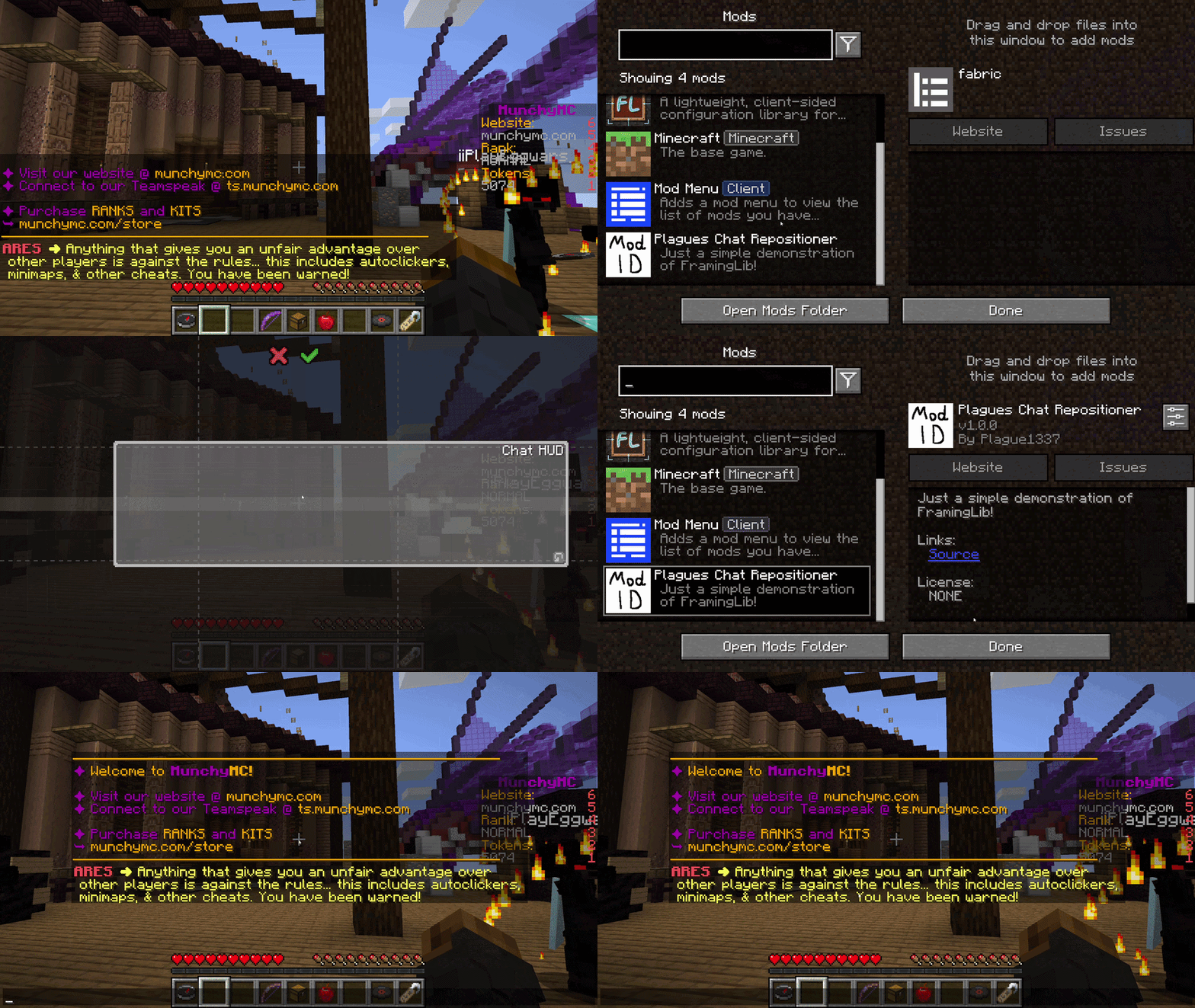
⚠️ To remain flexible, this library does not automatically save or load layout data to the disk. Developers are responsible for serializing the layout object (into JSON/YAML/INI/your preferred config format) and deserializing it when the game initializes.
⚠️️ This is a library mod, and does nothing on its own.
Put the jar file in your mods folder and you're good to go!
For Fabric and Quilt version, you probably also need to put ModMenu in your mods folder.
Developer documentation can be accessed here
| Minecraft | Fabric | Quilt | Forge | NeoForge |
|---|---|---|---|---|
| 26.2 | ⏳ | ⏳ | ⏳ | ⏳ |
| 26.1.2 | ⏳ | ⏳ | ⏳ | ⏳ |
| 26.1.1 | ⏳ | ⏳ | ⏳ | ⏳ |
| 26.1 | ⏳ | ⏳ | ⏳ | ⏳ |
| 1.21.11 | ⏳ | ⏳ | ⏳ | ⏳ |
| 1.21.10 | ⏳ | ⏳ | ⏳ | ⏳ |
| 1.21.9 | ⏳ | ⏳ | ⏳ | ⏳ |
| 1.21.8 | ⏳ | ⏳ | ⏳ | ⏳ |
| 1.21.7 | ⏳ | ⏳ | ⏳ | ⏳ |
| 1.21.6 | ⏳ | ⏳ | ⏳ | ⏳ |
| 1.21.5 | ⏳ | ⏳ | ⏳ | ⏳ |
| 1.21.4 | ⏳ | ⏳ | ⏳ | ⏳ |
| 1.21.3 | ⏳ | ⏳ | ⏳ | ⏳ |
| 1.21.2 | ⏳ | ⏳ | ⏳ | ⏳ |
| 1.21.1 | ⏳ | ⏳ | ⏳ | ⏳ |
| 1.21 | ⏳ | ⏳ | ⏳ | ⏳ |
| 1.20.6 | ⏳ | ⏳ | ⏳ | ⏳ |
| 1.20.5 | ⏳ | ⏳ | ⏳ | ⏳ |
| 1.20.4 | ⏳ | ⏳ | ⏳ | ⏳ |
| 1.20.3 | ❌ | ❌ | ❌ | ❌ |
| 1.20.2 | ⏳ | ⏳ | ⏳ | ⏳ |
| 1.20.1 | ⏳ | ⏳ | ⏳ | ⏳ |
| 1.20 | ⏳ | ⏳ | ⏳ | ❌ |
| 1.19.4 | ⏳ | ⏳ | ⏳ | ❌ |
| 1.19.3 | ⏳ | ⏳ | ⏳ | ❌ |
| 1.19.2 | ⏳ | ⏳ | ⏳ | ❌ |
| 1.19.1 | ⏳ | ⏳ | ⏳ | ❌ |
| 1.19 | ⏳ | ⏳ | ⏳ | ❌ |
| 1.18.2 | ✅(1.0.6) | ✅(1.0.6) | ✅(1.0.6) | ❌ |
| 1.18.1 | ✅(1.0.5) | ✅(1.0.5) | ✅(1.0.5) | ❌ |
| 1.18 | ✅(1.0.4) | ✅(1.0.4) | ✅(1.0.4) | ❌ |
| 1.17.1 | ✅(1.0.3) | ✅(1.0.3) | ✅(1.0.3) | ❌ |
| 1.17 | ❌ | ❌ | ❌ | ❌ |
| 1.16.5 | ✅(1.0.2) | ✅(1.0.2) | ✅(1.0.2) | ❌ |
✅ - Supported ⏳ - Planned ⏳ - Not supported
Notes:
Project description from Modrinth.
Pick your setup
Choose the version and loader you play, then open the matching release.
Check the dependencies, then try the file in a copied instance before changing a world you care about.
Recent files
framinglib-1.18.2-fabric-1.0.6.jar
24 Aug 2026
framinglib-1.18.1-fabric-1.0.5.jar
24 Aug 2026
framinglib-1.18-fabric-1.0.4.jar
24 Aug 2026
framinglib-1.17.1-fabric-1.0.3.jar
24 Aug 2026
framinglib-1.16.5-fabric-1.0.2.jar
11 Aug 2026
framinglib-1.16.5-fabric-1.0.1.jar
11 Aug 2026
framinglib-1.16.5-fabric-1.0.0.jar
30 Jul 2026
Looking for an older file? The official Modrinth project page is in Resources.