Fabric API Needed by MobManagement 1.0.1
requiredNo matching file

Modrinth · Minecraft mod
This mod allowes you to prevent mobs from spawning with certain items.
Quick answer
MobManagement 1.0.1 targets 1.20.3 with Fabric. Installation on the client is optional. Installation on the dedicated server is optional. 1 required mod needs a matching file.
Where it goes
Installation on the client is optional. Installation on the dedicated server is optional.
The source marks this as usable on both the client and server.
1.0.1 on 1.20.3. Every mod below is checked against that same setup.
Install Fabric API first, but 1 required mod has no matching file for this setup. Do not mix loader builds to force a match.
We only count dependency files that match this setup. A file for another loader does not fill the gap.
Before you install it
Built for MobManagement 1.0.1 on 1.20.3. Pick another file and the loader, install side or required mods may change.
Use 1.0.1. It targets 1.20.3 with Fabric; another release may have different loader, side or dependency requirements.
Install Fabric API first, but 1 required mod has no matching file for this setup. Do not mix loader builds to force a match.
Installation on the client is optional. Installation on the dedicated server is optional.
Use the “Get this file” button beside 1.0.1. It opens that exact file at the source.
About this project
Here you go!
With this mod you can customize with wich items mobs can or can not spawn!
You add items by going into the config screen(RSHIFT),
select the mob from whom you want to edit the blacklist, enter the item id and click add to blacklist.
To view the blacklist you can either click the show blacklist button or hover over the button of a specific mob whose blacklist you want to see.
Please note: This mod is in very early development and bugs are to be expected.
More mobs are going to be added to the mod and the gui will improve.
Press right shift to enter the item selection menu. And yes, the Mob Managenemt message says Zombie Management. Why? Im to lazy to fix it.
Project description from Modrinth.
Pick your setup
Choose the version and loader you play, then open the matching release.
Check the dependencies, then try the file in a copied instance before changing a world you care about.
Recent files
1.20.3 mob-management-1.0.1.jar
26 Jul 2024
Looking for an older file? The official Modrinth project page is in Resources.
 mod
Copper Rails, chaining minecarts and a lot more! If you want a Minecart Update - This is it.
 mod
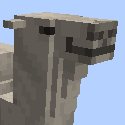
This mod adds Bactrian Camel variants that are all tameable and rideable. Bactrian Camels can only have one player riding them at a time, but can equip a chest for extra storage
 mod
An Iron's spells addon that adds compatibility with alot of other cool mods