Minecraft version
Back to mods 
Modrinth · Minecraft mod
Neo Hammers
Adds hammers that let you mine large areas in no time!
Choose a version Pick your version below, then grab the matching file.
Quick answer
Which Neo Hammers release should I use?
Latest stable file 4.0.1+mc26.3
Game version 26.3
Loader NeoForge
Neo Hammers 4.0.1+mc26.3 targets 26.3 with NeoForge. Installation on the client is optional. Installation on the dedicated server is optional. No extra mods listed for this file.
Where it goes
Is Neo Hammers required on the client, server, or both?
Installation on the client is optional. Installation on the dedicated server is optional.
Client Optional
Dedicated server Optional
Loader for this release NeoForge
Required install it here Optional supported, not mandatory Not supported do not install here Source doesn’t say do not assume
The source marks this as usable on both the client and server.
What else does Neo Hammers 4.0.1+mc26.3 need?
4.0.1+mc26.3. Change the file and its required mods may change too.
This file does not list any required mods. Do not add a library just because a different file uses it.
This file does not list any required or optional mods.
Before you install it
Add Neo Hammers without breaking your instance.
Built for Neo Hammers 4.0.1+mc26.3. Pick another file and the loader, install side or required mods may change.
- 01
Stick to this file
Use 4.0.1+mc26.3. It targets 26.3 with NeoForge; another release may have different loader, side or dependency requirements.
- 02
Bring the mods it needs
This file does not list any required mods. Do not add a library just because a different file uses it.
- 03
Put it on the correct side
Installation on the client is optional. Installation on the dedicated server is optional.
- 04
Pick the file you checked
Use the “Get this file” button beside 4.0.1+mc26.3. It opens that exact file at the source.
About this project
What does Neo Hammers add?
Neo Hammers

About 📖
This mod adds hammers that let you mine large areas in no time!
Hammers are new multi-tool items. They allow you to mine almost anything!
But they don't allow you large areas yet. That's what the new enchantment,
Hammering, is for.
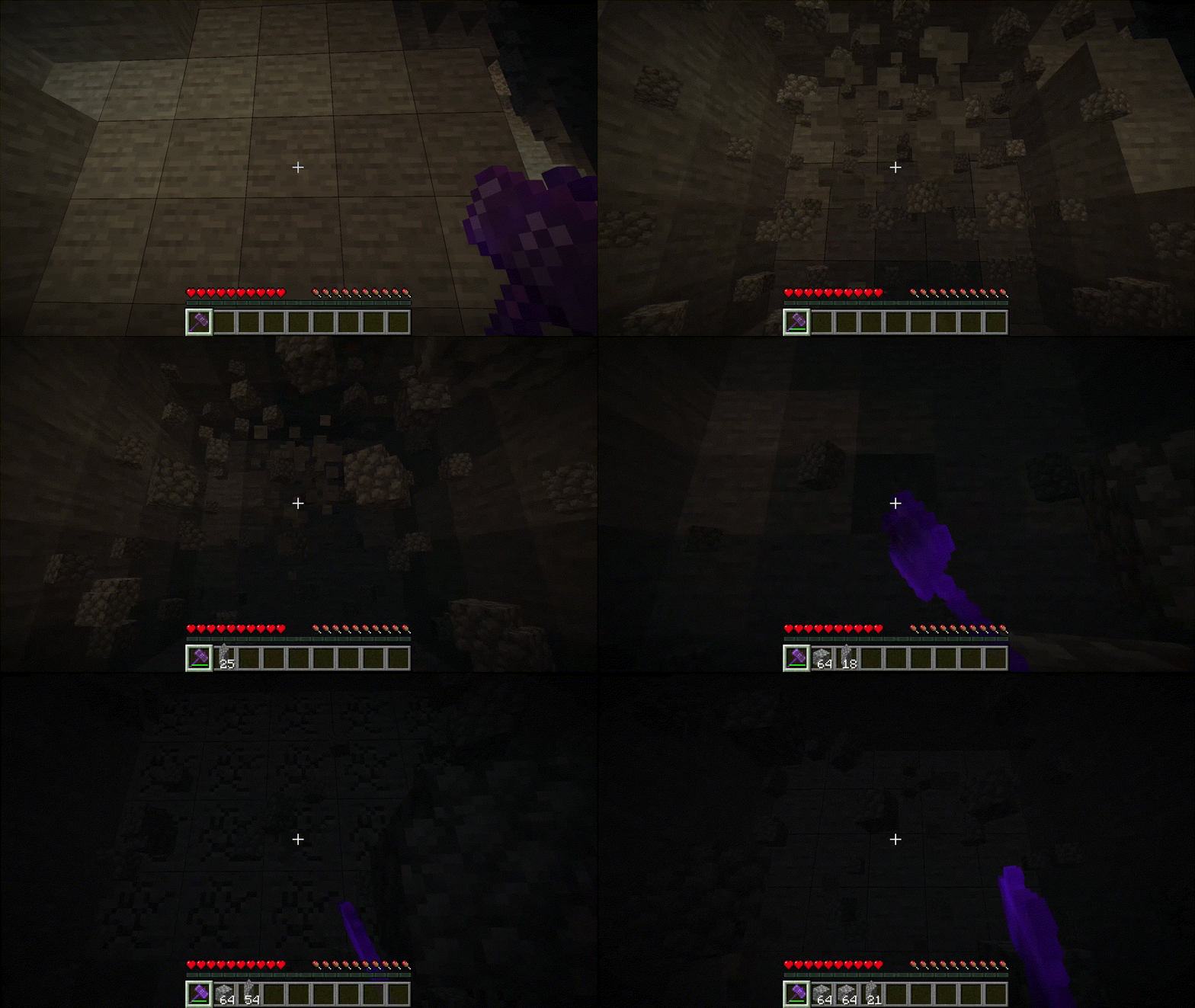
Hammering has a total of 6 levels. Each level increases the area that can
be mined with a hammer. For the first 3 levels, it increases the mining area to 3x3,
with the depth being based on the level. Starting at level 4,
it enlarges the mining area to 5x5.
You can get Hammering 1 to 3 from an enchanting table or a librarian. Every level after 3 can only
be obtained from ominous vaults.
Showcase 🖼️
Hammering (Enchantment) 📕
Hammering III
Hammering VI
FAQ ❓
Where can I see the recipes for this mod?
You can either install a recipe viewer like JEI/EMI or use Minecraft's recipe book.
What's going to happen to Hammering?
It's being archived. Since Architectury has barely received ports or updates,
it's becoming increasingly difficult to work with. Because of this,
I've spent a lot of time thinking about the future of my (three) mods and how
to maintain them.
At first, I considered creating another library, but I decided against that because
of some other factors.
In the end, I decided to switch to NeoForge. It offers many useful utilities
for this mod and is updated more frequently than Architectury.
Where can I report issues? // Where can I create feature requests?
You can report issues and create feature request here.
Project description from Modrinth.
Pick your setup
Neo Hammers by Minecraft version and loader
Choose the version and loader you play, then open the matching release.
Minecraft version
26.2
1 loader buildMinecraft version
26.1.2
1 loader buildMinecraft version
26.1.1
1 loader buildMinecraft version
26.1
1 loader buildMinecraft version
1.21.1
1 loader buildMinecraft version
1.21
1 loader buildCheck the dependencies, then try the file in a copied instance before changing a world you care about.
Recent files
Neo Hammers versions and loaders
4.0.1+mc26.3
neohammers-4.0.1+mc26.3.jar
30 Sept 2026
Client Optional Server Optional Dependencies No extras listed Listed on Release listing
Check the 26.3 · NeoForge setup 26.3NeoForge release
4.0.0+mc26.3
neohammers-4.0.0+mc26.3.jar
16 Sept 2026
Client Optional Server Optional Dependencies No extras listed Listed on Release listing
Check the 26.3 · NeoForge setup 26.3NeoForge release
3.0.1+mc26.2
neohammers-3.0.1+mc26.2.jar
1 Jul 2026
Client Optional Server Optional Dependencies No extras listed Listed on Release listing
Check the 26.2 · NeoForge setup 26.2NeoForge release
2.1.1+mc26.1.2
neohammers-2.1.1+mc26.1.2.jar
1 Jul 2026
Client Optional Server Optional Dependencies No extras listed Listed on Release listing
Check the 26.1.2 · NeoForge setup 26.126.1.126.1.2NeoForge release
1.1.1+mc1.21.1
neohammers-1.1.1+mc1.21.1.jar
1 Jul 2026
Client Optional Server Optional Dependencies No extras listed Listed on Release listing
Check the 1.21.1 · NeoForge setup 1.211.21.1NeoForge release
3.0.0+mc26.2
neohammers-3.0.0+mc26.2.jar
17 Jun 2026
Client Optional Server Optional Dependencies No extras listed Listed on Release listing
Check the 26.2 · NeoForge setup 26.2NeoForge release
2.1.0+mc26.1.2
neohammers-2.1.0+mc26.1.2.jar
16 Jun 2026
Client Optional Server Optional Dependencies No extras listed Listed on Release listing
Check the 26.1.2 · NeoForge setup 26.126.1.126.1.2NeoForge release
1.1.0+mc1.21.1
neohammers-1.1.0+mc1.21.1.jar
16 Jun 2026
Client Optional Server Optional Dependencies No extras listed Listed on Release listing
Check the 1.21.1 · NeoForge setup 1.211.21.1NeoForge release
2.0.0+mc26.1.2
neohammers-2.0.0+mc26.1.2.jar
23 May 2026
Client Optional Server Optional Dependencies No extras listed Listed on Release listing
Check the 26.1.2 · NeoForge setup 26.126.1.126.1.2NeoForge release
1.0.1+mc1.21.1
neohammers-1.0.1+mc1.21.1.jar
23 May 2026
Client Optional Server Optional Dependencies No extras listed Listed on Release listing
Check the 1.21.1 · NeoForge setup 1.211.21.1NeoForge release
1.0.0+mc1.21.1
neohammers-1.0.0+mc1.21.1.jar
9 May 2026
Client Optional Server Optional Dependencies No extras listed Listed on Release listing
Check the 1.21.1 · NeoForge setup 1.211.21.1NeoForge release
Looking for an older file? The official Modrinth project page is in Resources.