Minecraft version
Back to mods 
Modrinth · Minecraft mod
Scarify
Make mobs afraid of players! Different players can be scary or not, and have custom scare-ranges
Choose a version Pick your version below, then grab the matching file.
Quick answer
Which Scarify release matches 1.20.6?
Best match for your filters 1.0.2-1.20.1
Game version 1.20.1, 1.20.2, 1.20.3
Loader Fabric
Scarify 1.0.2-1.20.1 targets 1.20.1, 1.20.2, 1.20.3 with Fabric. Do not install it on the client. It must be installed on the dedicated server. No extra mods listed for this file.
Where it goes
Is Scarify required on the client, server, or both?
Do not install it on the client. It must be installed on the dedicated server.
Client Not supported
Dedicated server Required
Loader for this release Fabric
Required install it here Optional supported, not mandatory Not supported do not install here Source doesn’t say do not assume
This file is marked server-only.
What else does Scarify 1.0.2-1.20.1 need?
1.0.2-1.20.1 on 1.20.6. Every mod below is checked against that same setup.
This file does not list any required mods. Do not add a library just because a different file uses it.
This file does not list any required or optional mods.
Before you install it
Add Scarify without breaking your instance.
Built for Scarify 1.0.2-1.20.1 on 1.20.6. Pick another file and the loader, install side or required mods may change.
- 01
Stick to this file
Use 1.0.2-1.20.1. It targets 1.20.1, 1.20.2, 1.20.3 with Fabric; another release may have different loader, side or dependency requirements.
- 02
Bring the mods it needs
This file does not list any required mods. Do not add a library just because a different file uses it.
- 03
Put it on the correct side
Do not install it on the client. It must be installed on the dedicated server.
- 04
Pick the file you checked
Use the “Get this file” button beside 1.0.2-1.20.1. It opens that exact file at the source.
About this project
What does Scarify add?
Scarify!
With Scarify, mobs will become scared of you! Much like how sheep fear wolves, or creepers fear cats, mobs will now fear you!
How to use:
- Add the Jar file to your mods folder
- Run the following command as an admin:
/scarify add <player name>
Note: Mobs only fear players in Survival and Adventure modes. Tamed mobs never fear players.
Configuration:
Scarify has a gamerule for enabling and disabling it, without needing to edit the config file. Just run /gamerule enableScarify <true|false>
Scarify uses the given mob's follow range, the range at which it can see the player, to determine when it should start fleeing from you. Your visibility scale in the Pehkui mod is also taken into account.
Scarify features custom distance overrides, if you don't like the calculated range. These can be enabled with /scarify distanceOverride set <player name> <distance in blocks>, and can be removed with /scarify distanceOverride reset <player name>
Scarify's config file is stored at: .minecraft/config/scarify.cfg
Project description from Modrinth.
Pick your setup
Scarify by Minecraft version and loader
Choose the version and loader you play, then open the matching release.
Minecraft version
1.20.5
1 loader buildMinecraft version
1.20.4
1 loader buildMinecraft version
1.20.3
1 loader buildMinecraft version
1.20.2
1 loader buildMinecraft version
1.20.1
1 loader buildCheck the dependencies, then try the file in a copied instance before changing a world you care about.
Recent files
Scarify versions and loaders
1.0.2-1.20.1
scarify-1.0.2-1.20.1.jar
8 Feb 2025
Client Not supported Server Required Dependencies No extras listed Listed on Release listing
Check the 1.20.6 · Fabric setup 1.20.11.20.21.20.31.20.4 release
Looking for an older file? The official Modrinth project page is in Resources.
 mod
Modrinth · Minecraft
Care For Them
Bring Xoonglins to your world! Build homes, meet their needs, and watch their civilization grow. Fully customizable and perfect for modpacks!
 mod
CurseForge · Minecraft
Secrets of the Sunken
Underwater trader villages, hostile deep-sea raiders, and a Boss that drags you under. And more to come.
 mod
CurseForge · Minecraft
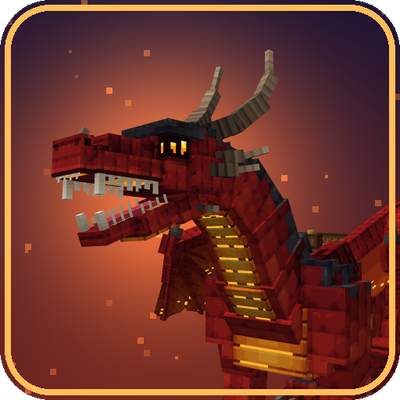
Dragons
Tame, saddle and fly six elemental dragons, each dragon with its own animated model and ability: fire breath, frost breath, lightning, venom, void blink and tidal jet.