Minecraft version
Back to mods 
CurseForge · Minecraft mod
The Kabbalah Block
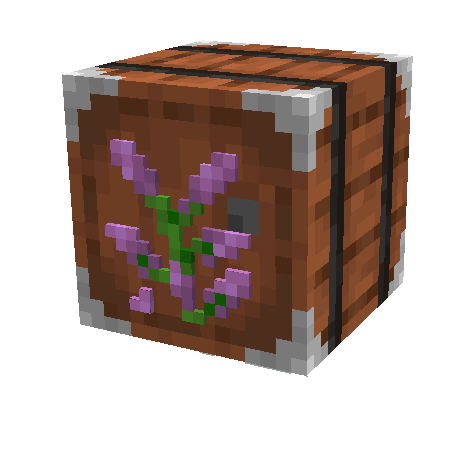
A block that drops characters from the English language that you can use to craft things.
Choose a version Pick your version below, then grab the matching file.
Quick answer
Which The Kabbalah Block release should I use?
Latest stable file The-Kabbalah-Block-2.0.1-MC26.3-NeoForge.jar
Game version 26.3
Loader NeoForge
The Kabbalah Block The-Kabbalah-Block-2.0.1-MC26.3-NeoForge.jar targets 26.3 with NeoForge. The project page does not say whether this file belongs on the client, dedicated server, or both. No extra mods listed for this file.
Where it goes
Is The Kabbalah Block required on the client, server, or both?
The project page does not say whether this file belongs on the client, dedicated server, or both.
Client Source doesn’t say
Dedicated server Source doesn’t say
Loader for this release NeoForge
Required install it here Optional supported, not mandatory Not supported do not install here Source doesn’t say do not assume
The source does not explicitly classify this release as client-only or server-only.
What else does The Kabbalah Block The-Kabbalah-Block-2.0.1-MC26.3-NeoForge.jar need?
The-Kabbalah-Block-2.0.1-MC26.3-NeoForge.jar. Change the file and its required mods may change too.
This file does not list any required mods. Do not add a library just because a different file uses it.
This file does not list any required or optional mods.
Before you install it
Add The Kabbalah Block without breaking your instance.
Built for The Kabbalah Block The-Kabbalah-Block-2.0.1-MC26.3-NeoForge.jar. Pick another file and the loader, install side or required mods may change.
- 01
Stick to this file
Use The-Kabbalah-Block-2.0.1-MC26.3-NeoForge.jar. It targets 26.3 with NeoForge; another release may have different loader, side or dependency requirements.
- 02
Bring the mods it needs
This file does not list any required mods. Do not add a library just because a different file uses it.
- 03
Put it on the correct side
The project page does not say whether this file belongs on the client, dedicated server, or both.
- 04
Pick the file you checked
Use the “Get this file” button beside The-Kabbalah-Block-2.0.1-MC26.3-NeoForge.jar. It opens that exact file at the source.
About this project
What does The Kabbalah Block add?
If you want a server setup using Kabbalah Block, The with zero effort, get a server with BisectHosting and receive 25% off your first month as a new customer using the code kreezxil


The Kabbalah Block Mod adds a single block meant to be used with void worlds or specialized worlds that are composed of just this block. See my pack
https://www.curseforge.com/minecraft/modpacks/kabbalah-block for an example of what I am talking about. By itself the block doesn't have recipes. I recommend
https://www.curseforge.com/minecraft/mc-mods/kabbalah-block-recipe-pack to get some starting recipes. The recipe pack is a data pack masquerading as a mod so you can easily change its recipes. Once you're comfortable with it, I have found that using Crafttweaker and KubeJS is a much better way to manipulate the recipes. See the scripts section of the Kabbalah Block pack.
See https://www.curseforge.com/minecraft/mc-mods/the-kabbalah-block/screenshots for images of what this block provides.
Project description from CurseForge.
Pick your setup
The Kabbalah Block by Minecraft version and loader
Choose the version and loader you play, then open the matching release.
Minecraft version
26.2
2 loader buildsMinecraft version
26.1.2
2 loader buildsMinecraft version
1.20.1
1 loader buildMinecraft version
1.19.2
1 loader buildCheck the dependencies, then try the file in a copied instance before changing a world you care about.
Recent files
The Kabbalah Block versions and loaders
The-Kabbalah-Block-2.0.1-MC26.3-NeoForge.jar
11 Nov 2026
Client Source doesn’t say Server Source doesn’t say Dependencies No extras listed Listed on Release listing
Check the 26.3 · NeoForge setup NeoForge26.3 release
thekabbalahblock-neoforge-26.2-1.8.0.jar
16 Aug 2026
Client Source doesn’t say Server Source doesn’t say Dependencies No extras listed Listed on Release listing
Check the 26.2 · NeoForge setup NeoForge26.2 release
thekabbalahblock-neoforge-26.1.2-1.7.0.jar
16 Aug 2026
Client Source doesn’t say Server Source doesn’t say Dependencies No extras listed Listed on Release listing
Check the 26.1.2 · NeoForge setup NeoForge26.1.2 release
thekabbalahblock-fabric-26.2-1.8.0.jar
16 Aug 2026
Client Source doesn’t say Server Source doesn’t say Dependencies No extras listed Listed on Release listing
Check the 26.2 · Fabric setup Fabric26.2 release
thekabbalahblock-fabric-26.1.2-1.7.0.jar
16 Aug 2026
Client Source doesn’t say Server Source doesn’t say Dependencies No extras listed Listed on Release listing
Check the 26.1.2 · Fabric setup Fabric26.1.2 release
thekabbalahblock-1.6.8.jar
21 Jun 2026
Client Source doesn’t say Server Source doesn’t say Dependencies No extras listed Listed on Release listing
Check the 1.19.2 · Forge setup Forge1.19.2 release
thekabbalahblock-1.20.1-1.1.2.jar
14 Sept 2023
Client Source doesn’t say Server Source doesn’t say Dependencies No extras listed Listed on Release listing
Check the 1.20.1 · Forge setup 1.20.1Forge release
1.20.1-1.0.1
thekabbalahblock-1.0.1.jar
1 Aug 2023
Client Source doesn’t say Server Source doesn’t say Dependencies No extras listed Listed on Release listing
Check the 1.20.1 · Forge setup 1.20.1Forge release
thekabbalahblock-1.6.7.jar
25 May 2023
Client Source doesn’t say Server Source doesn’t say Dependencies No extras listed Listed on Release listing
Check the 1.19.2 · Forge setup 1.19.2Forge release
thekabbalahblock-1.4.5.jar
27 Jan 2023
Client Source doesn’t say Server Source doesn’t say Dependencies No extras listed Listed on Release listing
Check the 1.19.2 · Forge setup 1.19.2Forge release
thekabbalahblock-1.3.4.jar
24 Jan 2023
Client Source doesn’t say Server Source doesn’t say Dependencies No extras listed Listed on Release listing
Check the 1.19.2 · Forge setup 1.19.2Forge release
thekabbalahblock-1.2.3.jar
20 Jan 2023
Client Source doesn’t say Server Source doesn’t say Dependencies No extras listed Listed on Release listing
Check the 1.19.2 · Forge setup 1.19.2Forge release
Looking for an older file? The official CurseForge project page is in Resources.
 mod
CurseForge + Modrinth · Minecraft
Sophisticated Storage
Storage mod with multiple tiers and functional upgrades
 mod
CurseForge + Modrinth · Minecraft
Sophisticated Core
Library mod for Sophisticated mods
 mod
Modrinth · Minecraft
Voice Bridge for e4mc
Routes Simple Voice Chat through an e4mc-shared Minecraft connection without UDP port forwarding.