Minecraft version
Back to mods 
CurseForge · Minecraft mod
Colorful Trees
Adds color variants of logs, planks, and leaves from Minecraft
Choose a version Pick your version below, then grab the matching file.
Quick answer
Which Colorful Trees release should I use?
Latest stable file colortrees-1.19.2-1.1a.jar
Game version 1.19.2
Loader Forge
Colorful Trees colortrees-1.19.2-1.1a.jar targets 1.19.2 with Forge. The project page does not say whether this file belongs on the client, dedicated server, or both. No extra mods listed for this file.
Where it goes
Is Colorful Trees required on the client, server, or both?
The project page does not say whether this file belongs on the client, dedicated server, or both.
Client Source doesn’t say
Dedicated server Source doesn’t say
Loader for this release Forge
Required install it here Optional supported, not mandatory Not supported do not install here Source doesn’t say do not assume
The source does not explicitly classify this release as client-only or server-only.
What else does Colorful Trees colortrees-1.19.2-1.1a.jar need?
colortrees-1.19.2-1.1a.jar. Change the file and its required mods may change too.
This file does not list any required mods. Do not add a library just because a different file uses it.
This file does not list any required or optional mods.
Before you install it
Add Colorful Trees without breaking your instance.
Built for Colorful Trees colortrees-1.19.2-1.1a.jar. Pick another file and the loader, install side or required mods may change.
- 01
Stick to this file
Use colortrees-1.19.2-1.1a.jar. It targets 1.19.2 with Forge; another release may have different loader, side or dependency requirements.
- 02
Bring the mods it needs
This file does not list any required mods. Do not add a library just because a different file uses it.
- 03
Put it on the correct side
The project page does not say whether this file belongs on the client, dedicated server, or both.
- 04
Pick the file you checked
Use the “Get this file” button beside colortrees-1.19.2-1.1a.jar. It opens that exact file at the source.
About this project
What does Colorful Trees add?
Colorful Trees is a small Vanilla+ mod intended to add more build variety to the game. Colorful Trees currently adds in colored variants of Oak Logs, Birch Logs, Oak Planks, and Oak Leaves. The colors added were determined by the dyes already present in Vanilla Minecraft. In order to get the new colorful blocks, you'll need to make a Blank Paint Roller. Then, combine the Blank Paint Roller with the paint of your desired color. You now have a -insert desired color here- Paint Roller! You can combine this with any of the vanilla blocks mentioned prior to get the color variant. Paint Rollers only have 64 uses before they run out of paint, so if you want to make more you'll need to make more paint. Have fun!
Note: The leaves do not function exactly the same as vanilla leaves, in that you cannot break them for sticks/saplings/etc. Also, you do not need a tool to break them if you misplace the block.
Thanks for 50 downloads! I've added in variants for stairs. They behave the same as normal stairs. If anyone has blocks they want implemented, feel free to comment.
FAQ:
Q: Can Colorful Trees be included in my modpack?
A: Yes.
Q: Will variants for the other vanilla logs be created?
A: Variants for Spruce, Acacia, and Dark Oak will not be created. These logs type are already recolored Oak Logs, so it seems redundant to make variants for them. Jungle Logs are a possibility, as well as other leaf varieties, if people want them.
Project description from CurseForge.
Pick your setup
Colorful Trees by Minecraft version and loader
Choose the version and loader you play, then open the matching release.
Minecraft version
1.19.2
1 loader buildMinecraft version
1.19.1
1 loader buildMinecraft version
1.19
1 loader buildMinecraft version
1.18.2
1 loader buildMinecraft version
1.18.1
1 loader buildMinecraft version
1.18
1 loader buildCheck the dependencies, then try the file in a copied instance before changing a world you care about.
Recent files
Colorful Trees versions and loaders
colortrees-1.19.2-1.1a.jar
29 Jan 2023
Client Source doesn’t say Server Source doesn’t say Dependencies No extras listed Listed on Release listing
Check the 1.19.2 · Forge setup 1.19.2Forge release
colortrees-1.19.3-1.1.jar
29 Jan 2023
Client Source doesn’t say Server Source doesn’t say Dependencies No extras listed Listed on Release listing
Check the 1.19.3 · Forge setup 1.19.3Forge release
colortrees-1.19.2-1.1.jar
29 Jan 2023
Client Source doesn’t say Server Source doesn’t say Dependencies No extras listed Listed on Release listing
Check the 1.19.2 · Forge setup 1.19.2Forge release
colortrees-1.18.2-1.1.jar
29 Jan 2023
Client Source doesn’t say Server Source doesn’t say Dependencies No extras listed Listed on Release listing
Check the 1.18.2 · Forge setup 1.18.11.18.2Forge1.18 release
colortrees-1.19.3-1.0.jar
24 Jan 2023
Client Source doesn’t say Server Source doesn’t say Dependencies No extras listed Listed on Release listing
Check the 1.19.3 · Forge setup 1.19.3Forge release
colortrees-1.19.2-1.0.jar
23 Jan 2023
Client Source doesn’t say Server Source doesn’t say Dependencies No extras listed Listed on Release listing
Check the 1.19.2 · Forge setup 1.19.2Forge1.19.11.19 release
colortrees-1.0.jar
23 Jan 2023
Client Source doesn’t say Server Source doesn’t say Dependencies No extras listed Listed on Release listing
Check the 1.18.2 · Forge setup 1.18.11.18.2Forge release
Looking for an older file? The official CurseForge project page is in Resources.
 mod
CurseForge · Minecraft
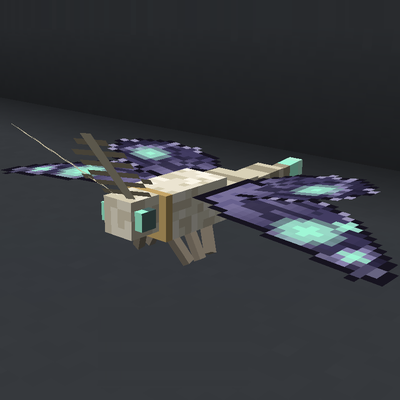
Mothlight
Raise a glowing companion moth, catch, jar and breed 48 wild moths, fly a Great Lumen, and wear a Mothman shawl that opens into wings.
 mod
CurseForge · Minecraft
Chiseleded OG - Chisel & 2000+ Decorative Blocks
Chisel any block into new styles: 2,264 decorative building blocks from stone, concrete, wood, metal and glass, with stairs, slabs, walls and panes. Three chisels, endless builds.
 mod
CurseForge · Minecraft
XP RPG: Average DPS
Real-time global damage meter