Minecraft version
Back to mods 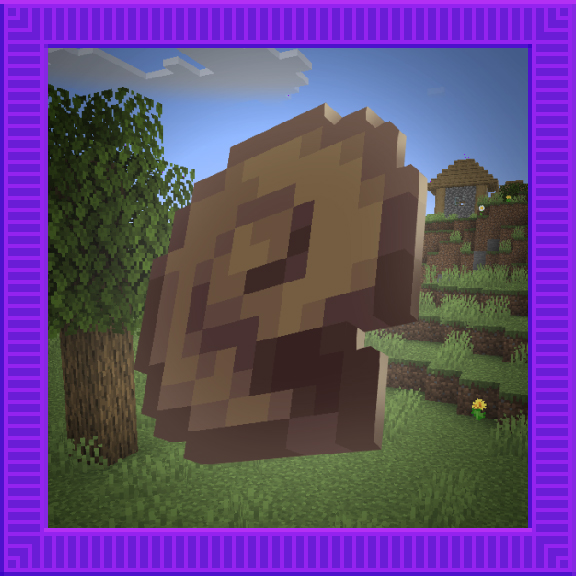
CurseForge · Minecraft mod
Overwhelmed
Overhauling and adding new features to the Overworld's surface!
Choose a version Pick your version below, then grab the matching file.
Quick answer
Which Overwhelmed release should I use?
Latest stable file NeoForge 1.0.0 Release
Game version 1.20.4
Loader NeoForge
Overwhelmed NeoForge 1.0.0 Release targets 1.20.4 with NeoForge. The project page does not say whether this file belongs on the client, dedicated server, or both. No extra mods listed for this file.
Where it goes
Is Overwhelmed required on the client, server, or both?
The project page does not say whether this file belongs on the client, dedicated server, or both.
Client Source doesn’t say
Dedicated server Source doesn’t say
Loader for this release NeoForge
Required install it here Optional supported, not mandatory Not supported do not install here Source doesn’t say do not assume
The source does not explicitly classify this release as client-only or server-only.
What else does Overwhelmed NeoForge 1.0.0 Release need?
NeoForge 1.0.0 Release. Change the file and its required mods may change too.
This file does not list any required mods. Do not add a library just because a different file uses it.
This file does not list any required or optional mods.
Before you install it
Add Overwhelmed without breaking your instance.
Built for Overwhelmed NeoForge 1.0.0 Release. Pick another file and the loader, install side or required mods may change.
- 01
Stick to this file
Use NeoForge 1.0.0 Release. It targets 1.20.4 with NeoForge; another release may have different loader, side or dependency requirements.
- 02
Bring the mods it needs
This file does not list any required mods. Do not add a library just because a different file uses it.
- 03
Put it on the correct side
The project page does not say whether this file belongs on the client, dedicated server, or both.
- 04
Pick the file you checked
Use the “Get this file” button beside NeoForge 1.0.0 Release. It opens that exact file at the source.
About this project
What does Overwhelmed add?



Overwhelmed is a Minecraft mod that focuses on enhancing the atmosphere and gameplay of Minecraft's Overworld surface. It achieves this by introducing new flora and fauna systems for ambience and adding new biomes to explore.

Features
- New flora system: Discover a wide variety of vibrant and immersive plant life, including colorful flowers, towering trees, and unique vegetation in different biomes.
- New fauna system: Encounter new animals and creatures in the game world, each with their own behaviors, sounds, and interactions.
- New biomes: Explore exciting and visually stunning biomes that offer unique terrain generation, environmental effects, and resources.
- Enhanced atmosphere: Immerse yourself in an enhanced Overworld experience with improved ambiance, realistic sounds, and visual effects.
- Improved gameplay: Enjoy a more dynamic and engaging gameplay experience with the addition of new features, such as interactive plants and wildlife.
Details:
Natural Blocks:
- Soil
- Floff (Flower)
- Paine (Flower)
- Pink Lavatera (Flower)
- White Lavatera (Flower)
- Squirl (Flower)
- Ringot (Flower)
- Snowdrop (Flower)
- Bell Sunflower (Flower)
- Widow (Flower)
- Gold Bead
- Ice Cube
- Pebble
- Goo Block
Building Blocks:
- Snail Shell Brick
- Snail Shell Brick Stairs
- Snail Shell Brick Slab
- Snail Shell Brick Wall
- Chiseled Snail Shell Bricks
Combat:
- Blowgun
- Paper Bullet
Food & Drinks:
- Raw Snail
- Cooked Snail
- Snail Stew
Ingredients:
- Gooball
Spawn Eggs:
- Butterfly Spawn Egg
- Snail Spawn Egg
Mobs:
Butterflies:
- Cabbage Butterfly
- Cherry Butterfly
- Liverwort Butterfly
- Monarch Butterfly
- Morpho Butterfly
- Sleepy Butterfly
Snails:
- Flat Snail
- Garden Snail
- Gary
- Glass Snail
- Limestone Snail
- Liverwort Snail
- Roman Snail
Installation
NeoForge
- Make sure you have NeoForge installed. If not, you can download it here.
- Download the latest version of Overwhelmed NeoForge from the CurseForge page.
- Locate your Minecraft mods folder. This is usually located in
%APPDATA%/.minecraft/modson Windows or~/Library/Application Support/minecraft/modson macOS. - Copy the downloaded mod files into the mods folder.
- Launch Minecraft with the NeoForge profile and enjoy the new features added by Overwhelmed!
Minecraft Forge
- Make sure you have Minecraft Forge installed. If not, you can download it here.
- Download the latest version of Overwhelmed MinecraftForge from the CurseForge page.
- Locate your Minecraft mods folder. This is usually located in
%APPDATA%/.minecraft/modson Windows or~/Library/Application Support/minecraft/modson macOS. - Copy the downloaded mod files into the mods folder.
- Launch Minecraft with the Minecraft Forge profile and enjoy the new features added by Overwhelmed!
Fabric
- Make sure you have Fabric Loader installed. If not, you can download it here.
- Download the latest version of Fabric API from the CurseForge or Modrinth page.
- Download the latest version of Overwhelmed Fabric from the CurseForge page.
- Locate your Minecraft mods folder. This is usually located in
%APPDATA%/.minecraft/modson Windows or~/Library/Application Support/minecraft/modson macOS. - Copy the downloaded mod files into the mods folder.
- Launch Minecraft with the Fabric profile and enjoy the new features added by Overwhelmed!
License and Modpack Usage Terms
Overwhelmed is licensed under the GPL 3.0 or Later License with the Minecraft Linking Exception. You are free to use, modify, and distribute this mod in accordance with the terms of the license. This also means you are free to use this mod in any modpack, as long as the modpack is licensed under the same license. In addition, all mods must be licensed under a GPL-compatible license.
Contributing
Contributions to Overwhelmed are welcome! If you want to contribute to the project, please follow these steps:
- Fork the repository and clone it to your local machine.
- Make your desired changes or additions.
- Test your changes to ensure they work as expected.
- Create a new pull request, providing a detailed description of your changes and the rationale behind them.
Issues and Feedback
If you encounter any issues while using Overwhelmed or have any suggestions or feedback, please open an issue on the GitHub Issues page. Your feedback is highly appreciated, and it helps improve the mod for everyone.
Credits
Overwhelmed is developed by Endurteam
Project description from CurseForge.
Pick your setup
Overwhelmed by Minecraft version and loader
Choose the version and loader you play, then open the matching release.
Minecraft version
1.20.1
2 loader buildsMinecraft version
1.19.4
1 loader buildCheck the dependencies, then try the file in a copied instance before changing a world you care about.
Recent files
Overwhelmed versions and loaders
NeoForge 1.0.0 Release
overwhelmed-neoforge-1.0.0.jar
16 Jan 2024
Client Source doesn’t say Server Source doesn’t say Dependencies No extras listed Listed on Release listing
Check the 1.20.4 · NeoForge setup NeoForge1.20.4 release
MinecraftForge 1.0.0 Release
overwhelmed-minecraftforge-1.0.0.jar
16 Jan 2024
Client Source doesn’t say Server Source doesn’t say Dependencies No extras listed Listed on Release listing
Check the 1.20.4 · Forge setup Forge1.20.4 release
Fabric 1.0.0 Release
overwhelmed-fabric-1.0.0.jar
16 Jan 2024
Client Source doesn’t say Server Source doesn’t say Dependencies 1 required · 1 unchecked Listed on Release listing
Check the 1.20.4 · Fabric setup Fabric1.20.4 release
Forge 0.3.0 Release
overwhelmed-forge-0.3.0.jar
21 Aug 2023
Client Source doesn’t say Server Source doesn’t say Dependencies 2 required · 2 unchecked Listed on Release listing
Check the 1.20.1 · Forge setup 1.20.1Forge alpha
Fabric 0.3.0 Release
overwhelmed-fabric-0.3.0.jar.jar
21 Aug 2023
Client Source doesn’t say Server Source doesn’t say Dependencies 2 required · 2 unchecked Listed on Release listing
Check the 1.20.1 · Fabric setup Fabric1.20.1 alpha
Forge 0.2.1 Release
overwhelmed-forge-0.2.1.jar
4 Jul 2023
Client Source doesn’t say Server Source doesn’t say Dependencies 2 required · 2 unchecked Listed on Release listing
Check the 1.20.1 · Forge setup 1.20.1Forge alpha
Fabric 0.2.1 Release
overwhelmed-fabric-0.2.1.jar
4 Jul 2023
Client Source doesn’t say Server Source doesn’t say Dependencies 2 required · 2 unchecked Listed on Release listing
Check the 1.20.1 · Fabric setup Fabric1.20.1 alpha
Forge 0.2.0 Release
overwhelmed-forge-0.2.0.jar
26 Jun 2023
Client Source doesn’t say Server Source doesn’t say Dependencies 2 required · 2 unchecked Listed on Release listing
Check the 1.20.1 · Forge setup 1.20.1Forge alpha
Fabric 0.2.0 Release
overwhelmed-fabric-0.2.0.jar
26 Jun 2023
Client Source doesn’t say Server Source doesn’t say Dependencies 3 required · 3 unchecked Listed on Release listing
Check the 1.20.1 · Fabric setup Fabric1.20.1 alpha
0.1.2
Overwhelmed-1.19.4-0.1.2.jar
13 Jun 2023
Client Source doesn’t say Server Source doesn’t say Dependencies No extras listed Listed on Release listing
Check the 1.19.4 · Forge setup 1.19.4Forge alpha
0.1.1
Overwhelmed-1.19.4-0.1.1.jar
12 Jun 2023
Client Source doesn’t say Server Source doesn’t say Dependencies No extras listed Listed on Release listing
Check the 1.19.4 · Forge setup 1.19.4Forge alpha
0.1
Overwhelmed-1.19.4-0.1.jar
11 Jun 2023
Client Source doesn’t say Server Source doesn’t say Dependencies No extras listed Listed on Release listing
Check the 1.19.4 · Forge setup 1.19.4Forge alpha
Looking for an older file? The official CurseForge project page is in Resources.
 mod
CurseForge + Modrinth · Minecraft
Dynamic Trees - BetterEnd
Compatibility addon between Dynamic Trees and BetterEnd
 mod
CurseForge + Modrinth · Minecraft
Dynamic Trees - BetterNether
Compatibility between Dynamic Trees and BetterNether
 mod
CurseForge + Modrinth · Minecraft
Ore Food
Added diversified foods with durability to MC.