Project 5EbA5aZn Needed by Day Length day_length-2025.3.1.0-forge-1.14.4.jar
requiredStill checking

CurseForge · Minecraft mod
Change how long a Minecraft day lasts and sync it with real-world time.
Quick answer
Day Length day_length-2025.3.1.0-forge-1.14.4.jar targets 1.14.4 with Forge. The project page does not say whether this file belongs on the client, dedicated server, or both. 1 required mod needs checking.
Where it goes
The project page does not say whether this file belongs on the client, dedicated server, or both.
The source does not explicitly classify this release as client-only or server-only.
day_length-2025.3.1.0-forge-1.14.4.jar on 1.14.4. Every mod below is checked against that same setup.
Install project 5EbA5aZn first. 1 required mod still needs checking for this exact setup.
We only count dependency files that match this setup. A file for another loader does not fill the gap.
Before you install it
Built for Day Length day_length-2025.3.1.0-forge-1.14.4.jar on 1.14.4. Pick another file and the loader, install side or required mods may change.
Use day_length-2025.3.1.0-forge-1.14.4.jar. It targets 1.14.4 with Forge; another release may have different loader, side or dependency requirements.
Install project 5EbA5aZn first. 1 required mod still needs checking for this exact setup.
The project page does not say whether this file belongs on the client, dedicated server, or both.
Use the “Get this file” button beside day_length-2025.3.1.0-forge-1.14.4.jar. It opens that exact file at the source.
About this project
Day Length gives you absolute control over Minecraft's time progression. Whether you want a strictly realistic 24-hour cycle or custom-speed days for your unique playstyle, this mod handles it with precision and smoothness.
Day Length uses a standard configuration system. You can find the config file at: .minecraft/config/daylength-common.toml (or similar depending on your loader/version).
customDayLength: Set the length of the day in minutes (Vanilla is 20).realTimeSync: Toggle synchronization with real-world time.manualUtcOffset: Adjust time if using real-time sync with a specific timezone.smoothTimeTransition: Enables gradual adjustments when syncing time..minecraft/mods folder.Licensed under the GNU GPLv3.
Project description from CurseForge.
Pick your setup
Choose the version and loader you play, then open the matching release.
Showing the newest 12 of 14 game versions. Older files are in the list below.
Check the dependencies, then try the file in a copied instance before changing a world you care about.
Recent files
28 Mar 2025
Looking for an older file? The official CurseForge project page is in Resources.
 mod
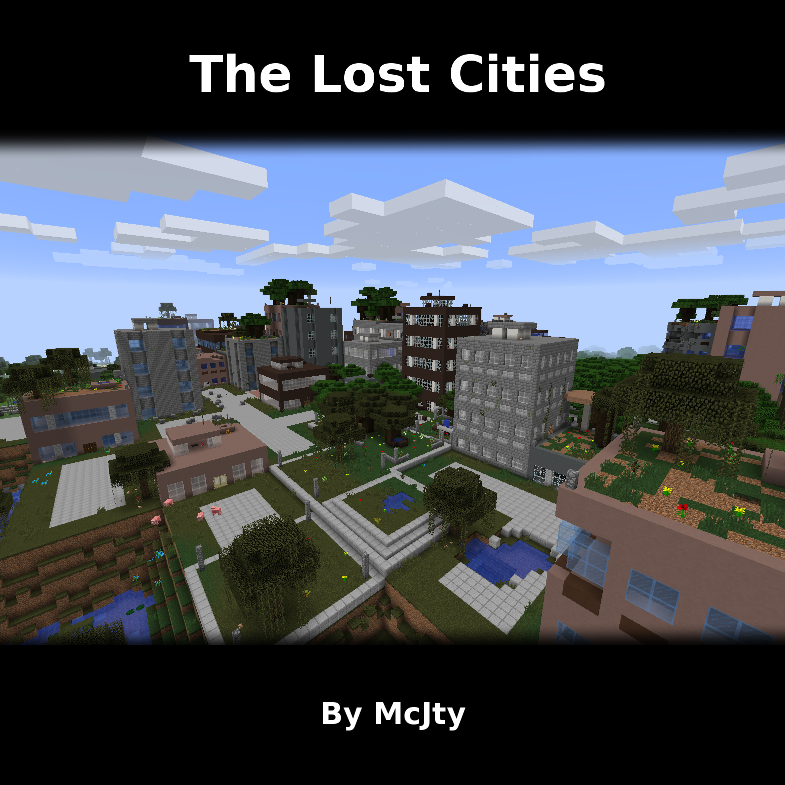
Allows the player to play in an old abandoned city instead of the normal overworld
 mod
A Minecraft mod that adds giant swords and shields to the game. A re-make of the original Asgard Shield, made popular by the 1.5 modpack Hexxit.
 mod
Euphoria Patches is an add-on for Complementary Shaders, extending it with more optional features and settings.