Minecraft version
Back to mods 
CurseForge · Minecraft mod
Server Mod Blacklist
Ban, kick or warn users connecting to your server with certain mods
Choose a version Pick your version below, then grab the matching file.
Quick answer
Which Server Mod Blacklist release matches 1.19.4?
Best match for your filters [1.19.4] [Forge] Mod Blacklist 1.0.0
Game version 1.19.4
Loader Forge
Server Mod Blacklist [1.19.4] [Forge] Mod Blacklist 1.0.0 targets 1.19.4 with Forge. The project page does not say whether this file belongs on the client, dedicated server, or both. No extra mods listed for this file.
Where it goes
Is Server Mod Blacklist required on the client, server, or both?
The project page does not say whether this file belongs on the client, dedicated server, or both.
Client Source doesn’t say
Dedicated server Source doesn’t say
Loader for this release Forge
Required install it here Optional supported, not mandatory Not supported do not install here Source doesn’t say do not assume
The source does not explicitly classify this release as client-only or server-only.
What else does Server Mod Blacklist [1.19.4] [Forge] Mod Blacklist 1.0.0 need?
[1.19.4] [Forge] Mod Blacklist 1.0.0 on 1.19.4. Every mod below is checked against that same setup.
This file does not list any required mods. Do not add a library just because a different file uses it.
This file does not list any required or optional mods.
Before you install it
Add Server Mod Blacklist without breaking your instance.
Built for Server Mod Blacklist [1.19.4] [Forge] Mod Blacklist 1.0.0 on 1.19.4. Pick another file and the loader, install side or required mods may change.
- 01
Stick to this file
Use [1.19.4] [Forge] Mod Blacklist 1.0.0. It targets 1.19.4 with Forge; another release may have different loader, side or dependency requirements.
- 02
Bring the mods it needs
This file does not list any required mods. Do not add a library just because a different file uses it.
- 03
Put it on the correct side
The project page does not say whether this file belongs on the client, dedicated server, or both.
- 04
Pick the file you checked
Use the “Get this file” button beside [1.19.4] [Forge] Mod Blacklist 1.0.0. It opens that exact file at the source.
About this project
What does Server Mod Blacklist add?
What does this mod do?
This mod allows you to ban or kick users or warn ops depending on what mods a user connects with. This is helpful to prevent players connecting to your server with client side mods installed which can give them an advantage over othe players, such as xray or hacked clients.
How do I use this mod?
There are three commands:
/ban-mod [modid] <Action> <Message>
/unban-mod [modid]
/banned-mods
[modid] - This is the ID of the mod
<Action> - This is the action you wish to occur when a user attempts to connect with the mod.
-- BAN: Will ban the user (Will inform them they've been banned and that the mod they have installed cannot be used on the server)
-- KICK: Will kick the user (Will inform them that the mod they have installed cannot be used on the server)
-- WARN_OPS: Will warn OPs that a user has just connected with a blacklisted mod (User will not be banned, kicked or informed of this)
<Message> - This is the message you wish to show to the user. Or when using WARN_OPS as a note to OPs. You can use %MOD% in place of a modid
Config Options
There are a few config options which come with this mod:
default_message (This is the default message which is shown to users when they are kicked or banned)
default_action (Unless an action is specified when running the /ban-mod command, this will be the default action taken. By default it is set to KICK)
locked_modids (This is an array of mod id's which cannot be banned using the /ban-mod command. By default the ids minecraft and forge are applied)
How do I install it?
Place the mod into the mods folder for your server. You do not need to install this on the client.
Project description from CurseForge.
Pick your setup
Server Mod Blacklist by Minecraft version and loader
Choose the version and loader you play, then open the matching release.
Minecraft version
1.16.5
1 loader buildCheck the dependencies, then try the file in a copied instance before changing a world you care about.
Recent files
Server Mod Blacklist versions and loaders
[1.19.4] [Forge] Mod Blacklist 1.0.0
mod_checker-1.0.0 - 1.19.4.jar
21 Mar 2023
Client Source doesn’t say Server Source doesn’t say Dependencies No extras listed Listed on Release listing
Check the 1.19.4 · Forge setup 1.19.4Forge release
Looking for an older file? The official CurseForge project page is in Resources.
 mod
CurseForge + Modrinth · Minecraft
Combatlog
An attempt to prevent people from logging out while in combat
 mod
CurseForge · Minecraft
Mob Senses: Mobs Hear Sound, Guns, Light & Voice Chat
Mobs hear steps, blocks, TaCZ gunshots (with suppressors!) & Simple Voice Chat through walls, see torchlight and smell blood trails. Zombie awareness, stealth & horror survival for Forge, NeoForge, Fabric & Paper.
 mod
CurseForge · Minecraft
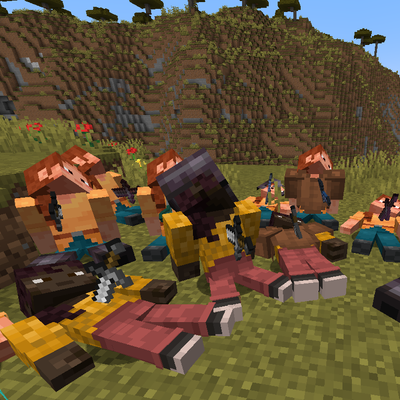
Player Corpse Detailed (Fabric, Neoforge, Forge)
Safely preserves your items on death with a realistic 3D corpse wearing your skin, equipped armor, and a lethal weapon stuck in its back.