Minecraft version
Back to mods 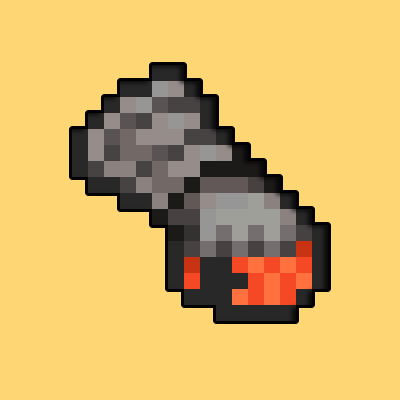
CurseForge · Minecraft mod
Added Arms
Adding customizable arms with special effects into your world
Choose a version Pick your version below, then grab the matching file.
Quick answer
Which Added Arms release should I use?
Latest stable file Added Arms 1.18.2 v1.1
Game version 1.18.1, 1.18.2, 1.18
Loader Forge
Added Arms 1.18.2 v1.1 targets 1.18.1, 1.18.2, 1.18 with Forge. The project page does not say whether this file belongs on the client, dedicated server, or both. No extra mods listed for this file.
Where it goes
Is Added Arms required on the client, server, or both?
The project page does not say whether this file belongs on the client, dedicated server, or both.
Client Source doesn’t say
Dedicated server Source doesn’t say
Loader for this release Forge
Required install it here Optional supported, not mandatory Not supported do not install here Source doesn’t say do not assume
The source does not explicitly classify this release as client-only or server-only.
What else does Added Arms 1.18.2 v1.1 need?
Added Arms 1.18.2 v1.1. Change the file and its required mods may change too.
This file does not list any required mods. Do not add a library just because a different file uses it.
This file does not list any required or optional mods.
Before you install it
Add Added Arms without breaking your instance.
Built for Added Arms 1.18.2 v1.1. Pick another file and the loader, install side or required mods may change.
- 01
Stick to this file
Use Added Arms 1.18.2 v1.1. It targets 1.18.1, 1.18.2, 1.18 with Forge; another release may have different loader, side or dependency requirements.
- 02
Bring the mods it needs
This file does not list any required mods. Do not add a library just because a different file uses it.
- 03
Put it on the correct side
The project page does not say whether this file belongs on the client, dedicated server, or both.
- 04
Pick the file you checked
Use the “Get this file” button beside Added Arms 1.18.2 v1.1. It opens that exact file at the source.
About this project
What does Added Arms add?
Have you ever felt like beacons and enchanting just took too much time? Well, now there is a solution, without changing your game too much!
This mod adds special "arms" into the game using vanilla materials, and later on in progression, split paths on what effects you want. The list of arms include
Iron Arm
Gold Arm
Diamond Arm
Netherite Arm (split paths below)
Fiery (fire aspect using blaze powder)
Hasty (haste using a golden apple)
Strengthening (strength using glowstone)
Venomous (poison using pufferfish)
Withering (wither using a wither rose)
And all you have to do is place your "arm" into your offhand, and the status effect is applied.
(PS, If you are having trouble how to progress in this mod, use the guide below)
To start off the mod, create a fist with this pattern, replacing the iron with either gold, diamond, or keeping the iron.
When you get the diamond arm, you can upgrade it to netherite using the smithing table like this ---
Finally, you can upgrade this netherite arm using the items listed below for each status effect ---
Fiery (fire aspect using blaze powder)
Hasty (haste using a golden apple)
Strengthening (strength using glowstone)
Venomous (poison using pufferfish)
Withering (wither using a wither rose)
--- and then putting the material into a smithing table like this ---
And most of all, remember to tell me anything you want me to add, or feel just doesn't feel right.
|| : PLANNED UPDATES : ||
- More Arms
- Custom Models that appear on hands
- Ender Arm (?)
- Runes to apply enchants
- Armor Trims for Arms
- Updating to 1.19 - 20 / going back down to 1.16.5
- Custom Menu
- Compatibility with other mods (Tinkerer's Construct, Create(?), etc.)
Project description from CurseForge.
Pick your setup
Added Arms by Minecraft version and loader
Choose the version and loader you play, then open the matching release.
Minecraft version
1.18.1
1 loader buildMinecraft version
1.18
1 loader buildCheck the dependencies, then try the file in a copied instance before changing a world you care about.
Recent files
Added Arms versions and loaders
Added Arms 1.18.2 v1.1
AddedArms1.1v.jar
8 Apr 2023
Client Source doesn’t say Server Source doesn’t say Dependencies No extras listed Listed on Release listing
Check the 1.18.2 · Forge setup 1.18.11.18.2Forge1.18 release
Added Arms 1.18.2 v.1.0
AddedArms.jar
2 Apr 2023
Client Source doesn’t say Server Source doesn’t say Dependencies No extras listed Listed on Release listing
Check the 1.18.2 · Forge setup 1.18.11.18.2Forge1.18 release
Looking for an older file? The official CurseForge project page is in Resources.
 mod
CurseForge · Minecraft
BSP CORE
BSP (Build Secure Protect) core modpack that adds custom items, blocks, machines, functions and behaviours to the official BSP server.
 mod
CurseForge · Minecraft
Workling
Workling traz novas formas de fazer as coisas em Minecraft, combinando mecânicas úteis, novas possibilidades e pequenos ajudantes para o seu mundo.
 mod
CurseForge + Modrinth · Minecraft
AnvilCraft: PigsPlus
This mod is an addon for AnvilCraft, with main content including production-friendly machines