Minecraft version
Back to mods 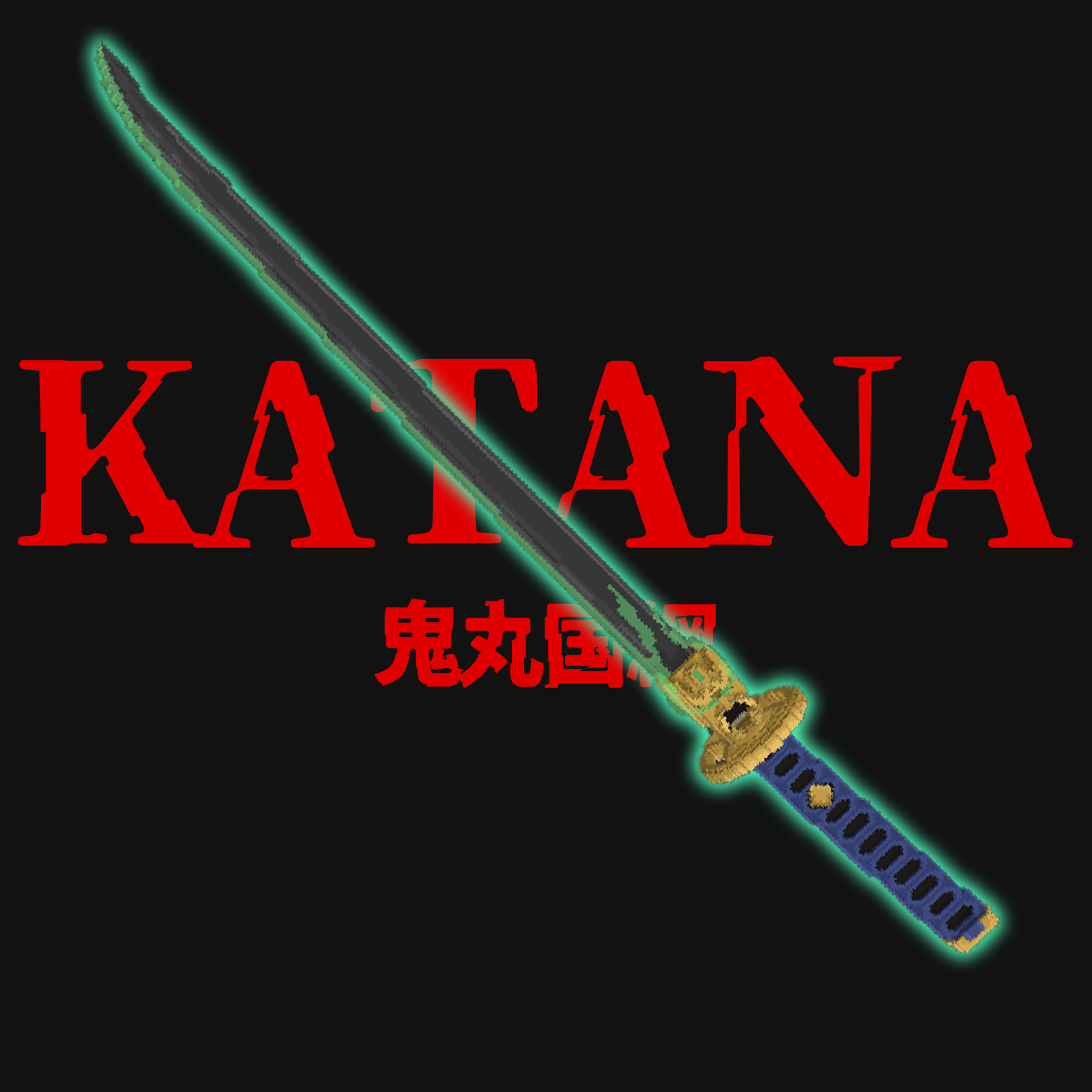
CurseForge · Minecraft mod
AT:Onimaru Kunitsuna
Fight with the oni katana!
Choose a version Pick your version below, then grab the matching file.
Quick answer
Which AT:Onimaru Kunitsuna release should I use?
Latest stable file AT:Onimaru Kunitsuna 1.19.2
Game version 1.19.2
Loader Forge
AT:Onimaru Kunitsuna 1.19.2 targets 1.19.2 with Forge. The project page does not say whether this file belongs on the client, dedicated server, or both. No extra mods listed for this file.
Where it goes
Is AT:Onimaru Kunitsuna required on the client, server, or both?
The project page does not say whether this file belongs on the client, dedicated server, or both.
Client Source doesn’t say
Dedicated server Source doesn’t say
Loader for this release Forge
Required install it here Optional supported, not mandatory Not supported do not install here Source doesn’t say do not assume
The source does not explicitly classify this release as client-only or server-only.
What else does AT:Onimaru Kunitsuna 1.19.2 need?
AT:Onimaru Kunitsuna 1.19.2. Change the file and its required mods may change too.
This file does not list any required mods. Do not add a library just because a different file uses it.
This file does not list any required or optional mods.
Before you install it
Add AT:Onimaru Kunitsuna without breaking your instance.
Built for AT:Onimaru Kunitsuna 1.19.2. Pick another file and the loader, install side or required mods may change.
- 01
Stick to this file
Use AT:Onimaru Kunitsuna 1.19.2. It targets 1.19.2 with Forge; another release may have different loader, side or dependency requirements.
- 02
Bring the mods it needs
This file does not list any required mods. Do not add a library just because a different file uses it.
- 03
Put it on the correct side
The project page does not say whether this file belongs on the client, dedicated server, or both.
- 04
Pick the file you checked
Use the “Get this file” button beside AT:Onimaru Kunitsuna 1.19.2. It opens that exact file at the source.
About this project
What does AT:Onimaru Kunitsuna add?
Hey everyone!!
It's me, the guy who usually makes weird mods, but today I've brought something really practical for you all. Check this out!
Ta-da!
It's the Onimaru Kunitsuna!
What?
You don't know what Onimaru Kunitsuna is?
Well, you better learn it right now!
Onimaru Kunitsuna is an incredibly cool katana, like, really really cool.
It costs $56,
but hey, I'll give it to you for free if you think it's too expensive...
treatment
So, let me tell you about this mod.
It's a mod that replaces the existing diamond sword with the Onimaru Kunitsuna.
The performance and specs are exactly the same as the diamond sword, but the appearance is different.
There are three main animations:
when you draw the sword
when you swing it
and when you right-click it
Especially the animation for right-clicking is really well done, so I want you to do it like 300 times a day ;)
introduction
Now, let me tell you how to install it.
This mod requires a little bit more work than other mods, so don't say
"ugh, all mod installation methods are the same, I'll skip this part."
Read this carefully,
or I'll kiss you deeply.
First, put this mod in the "mods" folder. This is the same as with any other mod.
Next, you need to install the geckolib mod, version 1.19.2.
Then, launch Minecraft and open the resource pack UI.
Move "Mod Resources" above the existing textures.
This means that it will be prioritized for rendering.
Got it? That's it, you're done!
Doubt
Finally, here are a few things you might want to know:
- I don't know if it works in multiplayer, so try it out.
- Some parts of the display might be buggy, but that's intentional.
- The inventory display might be messed up, but that's intentional too.
- I will continue to put out mods like this one as an "Animated Texture" series.
- If you have any ideas, leave a comment.
- Use it on YouTube as much as you want.
- I didn't make the attack motion because it would have been too loud.
- I didn't even make the sound effects because it would have been too loud.
- My lunch today is sushi!
Project description from CurseForge.
Pick your setup
AT:Onimaru Kunitsuna by Minecraft version and loader
Choose the version and loader you play, then open the matching release.
Check the dependencies, then try the file in a copied instance before changing a world you care about.
Recent files
AT:Onimaru Kunitsuna versions and loaders
AT:Onimaru Kunitsuna 1.19.2
AT_Onimaru_Kunitsuna-1.19.2.jar
5 Apr 2023
Client Source doesn’t say Server Source doesn’t say Dependencies No extras listed Listed on Release listing
Check the 1.19.2 · Forge setup 1.19.2Forge release
Looking for an older file? The official CurseForge project page is in Resources.
 mod
mod CurseForge · Minecraft
Spartanisory
Great vanilla improved equipment mod for upgrading those old tools, weapons, and armor
 mod
mod CurseForge · Minecraft
Reskillable Reimagined
RPG Leveling Mod, 8 default skills with up to 8 custom skills configurable!
 mod
mod CurseForge · Minecraft
Cyberpunk2077
A cyberpunk-inspired experience featuring powerful cyberware, time dilation, enhanced vision, combat upgrades, and cybernetic enemies.