Minecraft version
Back to mods 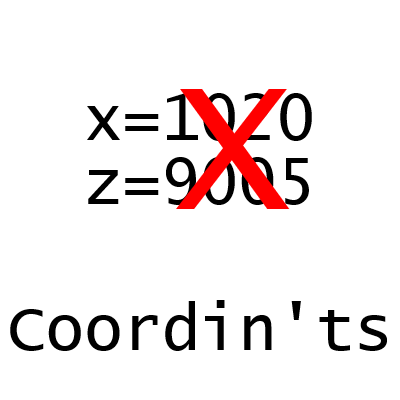
CurseForge · Minecraft mod
Coordints
Helps prevent accidentally leaking your base's coordinates
Choose a version Pick your version below, then grab the matching file.
Quick answer
Which Coordints release matches 1.19.4?
beta file 1.19.4-0.1
Game version 1.19.4
Loader Forge
Coordints 1.19.4-0.1 targets 1.19.4 with Forge. The project page does not say whether this file belongs on the client, dedicated server, or both. No extra mods listed for this file.
Where it goes
Is Coordints required on the client, server, or both?
The project page does not say whether this file belongs on the client, dedicated server, or both.
Client Source doesn’t say
Dedicated server Source doesn’t say
Loader for this release Forge
Required install it here Optional supported, not mandatory Not supported do not install here Source doesn’t say do not assume
The source does not explicitly classify this release as client-only or server-only.
What else does Coordints 1.19.4-0.1 need?
1.19.4-0.1 on 1.19.4. Every mod below is checked against that same setup.
This file does not list any required mods. Do not add a library just because a different file uses it.
This file does not list any required or optional mods.
Before you install it
Add Coordints without breaking your instance.
Built for Coordints 1.19.4-0.1 on 1.19.4. Pick another file and the loader, install side or required mods may change.
- 01
Stick to this file
Use 1.19.4-0.1. It targets 1.19.4 with Forge; another release may have different loader, side or dependency requirements.
- 02
Bring the mods it needs
This file does not list any required mods. Do not add a library just because a different file uses it.
- 03
Put it on the correct side
The project page does not say whether this file belongs on the client, dedicated server, or both.
- 04
Pick the file you checked
Use the “Get this file” button beside 1.19.4-0.1. It opens that exact file at the source.
About this project
What does Coordints add?
Coordin'ts is a mod that helps prevent you from accidentally leaking your base's coordinates by hiding them from the F3 screen when inside a configurable range and blocking, redacting or obfuscating said coordinates if attempted to be sent in a chat message.
This mod is in early beta so it is currently client-side-only and blacklisted coordinates apply to all worlds and servers. These will eventually be addressed in a future release.
You can define multiple ranges of coordinates to blacklist and the mod can detect when your chat messages contain similar coordinates to those blacklisted - even if not technically within the range - helping protect against "x is at 2001" when the blacklisted range is x 1500-2000 for example.
There are three modes for handling messages containing blacklisted coordinates:
Redact: replaces the coordinates with a random amount of Xs
Randomise: replaces the coordinates with irrelevant random coordinates to confuse players
Block: prevents the message from being sent altogether
Project description from CurseForge.
Pick your setup
Coordints by Minecraft version and loader
Choose the version and loader you play, then open the matching release.
Minecraft version
1.20
1 loader buildMinecraft version
1.19.4
1 loader buildCheck the dependencies, then try the file in a copied instance before changing a world you care about.
Recent files
Coordints versions and loaders
1.19.4-0.1
coordints-1.19.4-0.1.jar
6 Apr 2023
Client Source doesn’t say Server Source doesn’t say Dependencies No extras listed Listed on Release listing
Check the 1.19.4 · Forge setup 1.19.4Forge beta
Looking for an older file? The official CurseForge project page is in Resources.
 mod
CurseForge + Modrinth · Minecraft
WTHIT
What the hell is that? A fork of Hwyla which is a fork of Waila.
 mod
Modrinth · Minecraft
Sodium Extra
A Sodium addon that adds features that shouldn't be in Sodium.
 mod
CurseForge · Minecraft
Anvil reset scroll
This mod introduces Reset Scroll. It allows you to keep your gear forever without worrying about the vanilla anvil repair limits.No Anvil Expensive,No Expensive Never Too Expensive